Question

Zoom Screen Sharing + Large Figma File = Crashes My MBP

  • November 28, 2023
  • 2 replies
  • 634 views

Briefer_Design

Hi folks, I have experienced this several times when hosting a Zoom meeting and doing a Screen Sharing. Sometimes, when I opened a large Figma file in Chrome suddenly my Mac crashed. The monitor went black, and I had to force quit my MacBook Pro (Sonoma).

Has anyone else experienced the same thing?

This topic has been closed for replies.

2 replies

Ryan_52
Figmate
  • Technical Quality Specialist
  • November 28, 2023

Hi @Briefer_Design it’s possible having multiple applications open at the same time are using significant resources of your device and is causing performance issues. It may not be related to a single application, but there are a few things you can do or try to help.

I would first recommend trying to clear out your cache in the browser and Desktop app and check if this helps.

You can clear the desktop app cache on a Mac in the Help menu under Troubleshooting. If you’d prefer to manually clear your cache you can:

  1. Quit the Figma desktop app
  2. Open Terminal.app and enter the following command: rm -rf “$HOME/Library/Application Support/Figma”
  3. Try opening the desktop app again

In addition, I would recommend checking the system resources being using when you experience this issue and see if you are close to your memory limit or if any are using a high amount of CPU. If you are on a Mac you can check this from the Activity Monitor. From there you can get a good understanding and try making adjustments to the application you have open.

Lastly, I would recommend trying to update your software and drivers to make sure you are using the latest versions.


Briefer_Design

Hi Ryan, thank you for your response. Sorry for not responding earlier, but I need some time to gather more info when the issue occurred again, which is happened again today.

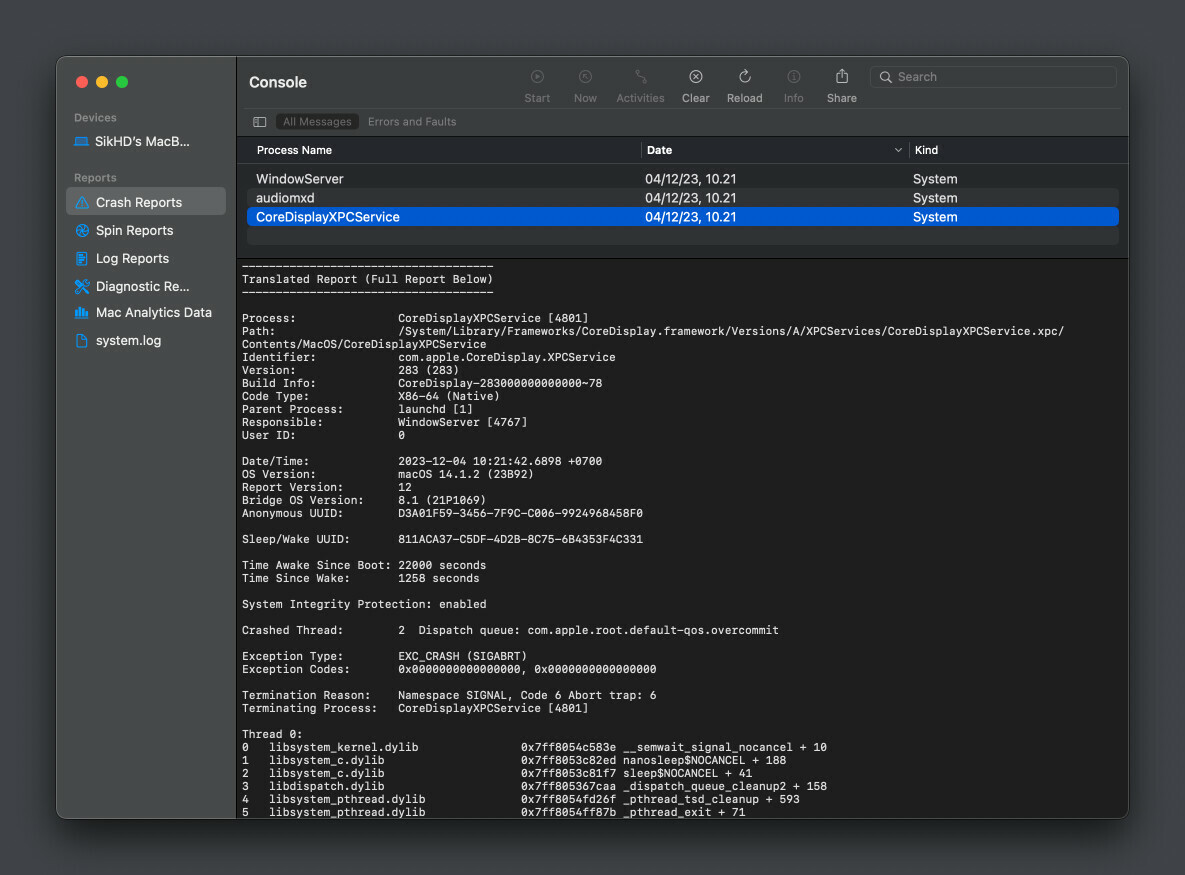
During a Zoom meeting, when I shared screen my Chrome browser, when I switched to a Figma tab with number of artboards, my screen instantly went black. The keyboard still seemed to function, but the screen remained black. I had to restart my Mac to resolve it.

In the console, I found these crash logs related to this issue:

I’m using a 2018 MacBook Pro, 16-inch, 2.6 GHz, 6-Core i7, Intel UHD 630 1536 MB, 16 GB RAM, macOS Sonoma 14.1.2.

Thanks!