ytsejam
New Member
June 16, 2025
Question

Why is the full context menu not appearing in Figma?

  • June 16, 2025
  • 3 replies
  • 295 views

Hi everyone,

I searched the forum but only found general issues about right-click not working at all – nothing about this specific behavior:

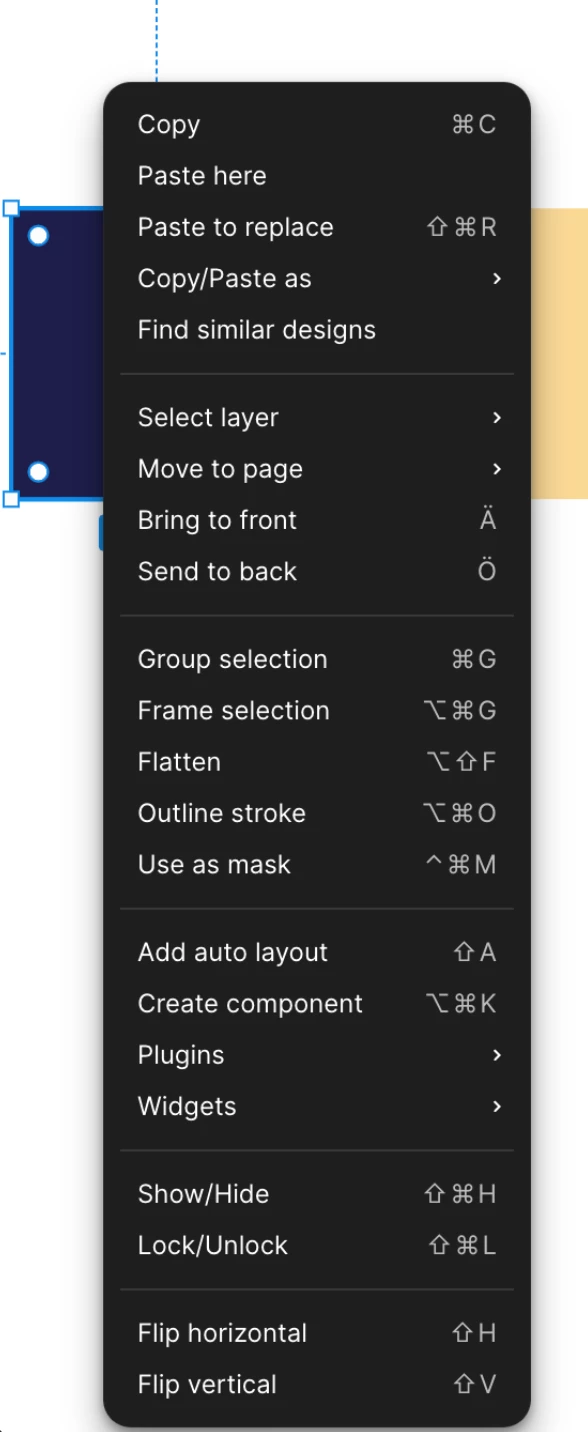
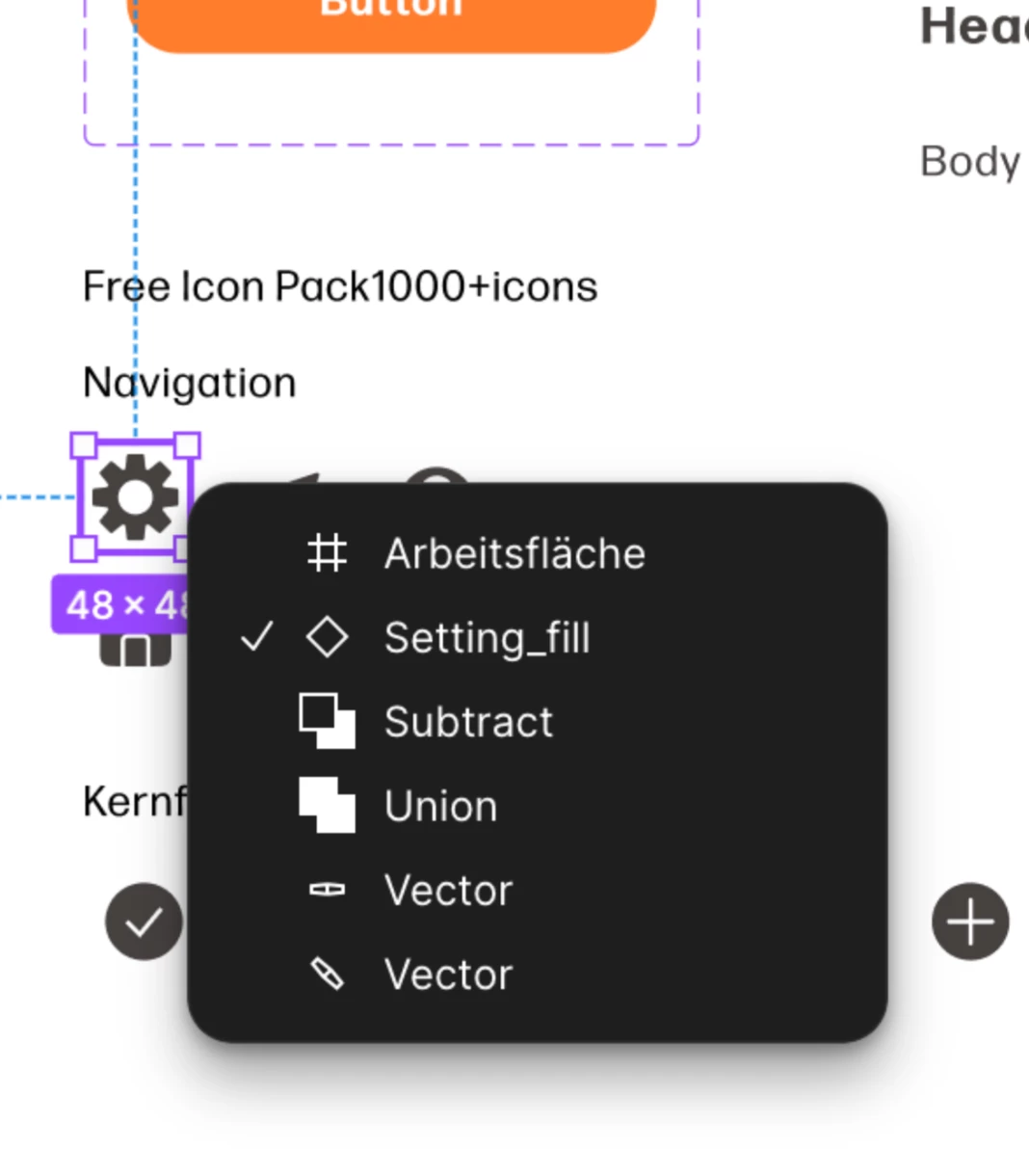
When I right-click (or ctrl-click) on an object, I only get the short context menu (see first screenshot), instead of the full extended one (see second screenshot). This really slows down my workflow.

I’m using the Figma Desktop App version 125.4.9, optimized for Apple Silicon, on a MacBook Pro (2021) with macOS Sonoma 14.5 and an Apple M1 Pro.

Has anyone experienced this? Could this be a setting I’ve missed or a bug?

Thanks in advance for any help!


    This topic has been closed for replies.

    3 replies

    Figmate
    June 17, 2025

    Hi ​@ytsejam,


    I understand that the right-click menu isn't appearing as you'd expect.


    In the first screenshot you shared, the right-click menu appears to show Boolean operations like Union and Subtract. I tried to replicate that behavior on my end, but I wasn't able to see that specific menu when I right-clicked.


    Could you please share a video recording demonstrating what you're seeing?

    It would be super helpful if you could include your left and right panels with the relevant layers expanded in the recording. This will help us understand exactly what's happening, allow us to try and replicate the issue, and connect you with the appropriate team if needed.


    Thanks,

    ytsejam
    ytsejamAuthor
    New Member
    June 26, 2025

    Hi Junko3, 

    sry for the late response, but its technically not my issue, it happens when my students work with FIGMA. But I also work with the identical version of FIGMA and I can’t replicate the issue by myself.

    See the Screencast of one of my students: 

    Screencast FIGMA // Dropbox-Link


    Thank you in Advance! :)

    Figmate
    July 1, 2025

    Hi there,


    Thanks for getting back to me, and thanks for sharing your student's screencast! That really helps.


    From the video, it looks like the file might be using some assets or widgets from our Community, such as the Color Levels Generator or the Free Icon Pack1000+icons. (Please note that I'm just guessing based on the video, so I might be mistaken about the exact resources.)

    Since these resources are created by Community members, I'd recommend reaching out directly to their creators for help or to report any problems you're encountering. You can usually find a support email or contact information on each resource's page in Figma community.


    Thanks!