gabe77
New Member
July 12, 2025
Question

Why is my asset not showing up in present mode?

  • July 12, 2025
  • 2 replies
  • 625 views

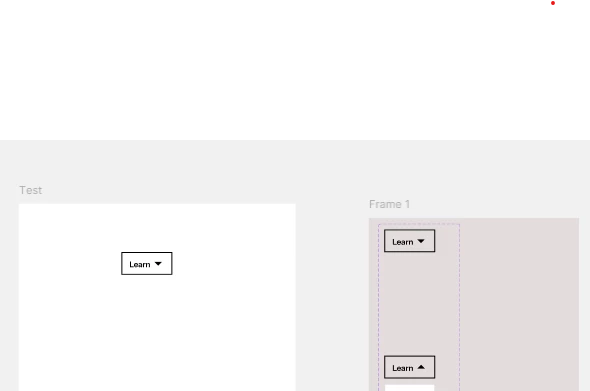
Hi! I am new to Figma and trying to make a drop down menu. I made a test frame, put the asset in it and presented it to try it out, There is a blank screen. What did I do wrong/how can I fix it? 


    This topic has been closed for replies.

    2 replies

    Tom Reem
    Figmate
    Figmate
    July 13, 2025

    Hey ​@gabe77 — welcome to Figma Forum, and thanks for reaching out!


    Appreciate you including the screenshots — it’s a helpful start. From what I can see, it’s a little unclear whether any interactions have been added between your components. That might be why nothing is showing in Present mode.


    Since you mentioned you're newer to Figma Design, I also wanted to offer these two resources:

    • When you have a moment, you might find this guide useful for double-checking your setup: Guide to prototyping in Figma.
    • I can’t say enough good things about this tutorial series — it offers a solid walkthrough of the prototyping process, step by step: Figma Design for beginners.


    If the issue continues, feel free to share more details about how your prototype is set up — like your starting point, interactions, and expected behavior. A screenshot or short screen recording that includes both the left and right side panels can also help us get a clearer picture.


    Let us know how it goes — we’re here to help! 🙏🏻

    Helena Costa
    New Member
    November 13, 2025

    hi tom! i'm having the same issue as gabe and i added interactions between the components, but they still don't appear on presentation mode. they seem to be on different flows. can you help me please?