Tristam3000
New Member
September 11, 2026
Solved

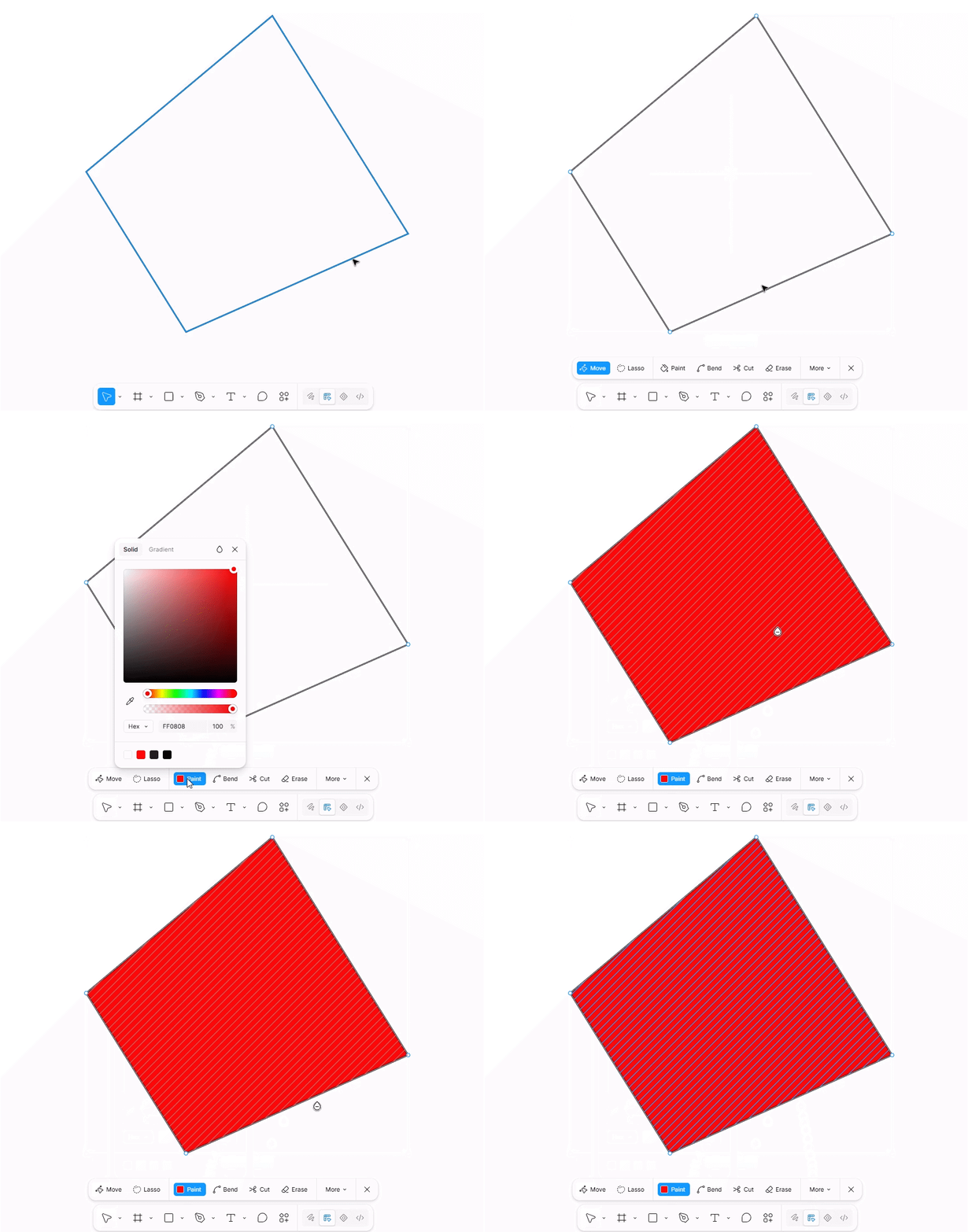
Why doesn't this vector show a fill?

  • September 11, 2026
  • 2 replies
  • 40 views

Fill is set, and very strangely appears partially if you round the corners of the shape. I’m at a bit of a loss on this one.

Best answer by Nellya

You need to use Paint tool to fill your stroke shape


2 replies

Nellya
NellyaAnswer
Power Member
September 11, 2026

You need to use Paint tool to fill your stroke shape


itspauljnicoleson
New Participant
September 11, 2026

Makes sense  if it's showing fill only where the corners round off, your path probably isn't fully closed. Figma only renders fill inside a closed loop; an open vector path will only "catch" fill in the spots where the outline happens to overlap itself. Select the shape, then in the Path menu try **Close Path** (or select all points and hit Ctrl/Cmd+J) — the fill should apply cleanly across the whole shape after that.

Paul J Nicoleson