

Question
Why does Figma reset my icon instance and not only its size property?
Hey Community. It’s my first question here, so lmk if this is the right approach/format.
Here’s my use case:
- I have two icon component sets consisting of two sizes each
- I want to use the icons in a button component
- The icon instance inside the button component is exposed as nested instance
- I change the icon instance inside the button from checkmark to xClose
- When changing the button size, it resets the icon instance to the default
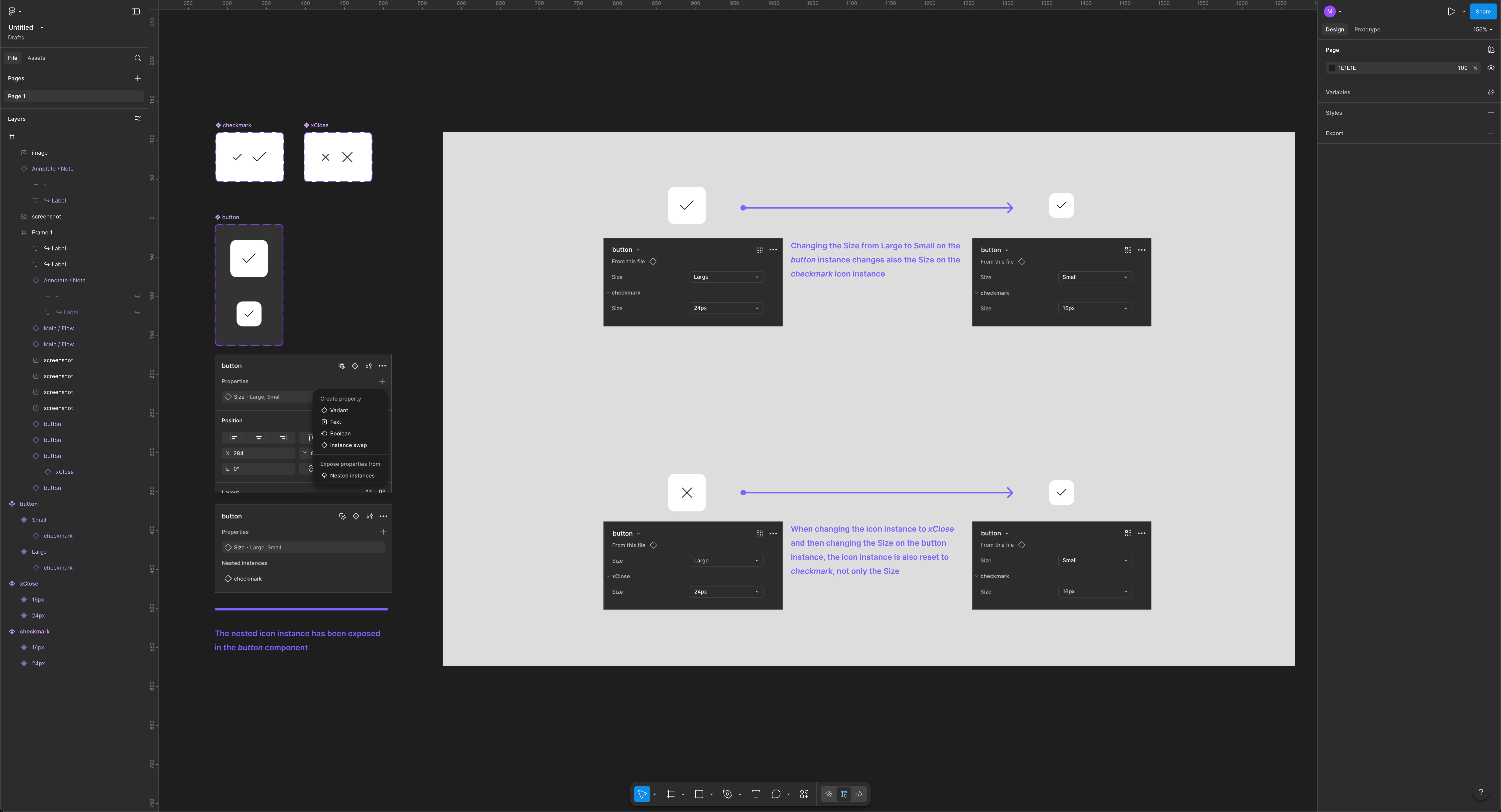
I can’t set the icon instance inside the button as instance swap property either, because I’d have to do it for both icon sizes in both component variants, and then it still doesn’t persist when changing the size of the button component.
Any clue if and how this can work inside Figma? I know simply scaling the icon would solve this, but I have an icon set including the right sizes as variants which I want to utilize.
Thanks!