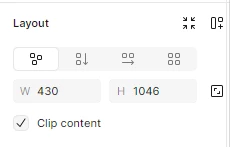
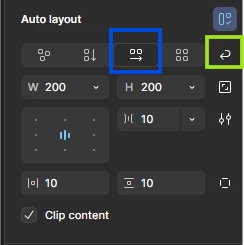
It looks like Auto layout isn’t applied yet, and the Wrap option only shows up when you’re using horizontal layout.
Wrap
Give that a try. Cheers!
Product designer @ NETWORG | Designing Model-driven Power Apps in Figma | Power Apps DesignKit (Model-driven) | Disclosure: I’m part of Figma’s Forum Ambassador program.
Hi there! I also confirm the wrap feature is still available in Figma's auto layout. As @Ondrej_Pavlicek mentioned, it becomes available specifically when you have horizontal auto layout selected. To go further, I’d recommend you to check these resources: