
nikita_diqsi
Apr 21, 2023 8:26 AM UTC
Solved

Where has the "Go to main component" button disappeared in assets?

Where has the “Go to main component” button disappeared in assets? She used to be, now she’s gone, who knows what this is connected with?

How was it:
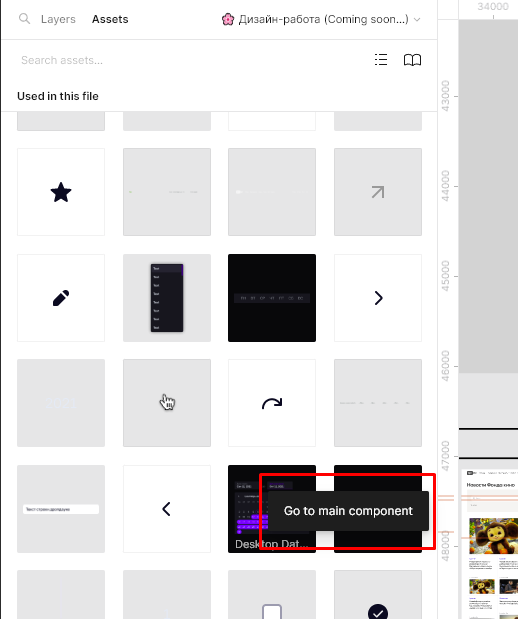

right now this is not

This topic has been closed for replies.
Eike_J
Eike_JSolution
Apr 21, 2023 2:13 PM UTC

Same problem here. Also the button “Go to Main Component” in the right sidebar has disappeared.

Edit:
I found the reason: If the library is owned by a different person than the file you are working in, there exists the problem. If the library and the file owned by the same person it works.

16 replies

Eike_J
Eike_JSolution
Apr 21, 2023 2:13 PM UTC

Same problem here. Also the button “Go to Main Component” in the right sidebar has disappeared.

Edit:
I found the reason: If the library is owned by a different person than the file you are working in, there exists the problem. If the library and the file owned by the same person it works.

jjcm
Figmate
Figmate
May 3, 2023 6:39 PM UTC

Heya @Eike_J - can you give me a little more info here so I can look into this? You mentioned that if the library is owned by a different person the “go to main component” option isn’t appearing - is that a different person in a different organization, or are they a part of the same organization you belong to?

Eike_J
May 4, 2023 6:32 AM UTC

Hey @jjcm ,

The problem exists, in the following scenario:

Working File:

  • is owned by customer
  • Customer has its own organization
  • I was added to the file with editor permission
  • This file is working with a design library.

Design library:

  • owened by me/my organization
  • customer is viewer in this file
  • I can edit this file and have owner permissions

In this case i don’t see the button. If i create a new file (owned by me) and link it to my design-library i can see the button.

If I create a new file and link it with the customers design-library (owned by customers organization), then I don’t see the button either.

Hope it helps!

I think the problem occurs when you work cross-organisational with a design-library.

Note:
Support emailed me to tell me that I could see the “Go to main component” menu item by right-clicking on the item - this actually worked beautifully.

Aleksandra17
Jun 1, 2023 10:04 PM UTC

Hi! Now the button is missing from the menu, which is accessed by right-clicking

vernikr
New Participant
Jun 6, 2023 12:17 PM UTC

This is definitely a bug. Some time ago it wasn’t in the same circumstances. Figma, please fix.

A person gave me an edit access to a file, I placed an instance of my component from my another file. Then I can’t find the “Go to main component” command in right-click menu. Though nothing prevents me from finding it manually, updating and publishing.

Jun 7, 2023 8:37 AM UTC

same problem here. awhile ago i was able to do this. Now the main component is gone.

rodolfo2
Aug 2, 2023 5:09 AM UTC

Same problem here. I own the design system file.
Yesterday, I created a create a new file and applied some components. The “Go to main component” option was available on right click.

Today I opened the same file, but now the option is gone.

@support_team

Paola_Prado
Aug 8, 2023 5:55 PM UTC

This is happening with me too. 😦

Haru
Aug 29, 2023 8:45 PM UTC

Same is happening tome as well. Right click dropdown is missing the Go to Main Component selection.

Schmidt_Joel_Pons_Joel_LPD
Sep 4, 2023 12:43 AM UTC

Same issue for me. No option to go to main component in contextual menu.