Question
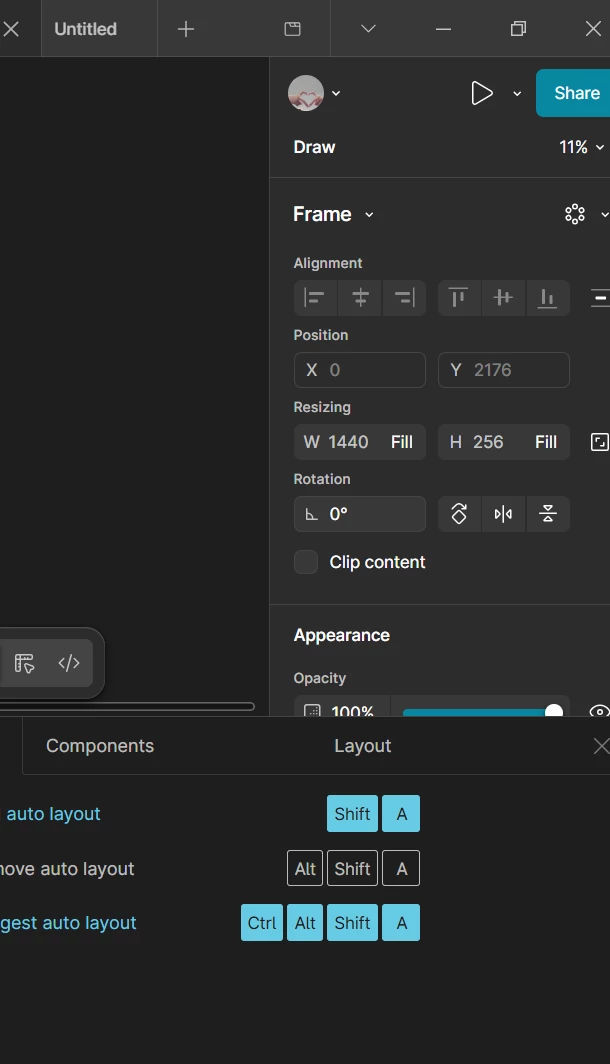
Where can i find the position
I can’t find position frame auto layout , like in here
https://help.figma.com/hc/en-us/articles/26584819173271-Layers-101-Get-started-with-layers
Layer properties
Every layer will have properties associated with it. A layer's properties give us basic information about the layer, like it X and Y coordinates, or position on the canvas, or its dimensions like width and height.
Other properties control how the layer looks, like what color it is, whether it has a border (called stroke in Figma), or if it has any effects, like a drop shadow or blur.
You'll find most of these properties in the right sidebar. Which properties you can see will depend on the type of layer you have selected.