Solved

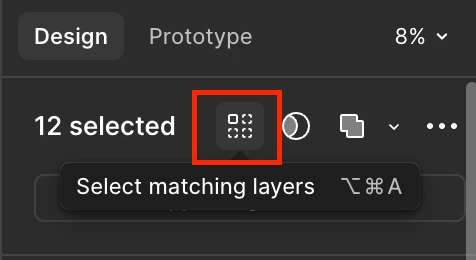
What happened to select matching layers?

  • January 14, 2026
  • 3 replies
  • 28 views

Jens_Nielsen

Went on vacation for 3 weeks, come back, and now my magic “select all matching layers” button is gone. Why?

I used to be able to select all matching layers within a section. that is now gone!

Lately it seems like Figma is dead set on disrupting all of my workflows!

Best answer by djv

Hi ​@Jens_Nielsen, thanks for reaching out! 

The Select matching layers icon is still there on my end. 


May I ask what are you seeing on your end? Are you able to share a screenshot of your canvas and the matching layers Figma isn’t detecting? 

3 replies

djv
Figmate
  • Community Support
  • Answer
  • January 14, 2026

Hi ​@Jens_Nielsen, thanks for reaching out! 

The Select matching layers icon is still there on my end. 


May I ask what are you seeing on your end? Are you able to share a screenshot of your canvas and the matching layers Figma isn’t detecting? 


Jens_Nielsen
  • Author
  • Active Member
  • January 14, 2026

Oh, there it is! i have been on vacation for too long :D


Tercio_Sant_Anna

Hello, kind of deviating from the topic, but it seems that my shortcut for Select Matching Layers is not working.

I did reset Figma and tested other shortcuts like Select Inverse (it even shows the animation with the keyboard layout tab open), but it won’t work.

The option in the menu still works, though, but the shortcut doesn’t. Any suggestions?

Edit: Sometimes some apps “reserve” certain shortcuts. In my case, Evernote was hijacking Ctrl + Alt + A for a specific action. Once I closed Evernote, the problem was gone.