
Hugo-M
New Participant
Oct 16, 2026 10:17 AM UTC
Question

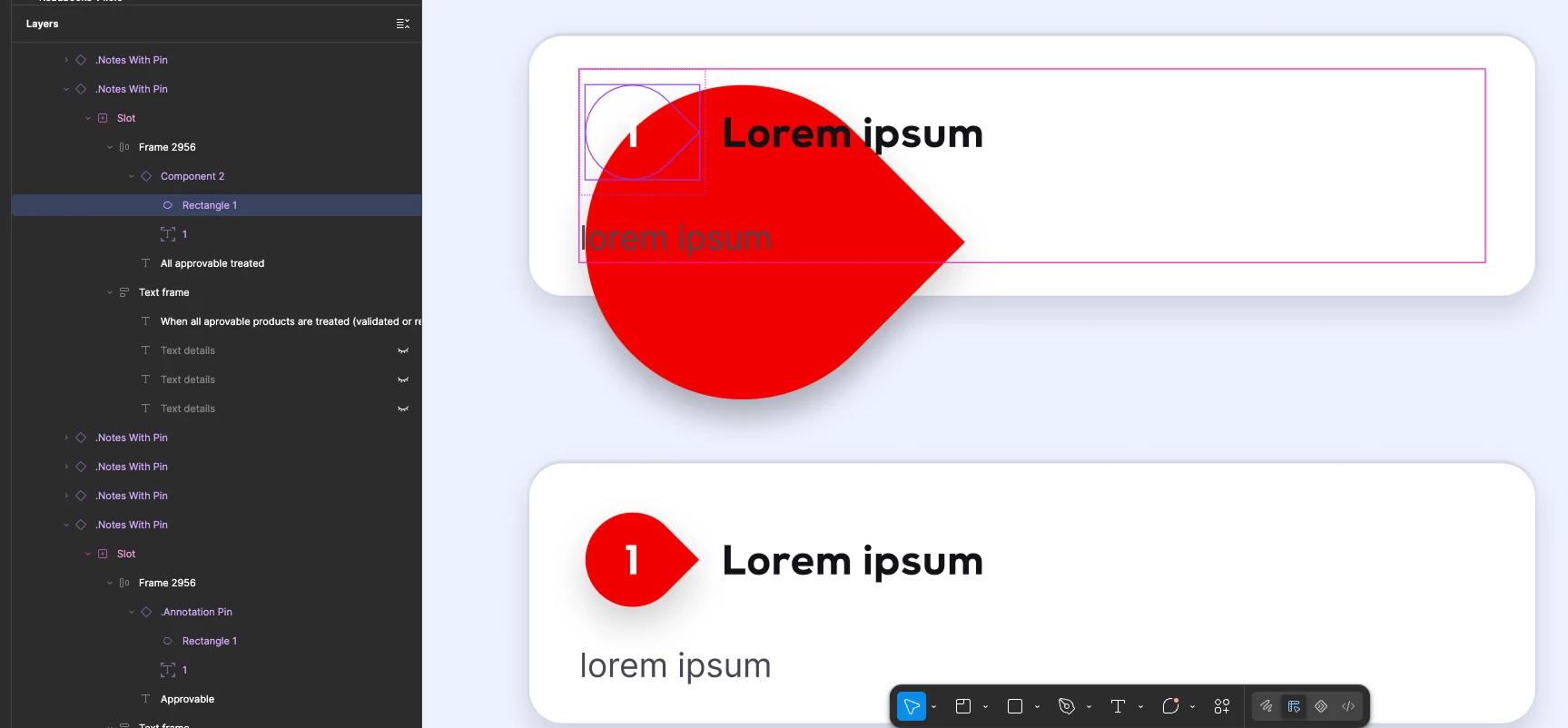
Weird display way larger than the actual vector boundary (component)

I attached an image.
When I drag and drop the instance, the display is fixed.
How can I fix the issue ? Where does it come from ?

Thanks !


1 reply

Ondrej_Pavlicek
Figma Ambassador
Figma Ambassador
Oct 26, 2026 7:15 PM UTC

Hi there! 👋

It's a bit hard to tell just from a screenshot, so I'm not 100% sure if this is the exact issue, but I tried to replicate your setup and it looks like it might be caused by the Clip content setting being turned off on your component.

I’d try selecting the component and checking the Clip content box in the right panel (green box), or playing around with the width and height settings (blue box) to see if that fixes the display.

Clip Content Check

Alternatively, sharing the properties of the problematic layers could help identify the issue.

Hope it helps!

Product designer @ NETWORG | Designing Model-driven Power Apps in Figma | Power Apps DesignKit (Model-driven) | Disclosure: I’m part of Figma’s Forum Ambassador program.
