

Solved

Verification Limit Exceeded for Figma Education— Stuck in SheerID/Figma Loop

  • February 4, 2026
  • 2 replies
  • 165 views

Marie DC

Hello Figma Community / Support Team,

I’ve been trying to apply for the Figma student plan for over 6 months, but I’m still blocked by a “Verification Limit Exceeded” error.

I’ve seen many similar topics in the community (unable to verify student status, Education Verification Failed, etc.), but none have received an answer or solution. The situation seems to create a loop with no resolution:

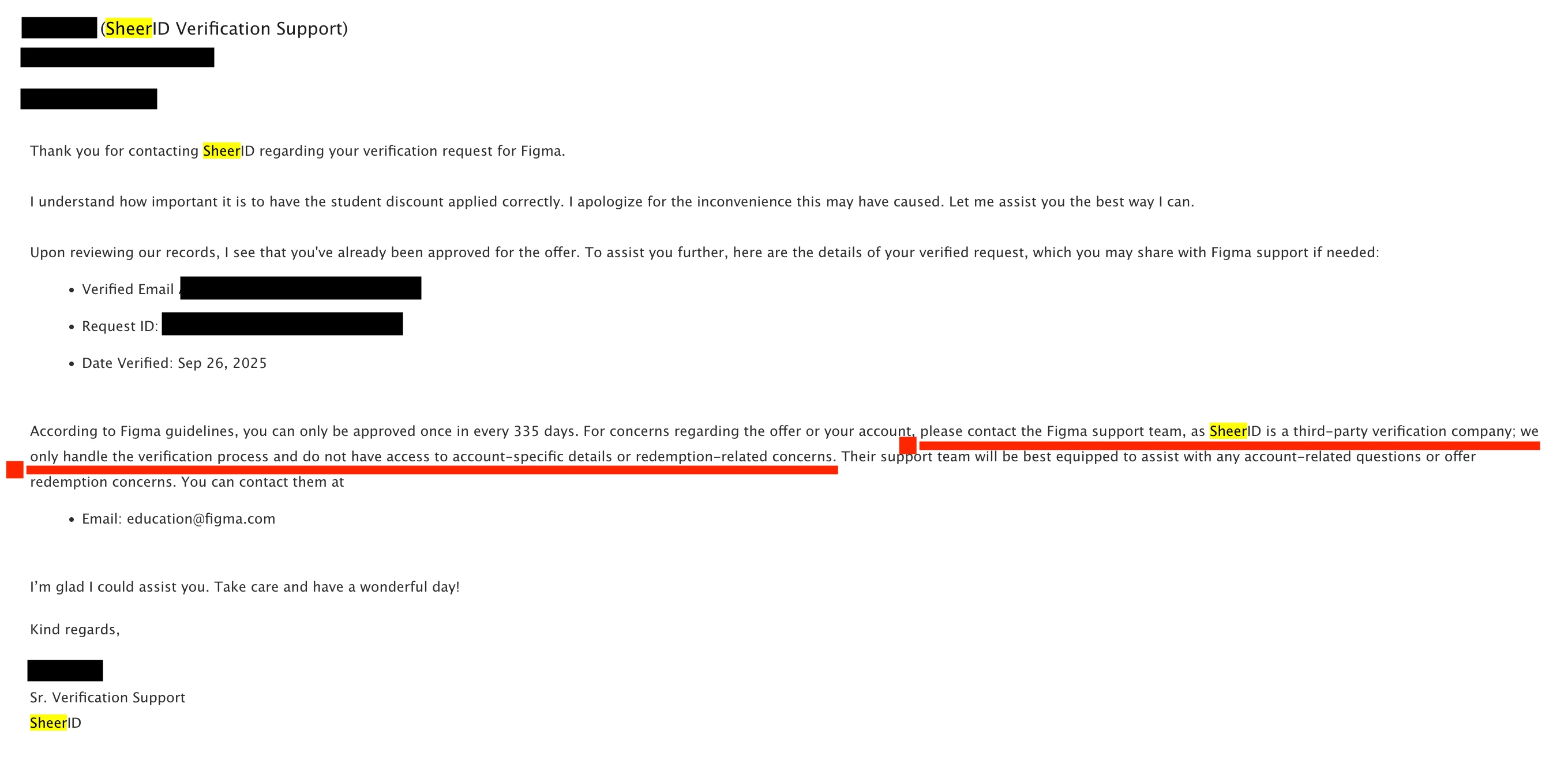
  • SheerID confirms that my student verification is approved but tells me to contact Figma Education.
  • On the Figma forum, I am told to contact SheerID and Figma Education did not respond to me yet.

This leaves students like me stuck indefinitely.

Verification details by SheerID :

  • Verified email: --------------------------------------
  • Request ID: 68d69e7bd0a9b854fa9315f1
  • Date verified: September 26, 2025

I want to be clear: I am not trying to bypass the system. I am a student continuing my master’s in UX Design, and I can only afford the student plan. The inability to access it is blocking my studies.

My school has also confirmed that they are trying their best to resolve this issue with Figma, as other students from my program are experiencing the same problem, but unfortunately, the situation has not progressed since the beginning of my master’s degree.

I’ve already tried all recommended troubleshooting steps (clearing caches, different browsers, private/incognito mode), but the issue persists.

I am asking Figma Education to reset or manually refresh my verification so the student discount can be correctly applied. This issue has already prevented me from using Figma for 6 months, and I really need a resolution to continue my studies.

If any community member has a super solution or workaround, I would be glad to try it.

Thank you very much for your time and assistance.

Kind regards,
Marie.
 

Best answer by Celyn_L

Hi ​@Marie DC — Celyn here from Figma Community Support.

Thank you for taking the time to lay everything out so clearly and for providing the screenshot.

I’m really sorry for the inconvenience this has caused, especially given how long you’ve been stuck in this process. This is definitely not the experience we want for our Education users.

I can see that you’ve already reached out via support ticket #1718867, and I’ve escalated your request to our Education team with the context you shared above.

I’ll follow up here if I hear anything new from the team. In the meantime, please keep an eye on the inbox associated with your Figma account for any next steps or updates.

Thank you for your patience 🙏

2 replies

Celyn_L
Figmate
  • Figmate
  • Answer
  • February 5, 2026

Hi ​@Marie DC — Celyn here from Figma Community Support.

Thank you for taking the time to lay everything out so clearly and for providing the screenshot.

I’m really sorry for the inconvenience this has caused, especially given how long you’ve been stuck in this process. This is definitely not the experience we want for our Education users.

I can see that you’ve already reached out via support ticket #1718867, and I’ve escalated your request to our Education team with the context you shared above.

I’ll follow up here if I hear anything new from the team. In the meantime, please keep an eye on the inbox associated with your Figma account for any next steps or updates.

Thank you for your patience 🙏


isabellamontgomery011

Hi everyone,

I know how frustrating it is to get stuck in the SheerID verification loop. A few steps that usually help:

  1. Contact SheerID support directly and explain your situation — they can reset your verification attempts.

  2. CC education@figma.com so the Figma Education team can manually review your case.

  3. Make sure you’re using your official school email and that your documents clearly show enrollment.

This usually resolves the loop. Hang in there — you’ll get your Education account approved! 🙏