Sriram_Sarad_Samoju
July 22, 2024
Solved

Variables created in the Library File are not reflecting in the Design File

  • July 22, 2024
  • 3 replies
  • 123 views

Can anyone tell me how to solve this?

This topic has been closed for replies.
Best answer by y_toku

Hi there,

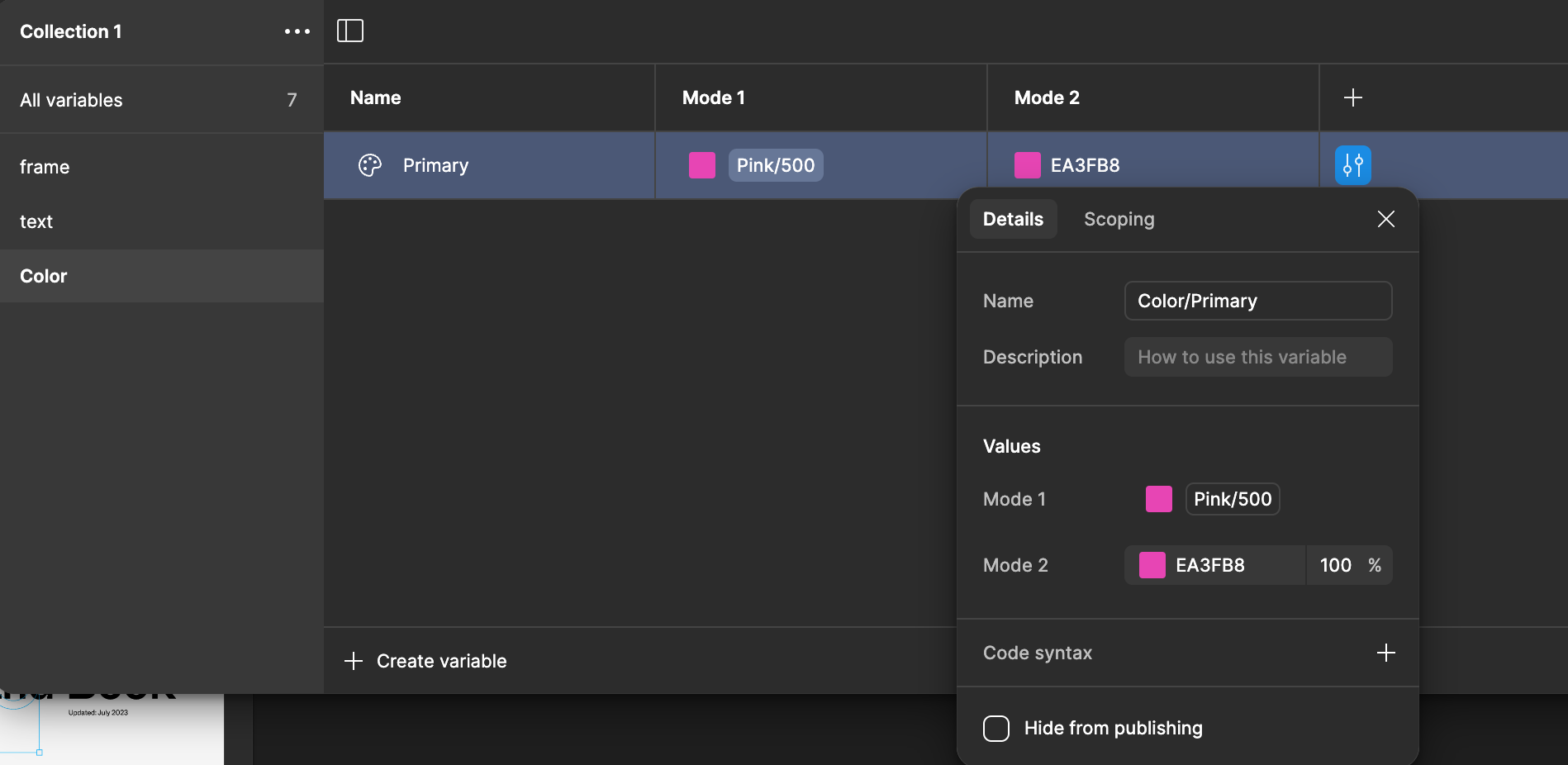
Thanks for reaching out. Have you published the variables and updated in the design file? Also, do you keep it unchecked for hiding from publishing when publishing?

If you keep seeing the issue, could you share some screenshots or video recording to investigate further?

Thanks,
Toku

3 replies

y_toku
Figmate
y_tokuAnswer
Community Support
July 24, 2024

Hi there,

Thanks for reaching out. Have you published the variables and updated in the design file? Also, do you keep it unchecked for hiding from publishing when publishing?

If you keep seeing the issue, could you share some screenshots or video recording to investigate further?

Thanks,
Toku

Sriram_Sarad_Samoju
July 24, 2024

Much Thanks bud! I unchecked Hide from publishing. Can you tell me why if I can keep it unchecked as default for any variable I create?

Gayani_S
Figmate
Community Support
August 2, 2024

Hey @Sriram_Sarad_Samoju, I am taking over for @y_toku.

I’ve tested this on my end and it seems that it’s unchecked on default when creating new variables, so when you want to hide variables it you need to manually check it.

Also, feel free to check out our Help Center article: Hide styles, components, and variables when publishing.

Please let me know if this clears your question and if you have any further questions.