
Leander_Nelissen
Dec 1, 2023 2:35 PM UTC
Question

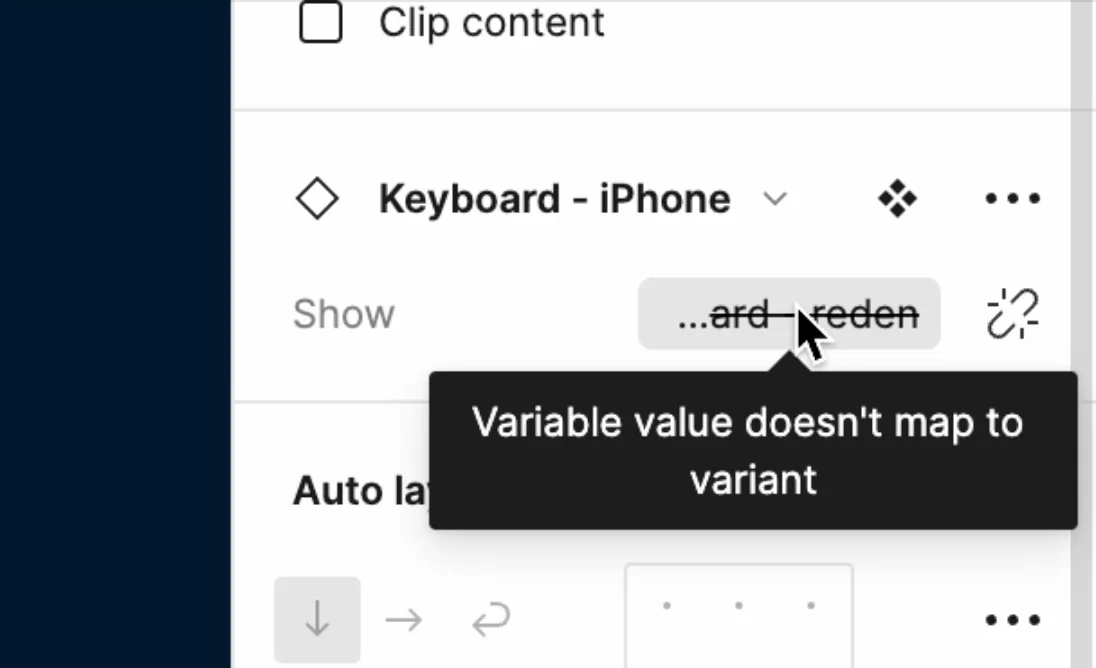
"Variable value doesn't map to variant"

I have been playing around with variable prototyping, but sometimes when I assign a variable to a variant, I get this popup. Does anybody know what this means and how I can fix it?

This topic has been closed for replies.

11 replies

ksn
Figmate
Community Support
Dec 1, 2023 7:00 PM UTC

@Leander_Nelissen hmm – are you able to share a copy of this particular file your screenshot is from? I think support would be best to answer this after looking. I’m not sure what’s triggering that message directly on my end.

You can create a ticket here, and someone will review + let you know what’s going on: https://help.figma.com/hc/en-us/requests/new?ticket_form_id=360001744374

Dec 8, 2023 8:19 AM UTC

I found this same issue.
It was caused by the boolean property in the variant (“Show” in your case) being set to “Yes”/“No”, but the boolean variable is usually “True”/“False” - so go ahead into the Keyboard and make sure you use True / False

Atiyah_Thomas
Jan 12, 2024 6:39 PM UTC

Was this issue resolved having the same issue.

Leander_Nelissen
Jan 19, 2024 11:30 AM UTC

Yes, just use True/false instead of yes/no

Sakky_Baral
Jan 23, 2024 1:47 PM UTC

Lifesaver!!!

Zohar_Uziely
New Member
Jun 6, 2024 9:47 AM UTC

I used boolean variable, but it still doesn’t work (it have to be true/false, I have no option to change it but it still doesn’t work)

variables:
image

in the component:
image

Gayani_S
Figmate
Community Support
Jun 10, 2024 11:37 AM UTC

Hey everyone, I am checking this internally with the team. Would appreciate it, if anyone is able to provide a direct link to the file and invite support-share@figma.com with “can edit” permission so we can look into this further? Note that users with @figma.com emails on your team do not count towards your billing.

Thanks!

Jun 12, 2024 3:38 PM UTC

@Zohar_Uziely True/False should be set for the property in the main component (in your case for property “Selected”).

It seems that Figma can convert any variant with values (yes/no or on/off or smth similar) into a boolean property, but keeps under the hood these initially provided text strings(eg yes/no) and when you try to match Boolean variable and such a boolean property of the component, looks like Figma under the hood still tries to match text strings and for Boolean variable it’s a True/False and for your component it’s Yes/No(or other wording) - and this is the place where the issue happens

Zohar_Uziely
New Member
Jun 13, 2024 8:26 AM UTC

Great answer! Thank you!!

Niharika_Bankapure
Dec 3, 2024 3:03 PM UTC

Here’s the solution to this issue: In the main component, ensure the property is set as true or false, not as on or off. For example, use selected=true or selected=false. This should align with the local variable, which should also be a string: “true” or “false”.