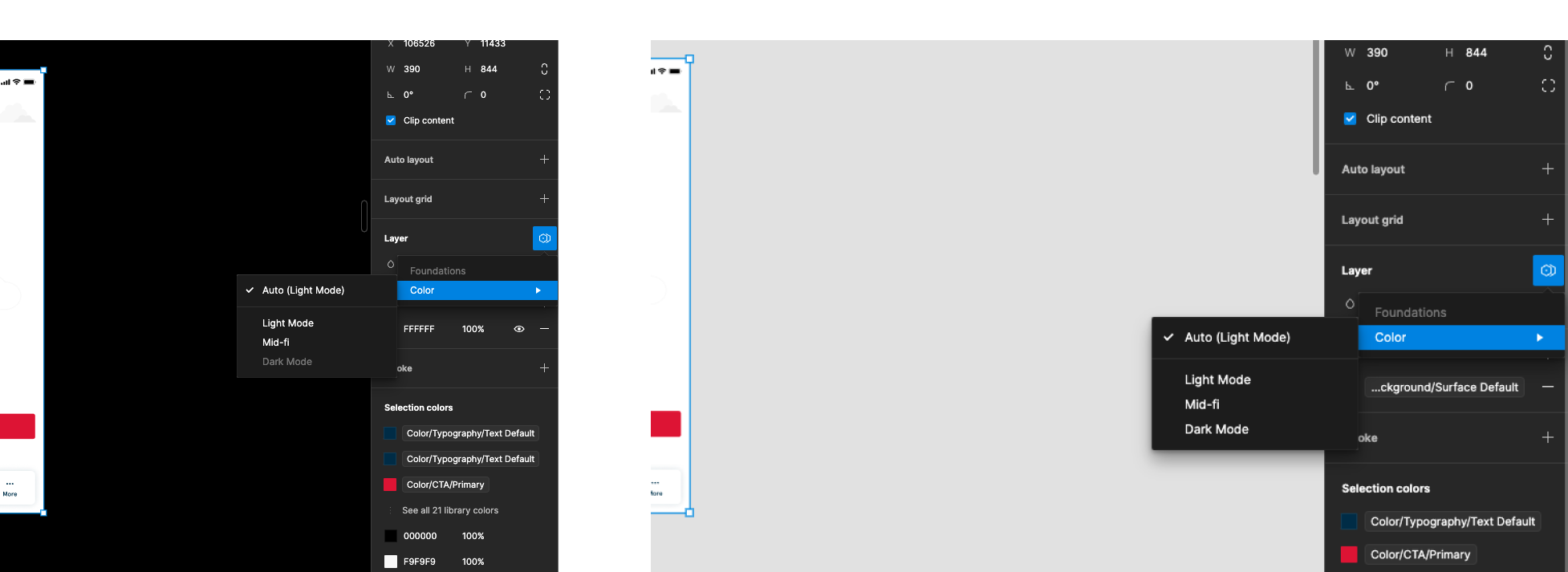
Variable modes is completely unusable
It simply does not work as it is supposed to.
Figma loses track of which variable is the “latest” version across multiple files, Especially if you have your colors separated from your components in some way. And when that happens doesn’t allow you to switch modes, it is simply greyed out.
If there is a single variable in a page/section/frame/group/layer that isn’t the “latest”, Figma refuses to let you switch modes. There is no indication of which variable is outdated, you simply have to re-apply every variable manually. Hidden layers (like in booleans) also cause the issue, so you have to dig hard in the layers panel to find it in case there’s an old layer that someone hid at some point. This can be extremely frustrating and time consuming, and it is faster to simply switch out the colors manually.
Sometimes modes also appear to not work for no apparent reason. Here I have a sketch where “dark mode” works, but if I copy and paste the file into the source file of the variables themselves, it no longer wants to switch modes. There is no apparent reason as to why: