June 26, 2023
Solved

Using number variables to control the state of other components? Is it possible?

  • June 26, 2023
  • 12 replies
  • 4000 views

Hi all! I wanted to know if the creation of a particular conditional flow would be possible using the new variables feature and conditional expressions. The flow can be phrased as a bit of a pseudo code ‘else if’ statement. (my js is terrible btw)

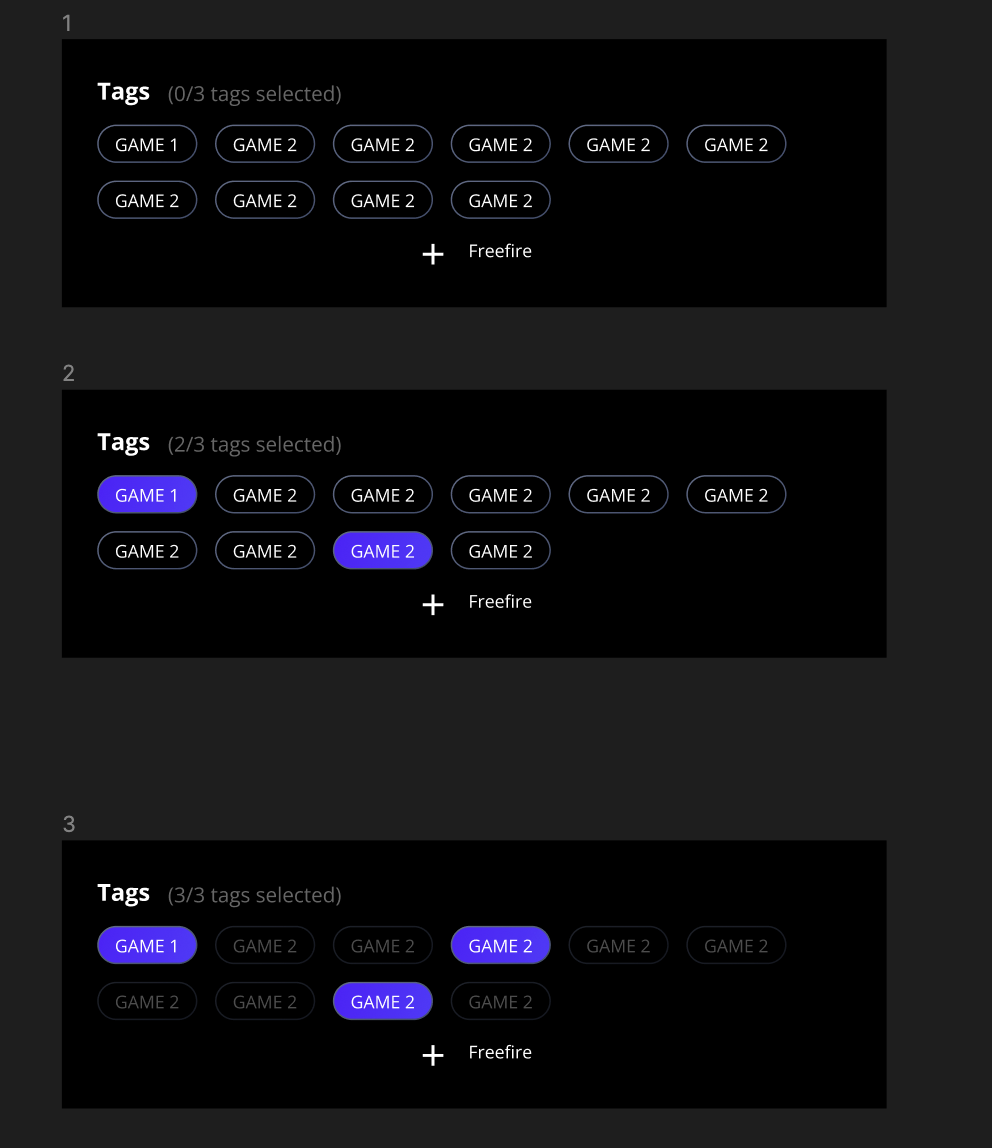
if the number of selected pills >= 3 ==>The other unselected pills in the group of pills should turn to a disable state elsethe user can continue to select pills.

The idea is that the user can tap on any three pills and it changes the state of the unselected pills to indicated that they have selected the max number of pills.

Hoping the images shared below can paint a clearer picture. I do not know if this is possible since component props cannot be linked in variable values? I think?? It feels like it should be doable but I’m just missing something.
This topic has been closed for replies.
Best answer by Haroll

Hi @Matti
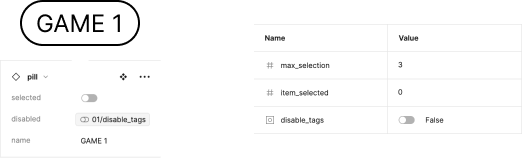
On this screen you will find all the properties of my component + the variable attached to the instance I used for the prototype and then all the variables
variables


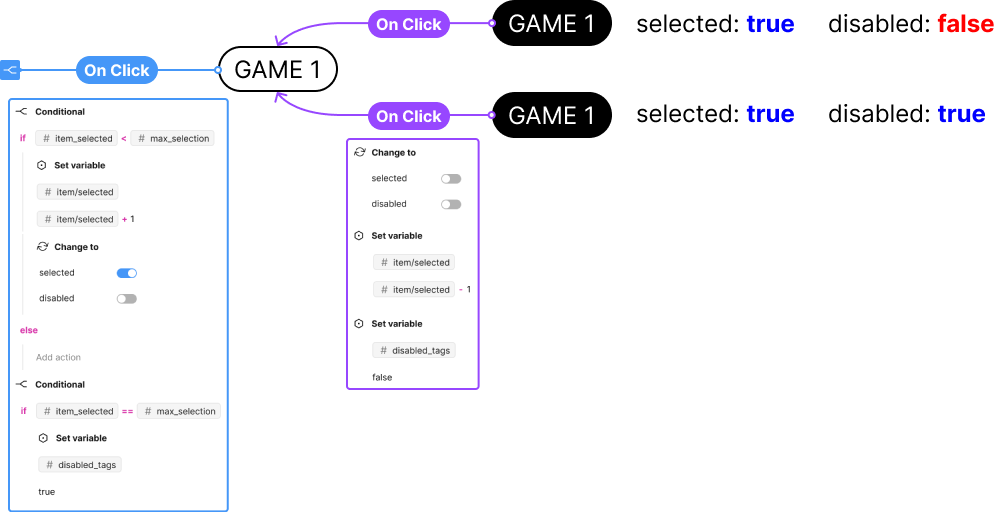
This one will show you the On Click interaction between the different variables of the components Pill


Regarding what you are building, it’s almost the same, when you click on

  • a small card: you need to trigger a “On click” interaction, and set a boolean variable to true (or false, depending of your card’s property definition).
  • a full screen card: you also need to trigger a “On click” interaction, and set back the boolean variable to its default value.

then on all your card instance you have to bind the aforementioned boolean variable to the property of the card that defined its disabled state.

12 replies

Eduardo_Assuncao1
February 9, 2024

It’s so annoying that I can’t make it work and mine is so much simpler. I just want the counter on the title decrease 1 number unit if a checkbox on the list below is unchecked and to go up 1 if it’s checked. It worked once and I have changed the UI now it’s not anymore and it’s driving me insaaaane. The variables are there, are connected to the title, the action is set to when the click is made, even when there’s a hoover state… BY the way, when it hovers it works 😭

Eduardo_Assuncao1
February 9, 2024

There’s a hovering state in between that breaks things… what I did was:
I have a design system where the interaction happens - default → while hovering → click → check. I set the action to happen on the click and it doesn’t work, if I put the action on the hovering it does work, so apparently the action can’t go one state further by itself