
Question

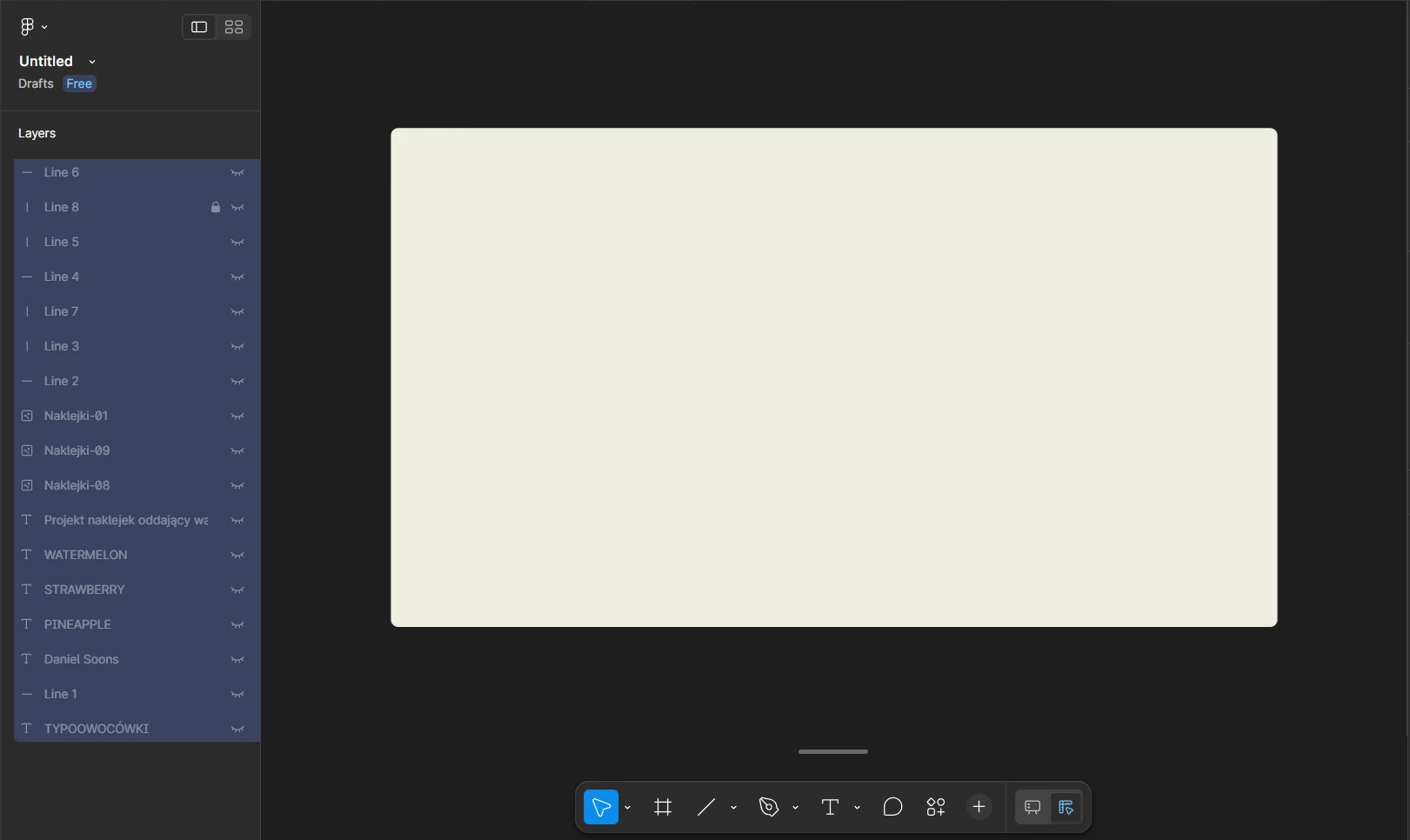
Unexpected objects in presentation mode that aren't in the layer

  • June 16, 2026
  • 1 reply
  • 3 views

Daniel_so

I have these unexpected objects floating in presentation mode in one of my slides. These objects aren’t in the layer associated to the slide, even if I hide all the elements in the layer to try to locate these objects they still appear in presentation mode.


1 reply

Jaycee Lewis
Figmate

Hey, ​@Daniel_so 👋 Thanks for the screenshots.

Those objects (the pineapple sticker, the STRAWBERRY text, the stray lines) may not be inside the slide — sitting on the canvas outside the slide frame, overlapping its area. That's why hiding everything in the slide's layer list doesn't remove them.

One thing to try: Switch to Grid view (use the view toggle in the left sidebar), then drag-select across the empty space around and between your slides — not on a slide itself. Anything living on the canvas outside the slides will get selected, and you can then move or delete it. If you have a Full seat with edit access, toggling Design mode in Figma Slides (Shift D) first makes these off-slide objects even easier to grab and clean up.

If you do that and the objects still won't select or delete, let me know. Talk soon! — Jaycee