Manuela Petenuzzo Mendes
New Member
September 14, 2026
Solved

Trouble using Canvas Stacking feature

  • September 14, 2026
  • 2 replies
  • 36 views

Hello, everyone.

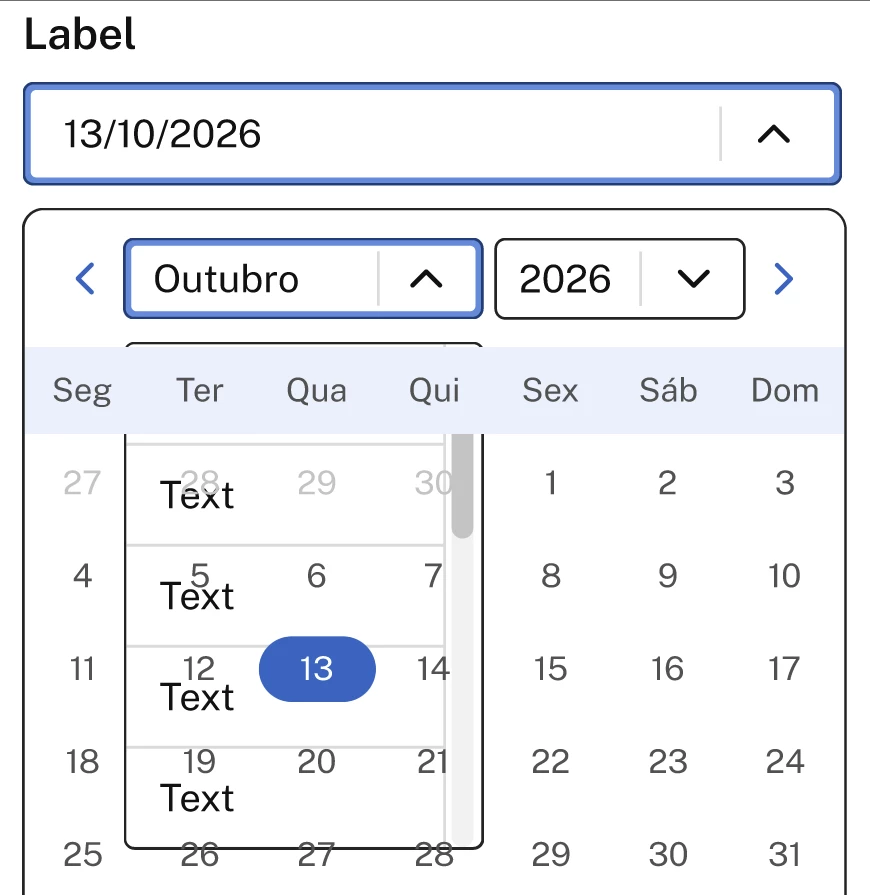
I’m creating a design system and currently creating the Date picker component. I’m having trouble making the month and year selectors stack over the rest of the content in the calendar. A few things i’ve already done:

  • The dropdown menu is not transparent, it has a background color
  • I’ve set the selectors to be stacked on top of the rest of the content on the frame using the canvas stacking feature (both the individual selectors and the group of selectors)

I really don’t know how to fix this. Here are the prints:

The problem:
 

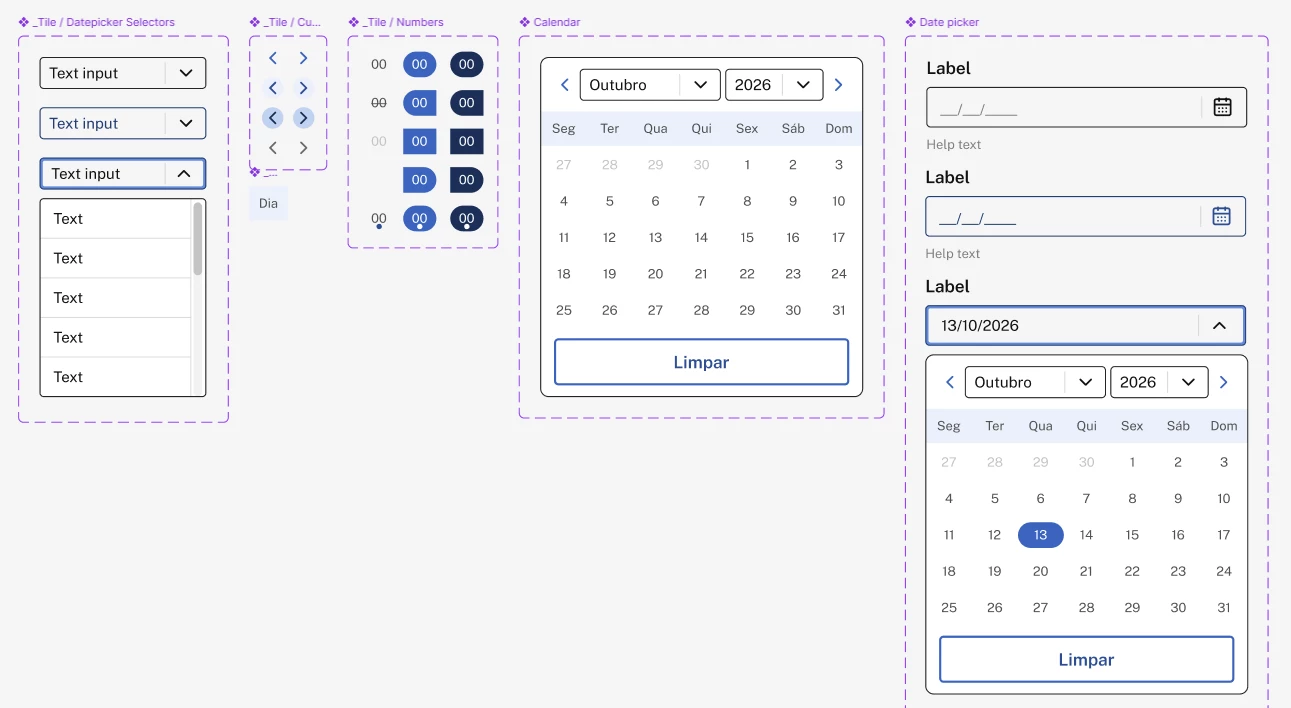
The component items:
 

Best answer by Johnson_Ryan

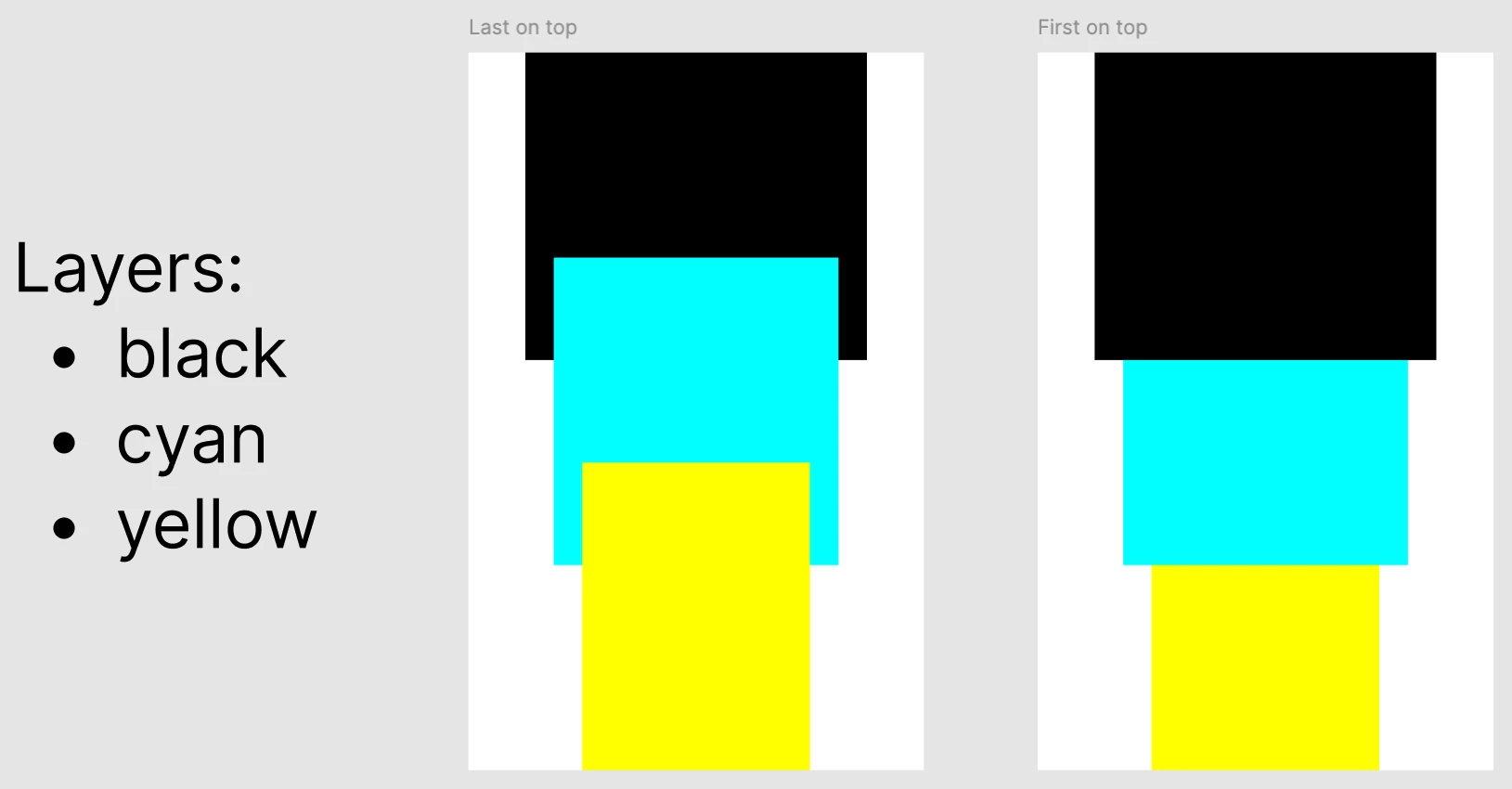
From what I can see, it looks like you might need to update your Calendar component so that children of the dialog are arranged using “First on top” Canvas stacking.

(Here’s a simple demo...)


If that doesn’t work, check for layers in the Calendar component that ignore auto layout.

2 replies

Johnson_Ryan
Active Member
September 14, 2026

From what I can see, it looks like you might need to update your Calendar component so that children of the dialog are arranged using “First on top” Canvas stacking.

(Here’s a simple demo...)


If that doesn’t work, check for layers in the Calendar component that ignore auto layout.

Manuela Petenuzzo Mendes
New Member
September 15, 2026

The first solution worked!!! Turns out i was using the canvas stacking feature wrong, applying it to only one child, not all of them. Thank you 😀