Solved

Transform a rounded corner into several points in the stroke

  • December 4, 2025
  • 2 replies
  • 227 views

Chrystelle

Hello community, 

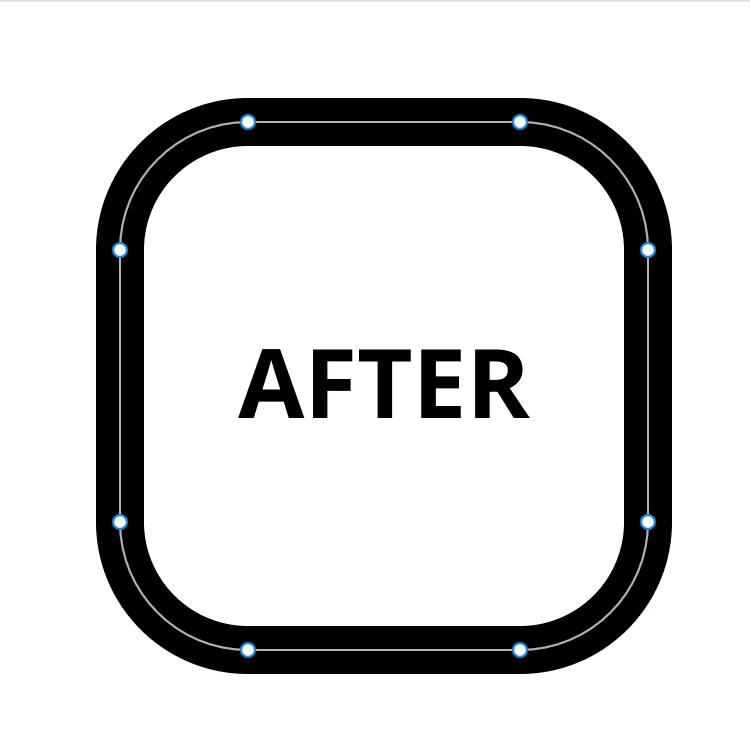
Currently, when I create strokes icons, I use the tool corner radius to change independently each rounded corner. But if I reduce the size of my icon, the rounded corners remain the same and do not adjust. I would like to convert it into an anchor point with the wrists. I'm not quite sure how to explain it, so I've included an example.

 At the moment, I use copy as SVG and paste on the right click menu but maybe an other solution more convenient exist. 

How do you do it ? 

 

Best answer by Qimei-DC

Dear, I think there are two ways,

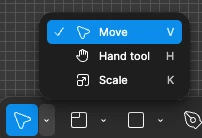
The first method is to use what we call 'K' scaling, which means first press 'k' (or expand and select 'scale' using the leftmost arrow in the toolbar), then the scaling of all items will become proportional (including rounded corners and line thickness), and finally press 'V' to restore normal scaling


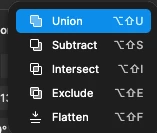
The second method is to press 'cmd+E' (Figma changes it to Opt+Shift+F now)after drawing the stroke icon, flatten the icon, and all points will change to anchor points with the wrists


2 replies

Qimei-DC
  • New Member
  • Answer
  • December 8, 2025

Dear, I think there are two ways,

The first method is to use what we call 'K' scaling, which means first press 'k' (or expand and select 'scale' using the leftmost arrow in the toolbar), then the scaling of all items will become proportional (including rounded corners and line thickness), and finally press 'V' to restore normal scaling


The second method is to press 'cmd+E' (Figma changes it to Opt+Shift+F now)after drawing the stroke icon, flatten the icon, and all points will change to anchor points with the wrists


Chrystelle
  • Author
  • New Member
  • December 8, 2025

Oh nice ! I don’t see how to use the functionality scale. 
Thank you very much for you time and the explanations 🤗