

Text box height is larger than the text inside and unevenly. How to solve the padding issue?
It’s known the text line hight it’s a nightmare. However, I’m struggling with the text box hight even more with Figma Auto Layout.
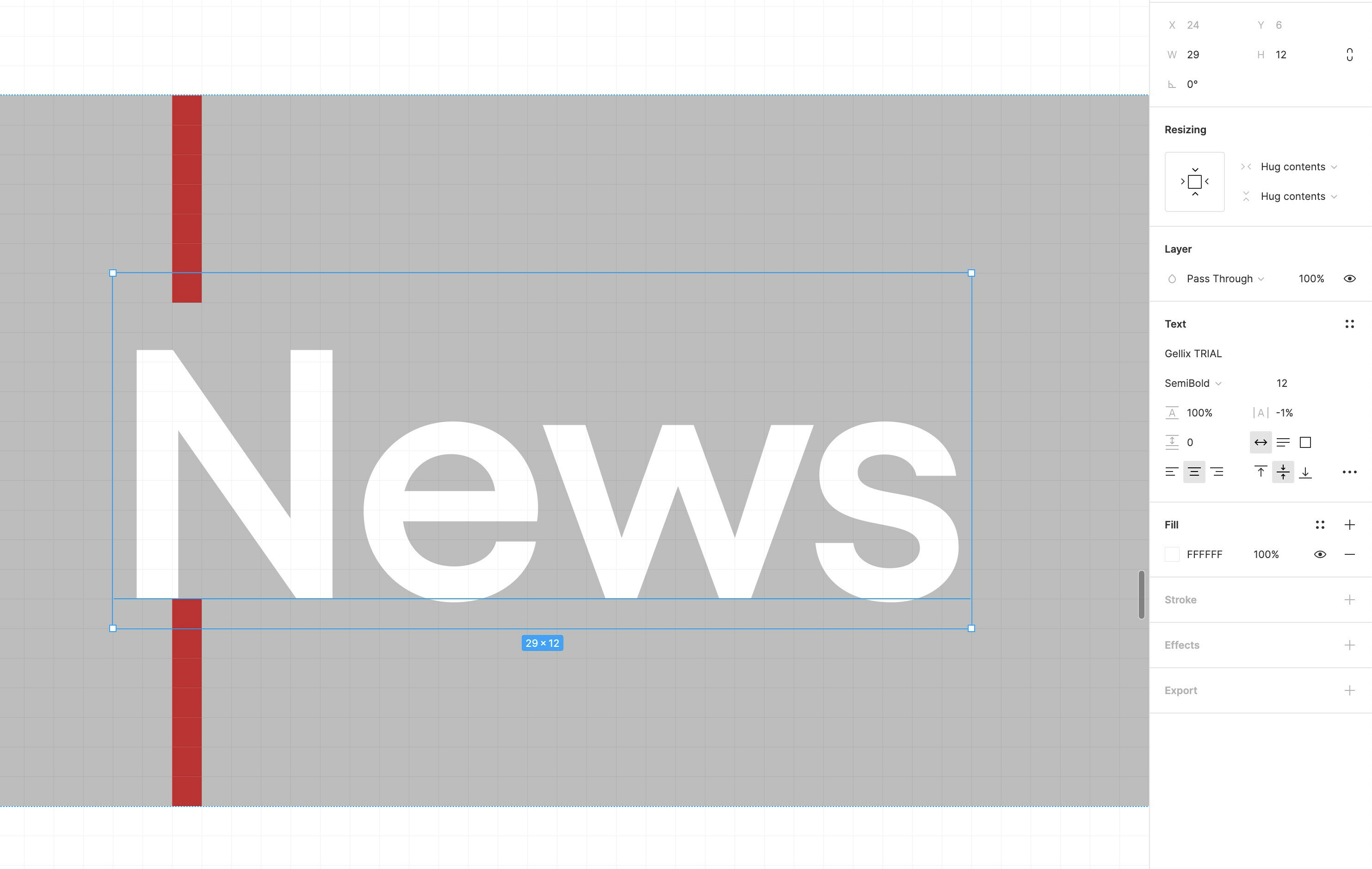
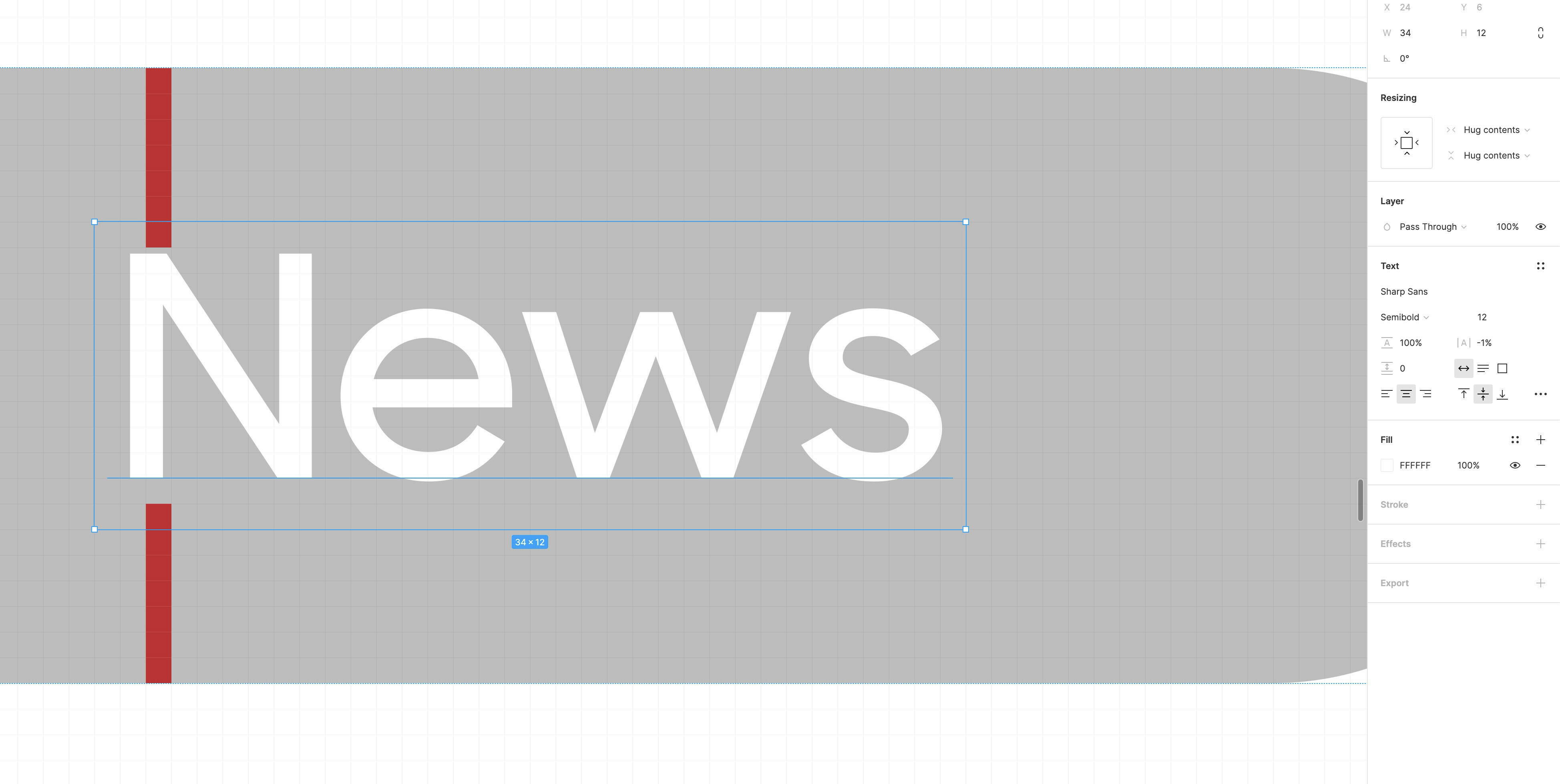
When giving “padding” on Figma auto-layout to a button, the text position (inside the box, not the box) is not in the centre height. In the following example, you can see that in one font type there is 2 px space at the bottom and 1 at the top and in the other one, 2px at the top and 1 at the bottom.
That’s led to; 1, the text is not in the centre height, 2, the padding is getting extra which then lead to the wrong implementation.
Later on CSS, the text div won’t behave like that and will wrap right around the text.
The ideal is that the space (padding) above and below the text is even and exactly as set in the padding.
Is anyone have a solution for this challenge?