

Switching variants is not applying the underline property to text

  • December 18, 2025
  • 9 replies
  • 183 views

Kavish_Tulsian

We have these two variations to support hover interactions. When the text is changed while using this component upon changing to the hover variant the underline text styling is not getting applied. 
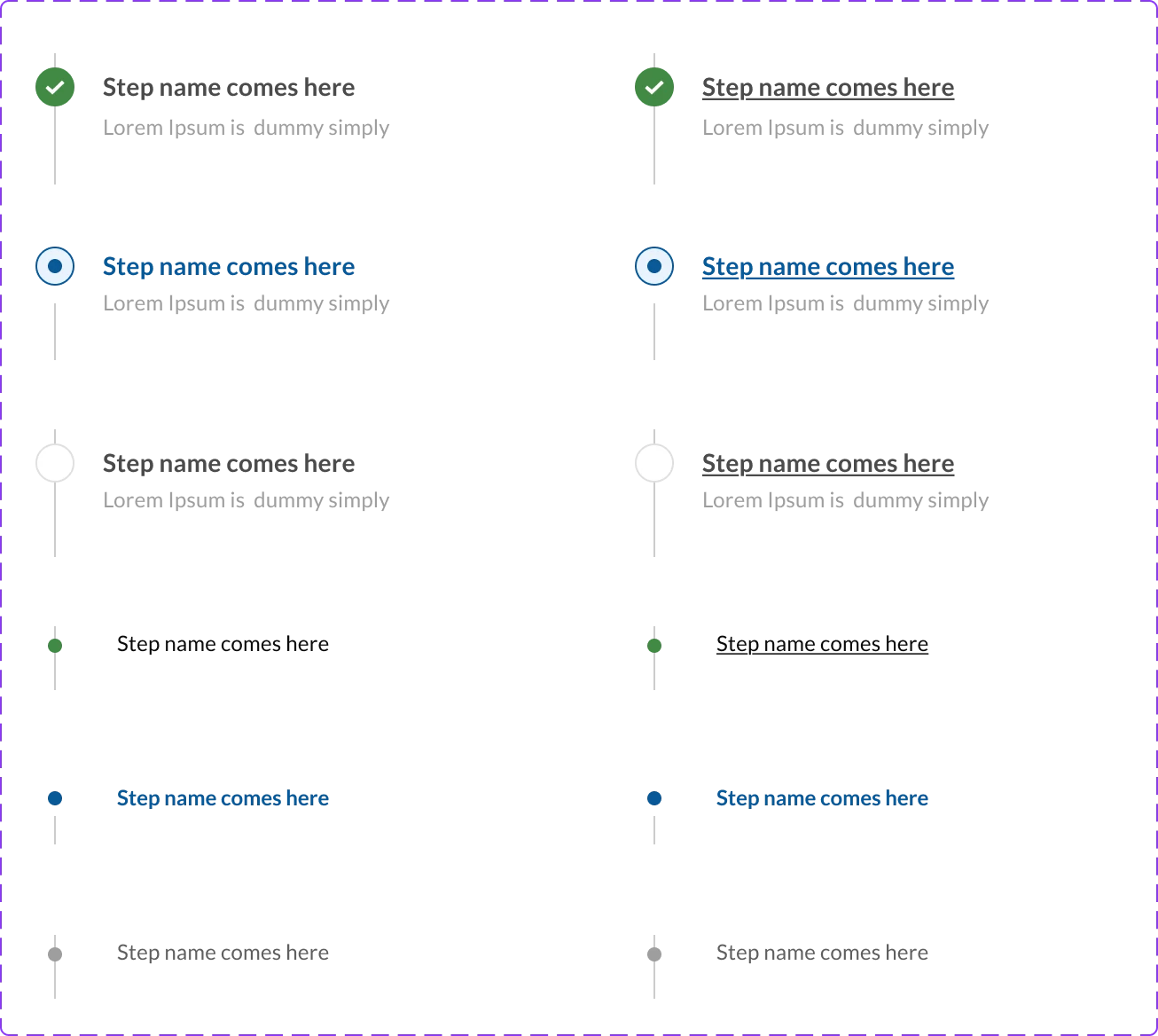

Also, Figma stopped supporting changing the text styling on the linked text labels. This has become very painful for us in alot of our components text properties were linked to keep it the same across various variants but their styling were changing which now can’t happen.


Is this a bug..? 

9 replies

UsabilityJeff
  • New Participant
  • March 9, 2026

I just tried to do this and it’s not working for me either. So frustrating.


Ozturk_O_Osman

Having the same issue sadly


Tom Reem
Figmate
  • Figmate
  • April 26, 2026

Hey everyone, thanks for flagging this and for the discussion here.

I tested this on my end and wasn't able to reproduce the exact behavior you're describing, so I'd like to gather a few more details to share with our engineering team — particularly around the hover interactions.

When you get a chance, could you reply with the following:

  1. Additional visual reference: Could you walk through the setup steps and include an additional screenshot or brief screen recording? If possible, include both side panels so we can see the full component and variant setup.
  2. Workflow impact: How is this affecting your intended outcome? Understanding the use case will help us prioritize.
  3. File access: It would be really helpful to see this in context. ​@Kavish_Tulsian, ​@UsabilityJeff, and ​@Ozturk_O_Osman — if you're open to sharing a file where this is happening, let me know here and I'll send each of you an email with steps to share access securely.

Thanks again for the detail. It helps us evaluate and improve how hover styles are handled within Figma Design.


Kavish_Tulsian

Hi Tom,
Please have a look at the attached recording hope this helps.


Ozturk_O_Osman

I have fixed this issue by removing/detaching the styling of the text. 


Tom Reem
Figmate
  • Figmate
  • May 4, 2026

Hi ​@Ozturk_O_Osman, I appreciate you coming back and sharing what worked. Glad to hear it!

@Kavish_Tulsian, thank you for the recording and voiceover. Really helpful for understanding the intended outcome. Wanted to check in on a couple of things:

  1. Did the solution found by ​@Ozturk_O_Osman help — were you able to move forward after removing/detaching the text styling?
  2. Still running into trouble? I understand from the video what you're trying to achieve, but I haven't been able to reproduce the issue on my end. If the suggested solution didn't solve it, it would help to take a look at the file directly. That way, we can see exactly how the styling and interactions are set up, and determine whether this is working as expected or something that needs to be escalated.

Keep me posted on how it's going . If you're open to sharing the file, I'll send over next steps on doing that securely.


Kavish_Tulsian

Hi ​@Tom Reem, ​@Ozturk_O_Osman’s solution didn’t work for me, thanks for sharing, i really hoped it would work out. Yes, would love for you to take a look at this issue in our file.


Tom Reem
Figmate
  • Figmate
  • May 5, 2026

Hey ​@Kavish_Tulsian, thanks for confirming. I've opened a ticket on your behalf with our Product Support team — your case number is: 1885540. Please check your inbox for an email from me with next steps on sharing file access securely.


Powell_Ewan_Delivery_Retail_Cu

I’m experiencing the same - text string is initially underlined, and switching the string to a new value loses the underlined formatting. No amount of removing the style, re-applying it etc works.