Fitiavana Razakandrainy
New Member
September 22, 2026
Solved

Subscription

  • September 22, 2026
  • 1 reply
  • 16 views

Hello guys, i’ve upgrade my subscription Monthly to Annually and my question is : Do i need to cancel my monthly seat ?
Managing Billing and subscription is so confusing; I need your help.
Thanks for everyone who gonna answer.


Best answer by Gayani_S

Hey ​@Fitiavana Razakandrainy, thanks for reaching out. Happy to clear it up.

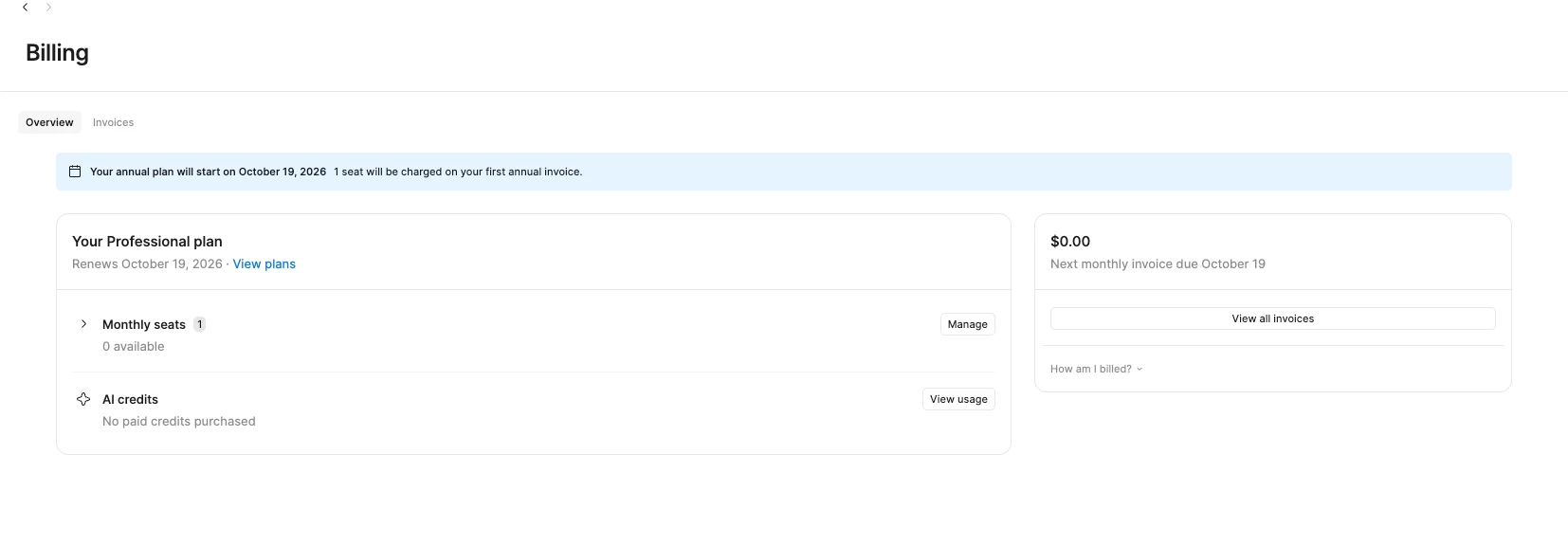
You don't need to cancel your monthly seat separately. When you switch a Professional plan from monthly to annual, we automatically schedule the change to take effect on your plan's next monthly billing date. Your annual plan is set to start on October 19, 2026, and your seat will be included in your first annual invoice from that point on.

Here's what happens between now and then:

  1. Your plan keeps running as normal on monthly billing until October 19.
  2. On October 19, we automatically switch you over to the annual subscription and bill you accordingly. No extra steps needed from you.
  3. You won't need to do anything else to make that happen, the seat just carries over.

You can find more detail on how this works in our Manage billing on the Professional plan article, under "Switch from monthly to annual billing."

If your Admin > Billing tab ever looks different from what I described above, feel free to open a request through our Support Hub and our customer support team can take a closer look at your specific account. Otherwise, you're all set!


Le me know if you have any other questions!

1 reply

Gayani_S
Figmate
Gayani_SAnswer
Community Support
September 22, 2026

Hey ​@Fitiavana Razakandrainy, thanks for reaching out. Happy to clear it up.

You don't need to cancel your monthly seat separately. When you switch a Professional plan from monthly to annual, we automatically schedule the change to take effect on your plan's next monthly billing date. Your annual plan is set to start on October 19, 2026, and your seat will be included in your first annual invoice from that point on.

Here's what happens between now and then:

  1. Your plan keeps running as normal on monthly billing until October 19.
  2. On October 19, we automatically switch you over to the annual subscription and bill you accordingly. No extra steps needed from you.
  3. You won't need to do anything else to make that happen, the seat just carries over.

You can find more detail on how this works in our Manage billing on the Professional plan article, under "Switch from monthly to annual billing."

If your Admin > Billing tab ever looks different from what I described above, feel free to open a request through our Support Hub and our customer support team can take a closer look at your specific account. Otherwise, you're all set!


Le me know if you have any other questions!