

Osama_Abdelnaser
New Member
February 1, 2025
Solved

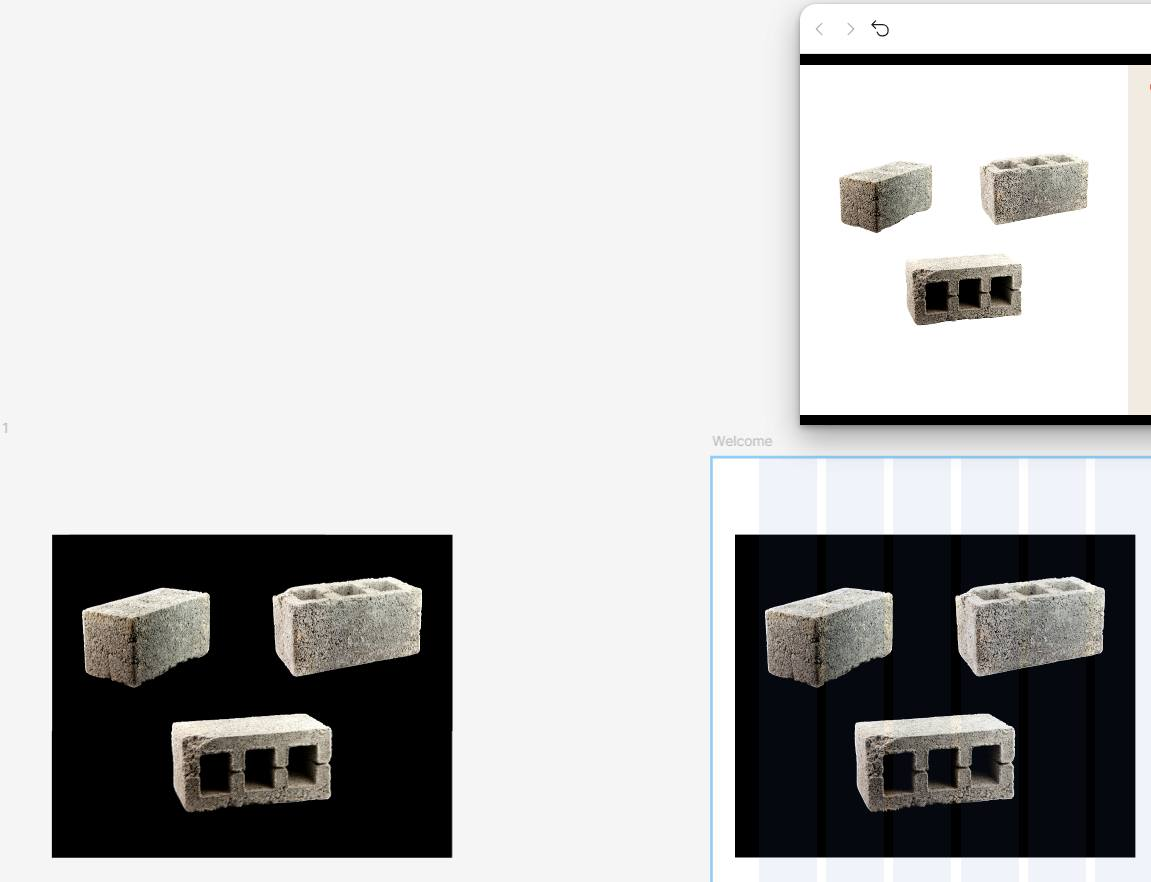
Strange Issue: SVGs Showing Black Background on Export in Figma
  • February 1, 2025
  • 4 replies
  • 1354 views

I'm experiencing the strangest issue… If anyone can help!

I usually work with .SVG images, but today, for the first time, I noticed that all SVGs suddenly have a black background appearing in the design. However, when I use Present or Preview mode, everything looks fine.

But when I export the design as .PNG or .JPG, the black background appears. If I export it as .SVG, it looks normal.

Could the issue be related to my laptop's GPU, the images themselves, or Figma? Where is the problem coming from?

I've tried multiple solutions, but nothing seems to work. Does anyone have a fix for this? 🤔


4o

This topic has been closed for replies.
Best answer by Celine_

Hey everyone,
Thank you for flagging this. Our engineering team is aware of this issue and has released a fix.
Can you please reload Figma and refresh your tab?
 

Still, if the issue persists, please submit a bug report directly by filling out this form: https://help.figma.com/hc/en-us/requests/new?ticket_form_id=360001744374
In the form, please use your Figma account email, include a link to the file, and add support-share@figma.com as an Editor, so they can take a closer look. This will help our engineering team to investigate further the issue on your end. Thank you 🙏🏼

4 replies

Lori Tan
New Member
February 3, 2025

I’m having the same issue over the past two weeks… would love to follow up if anyone has a solution for it

xyt
New Member
February 3, 2025

I’m having the same issue suddenly.   For me the black background is showing in my figma workspace, but when I present it goes again also.  Did you guys find a fix for this? 


Osama_Abdelnaser
New Member
February 4, 2025

I haven't found a solution yet. I presented the issue to UI/UX designers, but no one knows the fix. I don't know how to contact Figma support.


I use .SVG images downloaded from Canva, and I've been using them for years for high resolution. Everything was fine until two days ago when this bug appeared, and I haven't found a solution for it.

@Lori Tan ​@xyt 

Celine_
Figmate
Celine_Answer
Community Support
February 4, 2025

Hey everyone,
Thank you for flagging this. Our engineering team is aware of this issue and has released a fix.
Can you please reload Figma and refresh your tab?
 

Still, if the issue persists, please submit a bug report directly by filling out this form: https://help.figma.com/hc/en-us/requests/new?ticket_form_id=360001744374
In the form, please use your Figma account email, include a link to the file, and add support-share@figma.com as an Editor, so they can take a closer look. This will help our engineering team to investigate further the issue on your end. Thank you 🙏🏼