
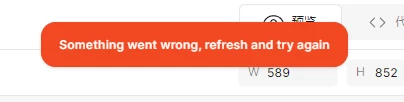
Something went wrong, refresh and try again
  • December 16, 2025
  • 1 reply
  • 66 views

jishaojun

An error occurred during posting: Something went wrong, refresh and try again.

1 reply

  • Figmate
  • December 16, 2025

Hi ​@jishaojun,


I understand you’re seeing the “Something went wrong...” error message.


Did you try refreshing Figma as the message suggests? To cover the basics, please try the following quick fixes:

  • Browser: Force-quit your current session and open Figma in a brand new browser window.
  • Desktop app: Force-quit the Figma Desktop app and restart it.

If the issue still persists after trying those steps, let’s troubleshoot a bit further:

  • Does this happen only in your browser, only in the desktop app, or in both?
  • Does it occur in one specific file, or across all your Figma files?
  • Could you try connecting to Figma from a different network, like your mobile hotspot, to see if the issue persists?

Also, could you let us know what action you were performing when the error appeared, and in which product? If possible, please share a full-screen screenshot or a short video recording.

This will allow us to understand the situation more accurately and determine the best next steps to support you.


We also have some Help Center articles related to this error that you can explore depending on your situation.
37 results for “something went wrong refresh and try again”


Thanks,