

Solved

Slice Tool Behavior

  • February 17, 2026
  • 2 replies
  • 15 views

AlysiaC

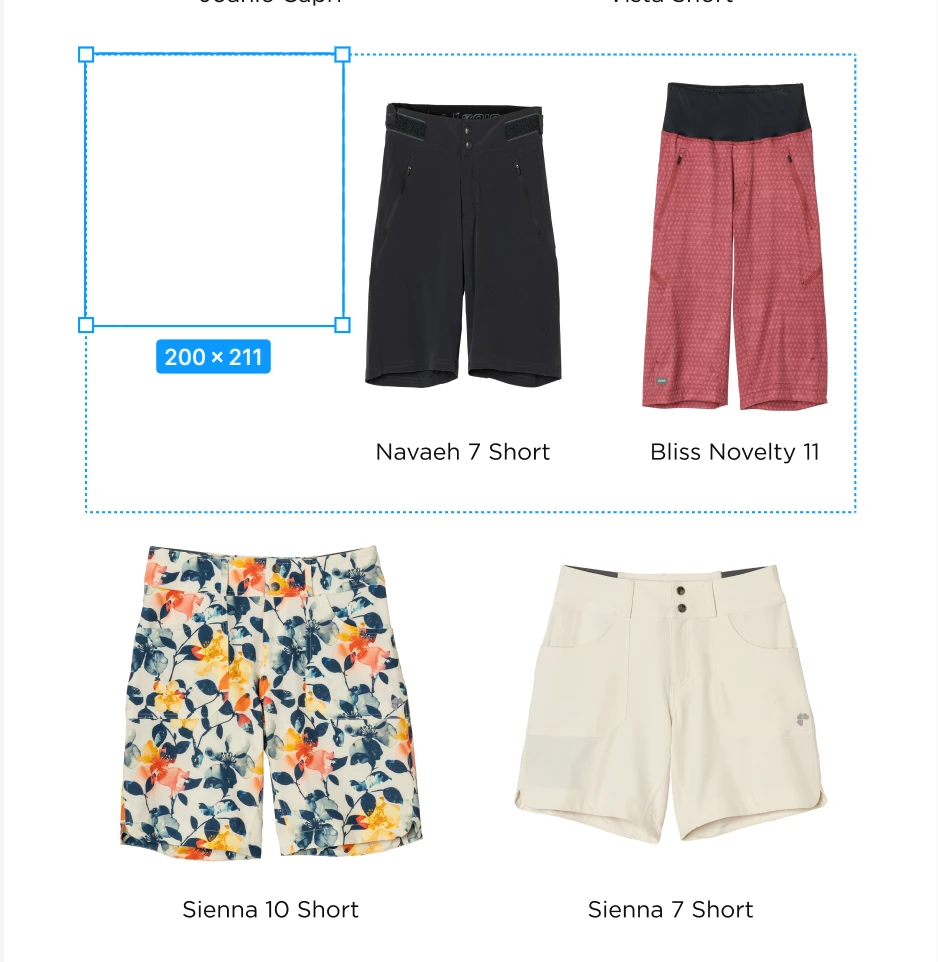
Why does the slice tool move everything out of the way instead of sitting on top of what you want to slice? It does this even if I’m on the top frame. Coming from adobe I’m completely lost as to why this functions like this. The goal here is to get half of a section exported. Is there another way to do this?


Best answer by zachshea

Looks like Figma is treating a slice like any other layer, so when it goes into what I assume is this auto layout container, it takes the first position.

I think if you pull the slice out of that container and have it live outside of any frames, it should work as intended. If you want to drag it on top without it getting sucked into the frames, hold space while dragging, and as long as you hold space, it will stay fixed in the layer hierarchy.

2 replies

zachshea
  • New Participant
  • Answer
  • February 17, 2026

Looks like Figma is treating a slice like any other layer, so when it goes into what I assume is this auto layout container, it takes the first position.

I think if you pull the slice out of that container and have it live outside of any frames, it should work as intended. If you want to drag it on top without it getting sucked into the frames, hold space while dragging, and as long as you hold space, it will stay fixed in the layer hierarchy.


AlysiaC
  • Author
  • New Member
  • February 17, 2026

After playing around some more after posting, I realized that if I start the slice off of any frame or section then it does allow the slice to be on top. Thanks for the space bar tip, that will definitely come in handy.