

Seeking advice on creating components
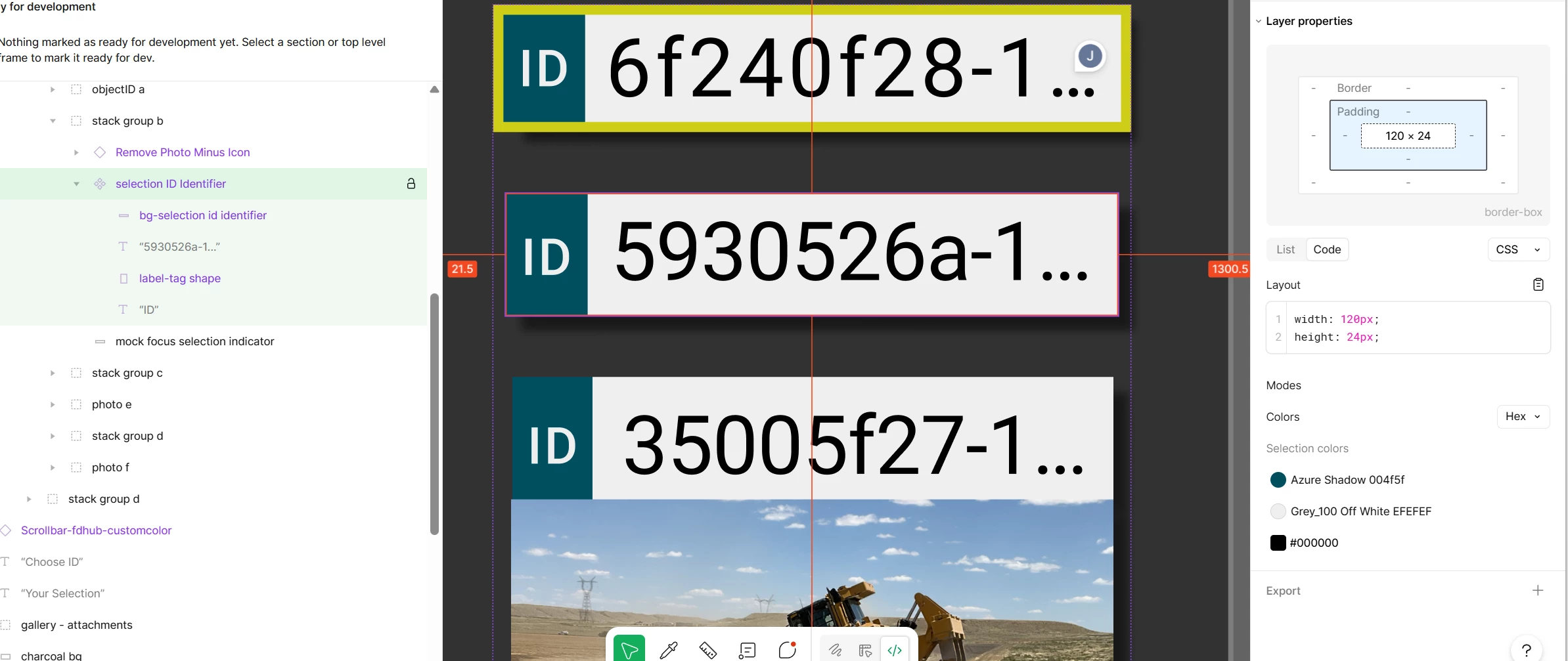
Hi all, I’ve been attempting to learn Figma on my own for a year or more. I’m still stumped when it comes to how to tell my developer about padding and margin and special characters. I’d like the dev to use the … ellipsis special character but the best I could do in Figma is to tighten the letterspacing of three period characters, and leave a comment on the board. I’ve read here on the forums that designers are unable to communicate margin without an invisible spacer box?
I have laid out this tiny card view which could show up as a card on its own, or have a active state with the yellow highlight ring, or have a photo under it. For now, I’ve turned the card alone into a component. I stretched the text box of the number id 593052… to touch the blue border and added 4px paragraph indent. (because when i originally built it, i moved the blue selection box of the text 4 pixels over from the edge.) I don’t have a way to indicate padding for the right edge.
I think I have to start over or something; I’m unsure how to build these so the dev can find all the padding and margin that he needs. How would you build this card as a component please?