

Question

requesting refund within 24h

  • April 6, 2026
  • 1 reply
  • 8 views

Zineb1937

Hello everyone,

I subscribed to the Figma Professional plan today (April 6, 2026) and was charged $20. After using it, I found the experience very slow with a lot of errors, so I decided I no longer want to continue with the subscription.

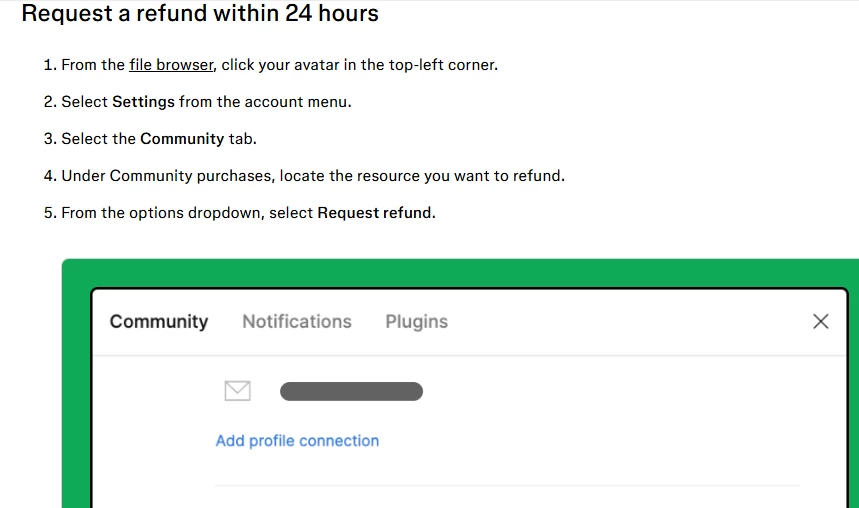
I checked Figma's help article about requesting a refund within 24 hours, which mentions going to Settings → Community tab → Community purchases. However, I cannot find the "Community purchases" section in my account at all — I only see profile connection options there.

I believe this is because I purchased a Professional team plan, not a Community resource (plugin/template), so the refund steps in the help article don't seem to apply to my case.

I have already submitted a request through Figma's official contact form under "Billing and invoicing," but I wanted to ask here as well:

➡️ Has anyone been in the same situation? Is there another way to request a refund for a Professional plan subscription purchased today?

Email adress: elmouden.zineb.eleve@ehtp.ac.ma

Thank you!


1 reply

Celine_
Figmate
  • Community Support
  • April 6, 2026

Hi there, Celine from Figma here, thanks for sharing these details! I understand you’re looking to request a refund for the Professional plan you purchased today. I can see you’ve already reached out to our support team, thanks for doing that. I’ve added a follow-up note to your case to give it more visibility (case #1832219).

Just to clarify, the Help Center article you mentioned applies to Community purchases (like plugins or templates), not to Figma plan subscriptions.

For refund requests related to a Professional plan, our support team will be best equipped to review your case and guide you on the next steps. Since this involves account-specific billing details, we’re not able to handle it here on the Forum for security and privacy reasons. I’d recommend continuing the conversation through your support case, the team will follow up with you via email.

In the meantime, if you’d like to cancel your Professional plan, you can find information on downgrading your Professional Plan on our Help Center. I'll paste the instructions below for you as well. 

  1. Using the browser or Figma desktop app, locate the Professional team in the file browser sidebar.
  2. Click  Admin.
  3. Select the  Settings tab.
  4. In the Plan section, click Cancel plan.
  5. Figma will ask you for a cancellation reason. Select the most appropriate reason and click Cancel plan.

Thanks for your patience.
