

Question

Replace content over multiple text layers not working

  • July 16, 2026
  • 3 replies
  • 10 views

Paul S.

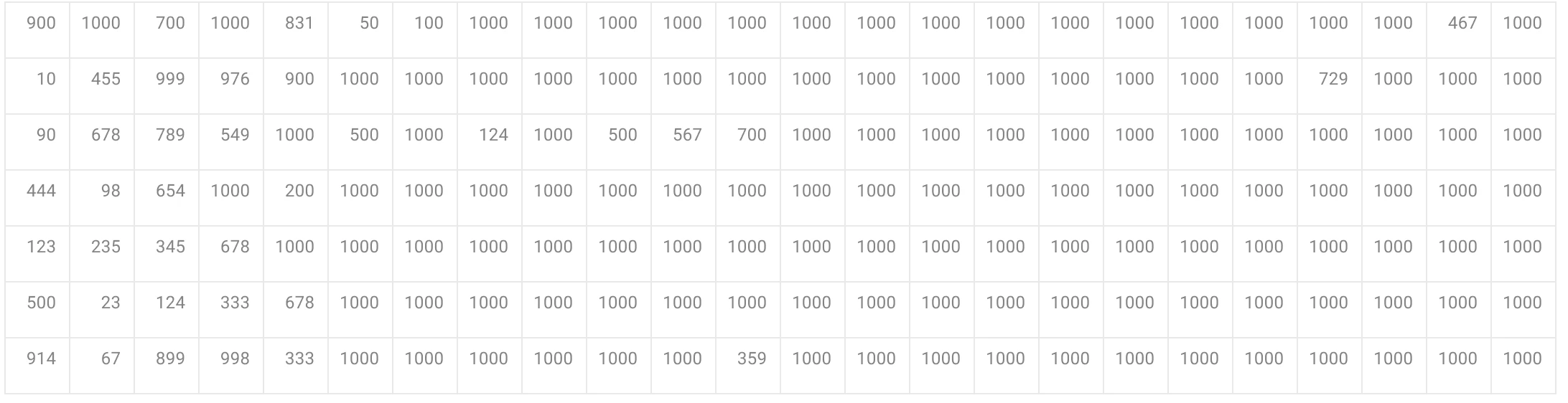
I have the attached table. Each number is a separate layer. All numbers were 1000. I wanted to have them random numbers. when I prompt this in replace content - Figma only changes one text layer. For example out of ten text layers of 1000 it will change one to 356 and leave all the others at 1000.

any help appreciated - currently not impressed at all with this ‘feature’


3 replies

ksn
Figmate
  • Community Support
  • July 16, 2026

Hey Paul - thanks for reaching out! Can you tell me how you built the table itself? Was it like a reusable cell, or did you use a plugin/widget of some type?

Also, you share what the exact prompts you entered into the agent when you had this logic run?

Screenshots of it are fine -- I want to make sure I have a bit more context.


Paul S.
  • Author
  • New Member
  • July 17, 2026

Hey ksn
So visually its a table but really it’s just rectangles and text layers.

I highlighted all but it said I needed to reduce the amount selected.

the prompt I used was Replace these numbers with random amounts from 1 to 1000 but like I say it just chnaged one text layer and left the rest alone.


ksn
Figmate
  • Community Support
  • July 17, 2026

Hmmmmm...thanks for the additional info. I did a test run on my end with some basic shapes and text, and I didn’t run into a similar issue. My text layers did randomize from 1-1000.

What I did:

  • I made rectangle shapes, then added layers of text on top of each one (like your screenshot above). They were just all text that said “1000”
  • I selected all of the text layers (I only did 32 layers), and asked the agent to Replace these numbers with random amounts from 1 to 1000.
  • The agent ran the prompt, and did what I expected -- it randomized the text to replace different numbers in each text layer.

But let me know if this wasn’t the way you built it.

How many layers were you capped at when you try to run the prompt? If you can screen record so I can see step-by-step what actions you’re taking, that would be helpful.