

Question

Published component with a slot containing unpublished components

  • June 16, 2026
  • 2 replies
  • 42 views

Matthew Ma

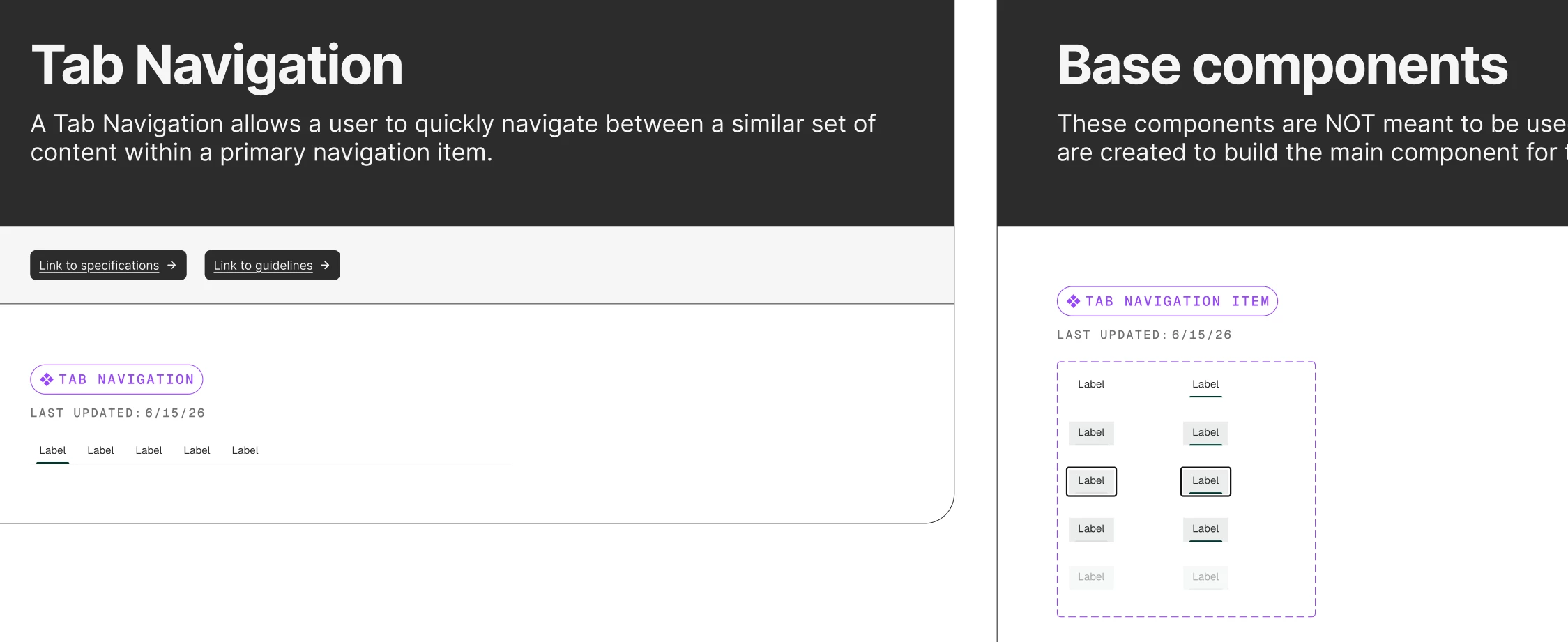
I am building a design system where there are components such as a Tab Navigation (published) using Tab Navigation items (published, but hidden). The Tab Navigation (published) is using a slot so designers can add/remove Tab Navigation items (published, but hidden). 


When I update the Tab Navigation item (published, but hidden) such as the padding, it does not update the Tab Navigation. I was expecting that the Tab Navigation (published) would receive those same updates (e.g. padding), but it does not. 


Is this a common bug/issue that folks have? Should I be publishing and showing the Tab Navigation item so it’s shown in the Assets panel as well?
 

2 replies

djv
Figmate
  • Community Support
  • June 17, 2026

Hi ​@Matthew Ma, thanks for reaching out!

I completely understand the confusion here. What you're experiencing is actually a known behavior with slots in Figma. Currently, when a component is placed inside a slot (even if it's published + hidden), the slot content behaves independently from the main component after it's been placed. This means updates to the Tab Navigation Item won't automatically flow through to instances of the Tab Navigation via a library update in the way you'd expect.

A couple of clarifying questions to make sure we point you in the right direction:

  • When you publish updates to the Tab Navigation Item, are you seeing the "Review changes" prompt appear at all in the files using the library?
  • Are the Tab Navigation Items placed directly as instances inside the slot in the main component, or are designers adding them themselves at use time?

A few more things worth noting:

→ As of April 7th, edited slot content no longer re-links to the main component, so variant swaps won't affect content inside slots.

→ For preferred instances in slots, all preferred values currently need to be fully published; hidden-only components can't be restricted to a specific slot at this time.


That said, making the Tab Navigation Item visible (not hidden) in the Assets panel may help with update propagation, but let's dig into your specific setup a bit more first to confirm the best path forward. 


Kingery_Michael

i’m just following the trail of destruction in blog posts about these late changes to slots. I don’t understand why it changed. i don’t understand why i can’t set atoms as preferred slot contents when hidden. 

i don’t understand why nested components within slots are no longer linked components AND why overrides aren’t maintained within slots.

it feels like i set up something that worked great and now the dust has settled and virtually all the techniques slots unlocked for me have been taken away.