

Julia_Putnina
May 26, 2021
Solved

Prototype link shows a different 'page' from the Figma file (in our instance a cover)

  • May 26, 2021
  • 19 replies
  • 2995 views

I have an inconsistent issue with my prototype link. When I share it, some people get the prototype as per set-up (all the interactions etc). However, some people get a different page of the prototype which is our cover page for the Design File (visual attached from user testing).
Sadly this has affected a few remote testing recordings as users couldn’t get further.

The link to the prototype below, would be great to know if anyone else gets this issue and why is it happening?
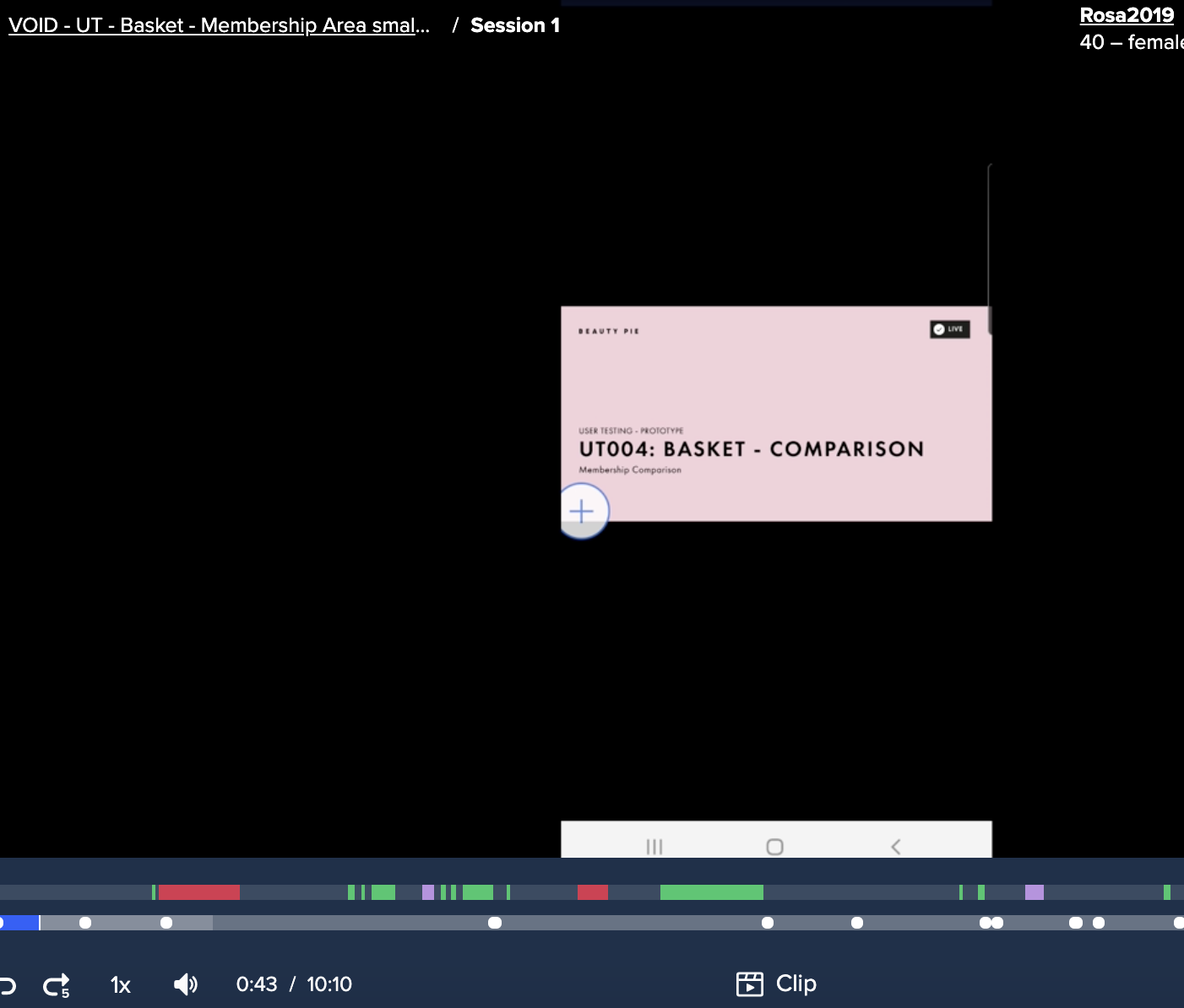
Link to the prototype

When building prototype, are we only allowed to have one page in the file? But it’s inconsistency that worries me and I cannot be confident with sharing the link with anonymous users for the test.

Help 🙂

This topic has been closed for replies.
Best answer by djv

Hey All, sorry for the lack of acknowledgement here!

Back in 2021 when this thread was originally posted, the forum was still primarily managed by the community. Also, please keep in mind that we do not own nor are we associated with the Figma_Support account here on the forum. Looping in that handle will not flag anyone from our team.

That said, our team needs additional context in order to reproduce and work on a fix. Please reach out to the support team directly via this form for help: https://help.figma.com/hc/en-us/requests/new

Be sure to use your Figma account email, include a link to the file, share edit access with support-share@figma.com, and provide as much additional context to help us reproduce.

19 replies

May 16, 2023

Same issue 2 years after it was first spotted. Could having used versioning cause the problem? @Figma_Support, can you please help?

Elena_Haskins_IXD
June 22, 2023

I’ve also been having this issue for months

August 11, 2023

I just had this happen during a presentation using present mode. It was extremely annoying, as it was during a presentation in front of over 100 people. Cannot replicate what happened. Shared the link for a presentation on a specific page, during the presentation it was actually an older version of the presentation that I had on a different page. Horrifying!

Melody_Kwan
August 17, 2023

i was trying to find a solution here, but it seems the issue is ongoing. please help@Figma_Support

Angus_Bennett
October 19, 2023

Still getting this issue.

The only way around it i’ve found is to put the ‘page’ you are looking to present into a new ‘Project’ file with no other pages in other than that one page. That way there isn’t the possibility of it opening another page in that project file.

Very frustrating!

Alex_Nelson2
May 27, 2024

Still having this issue. Shocking that it’s been 3 years now without a fix @Figma_Support

djv
Figmate
djvAnswer
Community Support
May 28, 2024

Hey All, sorry for the lack of acknowledgement here!

Back in 2021 when this thread was originally posted, the forum was still primarily managed by the community. Also, please keep in mind that we do not own nor are we associated with the Figma_Support account here on the forum. Looping in that handle will not flag anyone from our team.

That said, our team needs additional context in order to reproduce and work on a fix. Please reach out to the support team directly via this form for help: https://help.figma.com/hc/en-us/requests/new

Be sure to use your Figma account email, include a link to the file, share edit access with support-share@figma.com, and provide as much additional context to help us reproduce.

November 21, 2024

I have the same issue and i see it’s not even resolved two years later 😑

Iris_Tian
December 4, 2024

experiencing the same issue and surprised to see it’s not solved after 3 years…