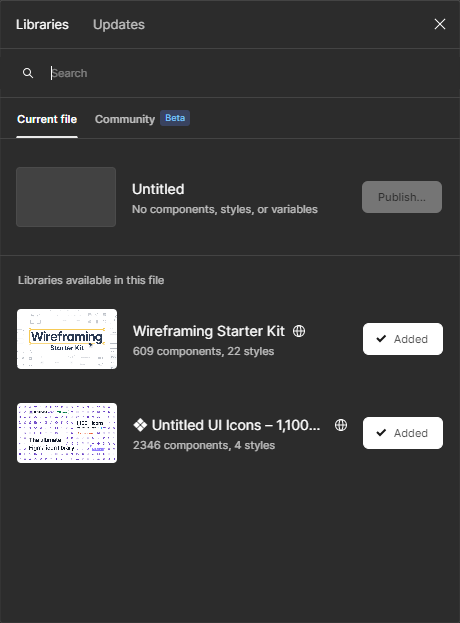
Problem with "libraries available in file" section
Hi, Recently there was a problem with connecting libraries to a file.
Previously, when creating a new file in my team, I could see the previously published libraries and connect only the necessary ones. Now, when I create a new file, I automatically connect two libraries: “Wireframing Starter Kit” and “❖ Untitled UI Icons - 1,100+ essential Figma icons”, at the same time I can’t see the libraries I created in the list of available libraries, but I can find them by name in the search and connect them.
I should note that these libraries are not in the team settings, they are not in any of my team’s projects, and they are not in drafts either. I think they are automatically linked by the community, but none of these files are even in my bookmarks.
Also, these files are automatically merged into an empty file in the draft.