

Question

Pro Account Variables Problem

  • January 13, 2026
  • 1 reply
  • 12 views

Gedo

Hello all,

Recently I bought a design library to use in my projects. As I try to publish the library on my Pro account, I am getting the attached pop up saying that I need to upgrade Organization account. This is the first time happening to me and I can really say why. And I don’t run a team, its just me.

Is it because the library is too complex for Pro account? Whats going on here?
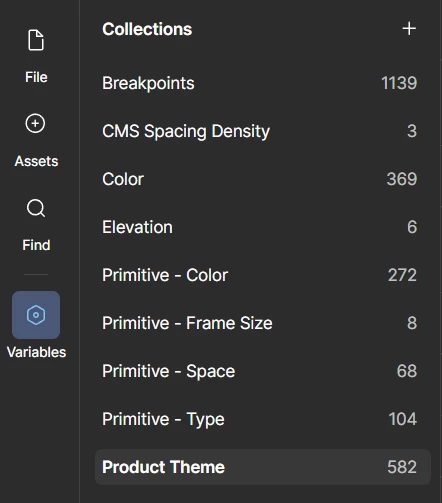


1 reply

  • Figmate
  • January 13, 2026

Hi ​@Gedo,


I understand you’re running into an issue when trying to publish a design library you recently purchased.


Publishing a library is supported on all paid plans, including the Professional plan. To start with, could you please confirm the following?

  • You have a Full seat on the team where the library’s source file lives  
  • You have Edit access to the library’s source file

Based on the message shown in your second screenshot, it looks like you may be trying to publish the library to a specific team or organization. The option to choose where a library is published (for example, to a team or the entire organization via a dropdown) is only available on Organization or Enterprise plans.

On the Professional plan, libraries are published at the team level by default, and you shouldn’t see that dropdown option. I tested this on my end in a Professional team and didn’t see the dropdown when publishing a library either.

You can find more details here: Choose where to publish a library


Also, could you please let us know the steps you took when trying to publish the library?
Did you click the “Assets” icon → the “Libraries” icon → then, from the “This file” section, find your current file and click “Publish,” as shown in the Publish a library guide?


If you’ve confirmed the points above and are still seeing the same issue, could you please share the following so we can escalate this to our team for further investigation?

  • The URL of the library file you’re trying to publish  
  • The steps to reproduce the issue

Alternatively, you can submit a bug report directly by selecting “Contact support” via the (?) icon in the file where you’re seeing the problem. The chatbot will guide you through opening a report so our team can take a closer look and follow up with you directly.

You can also refer to this guide: What to share in a bug report to Figma Support


Thanks!