
Question

Preview and presentation stuck in small square

  • January 13, 2026
  • 1 reply
  • 20 views

jkunimoto8

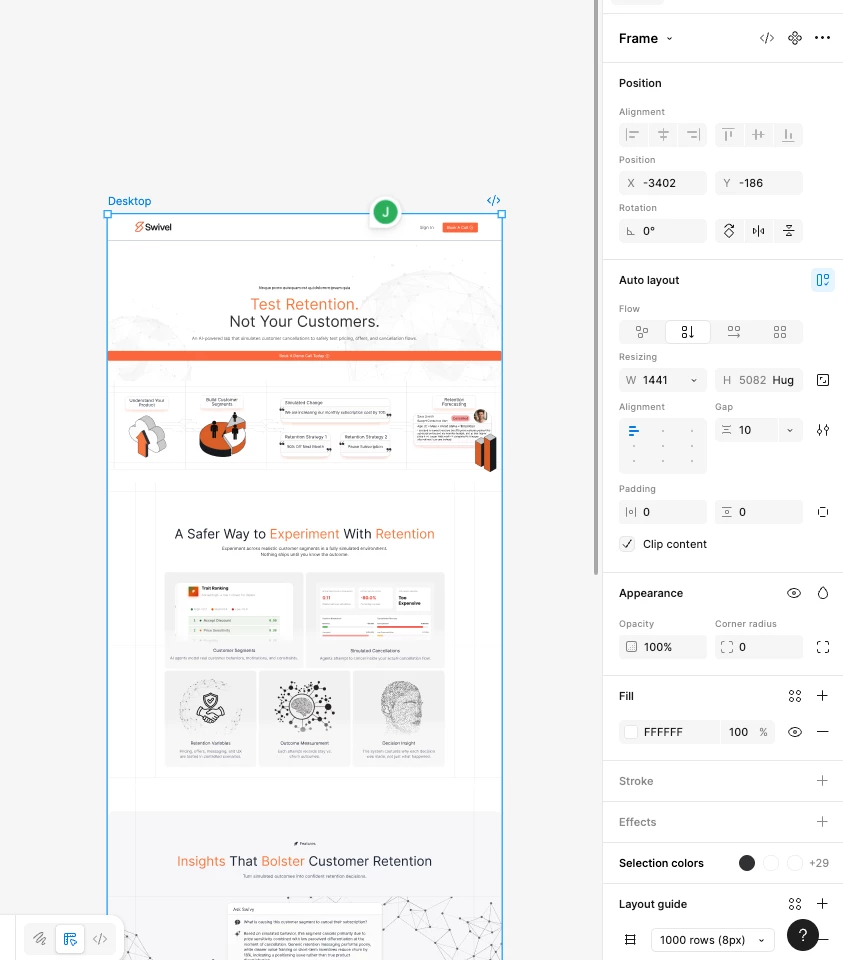
Hello!  I’m having trouble with the preview functionality, as it is stuck in a square aspect ratio, displaying a section of the total screen. Even when I click fill screen, it is still showing the same thing, only larger. Please see images below. Any help is most welcome!


1 reply

WaldoBlackwood

That sounds really annoying, and it is usually caused by the frame or artboard settings rather than the preview itself. Check if your design is inside a square frame or if the prototype starting point is set to a small frame. Preview will only show whatever frame is selected as the starting screen. Try selecting your main artboard and set it as the flow starting point again. Also check the layout grid and constraints, because sometimes a hidden square frame sits on top of everything. Restarting the app or browser can help too if it is just a display glitch. Most of the time, this issue comes from the prototype settings rather than the screen size itself.