
March 29, 2023
Question

Pen tool is not working properly

  • March 29, 2023
  • 12 replies
  • 2474 views

I am unable to use Figma Pen Tool as it is not working properly. The few times, it draws line when dragged and single clicked, but most of the times it does not.
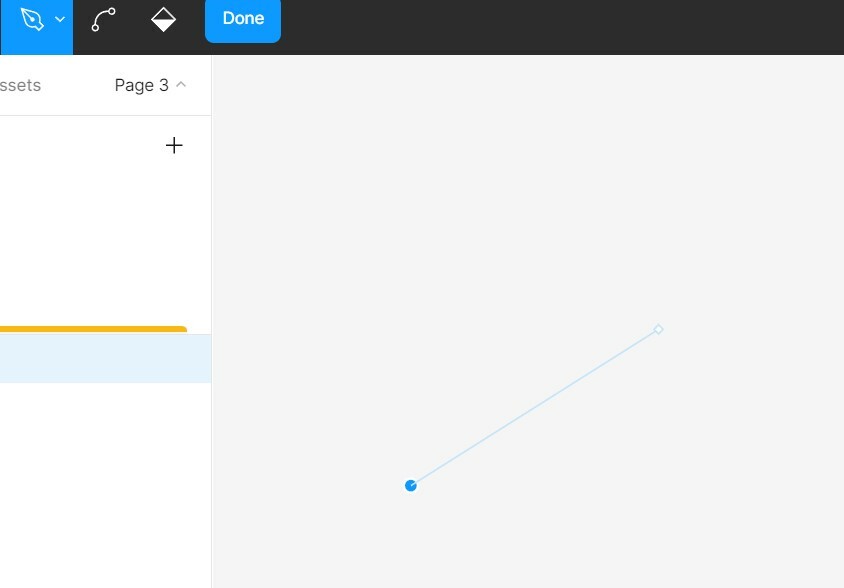
The dragged end must appear round when dragged, however, it turns out to be flat (square shaped) and when I single click, the line disappears.

I have tried to use this pen tool on both Browser (Chrome) and Figma desktop Application, but got same issue both the times.

I have never used any Design Tool and I am totally new to this field, hence totally frustrated. Please suggest.

This topic has been closed for replies.

12 replies

August 9, 2024

Dear Gayani,

it is in the desktop version, I quit the app, even updated Figma and cleared desktop app cache, but I face the same issue again. What can do I else?

Gayani_S
Figmate
Community Support
August 12, 2024

Hey @Maria_Chopko, thank you for confirming this!
I’ve just created a support ticket on your behalf. Your ticket number is #1091812, for reference. Please download Figma’s desktop app debug logs and share it with the support team.

Our support team usually takes up to 24 hours to reply back to emails - tends to be quicker than that in normal circumstances. However, please be aware that we are facing increased contact volume so there might be a delay.

Appreciate your patience in the meantime!