
November 26, 2023
Question

Paragraph spacing do not work

  • November 26, 2023
  • 16 replies
  • 2925 views

Hello, i have a big problem !

When i’m changing my paragraph spacing in my text style, it doesn’t change my text… In my example, you can see i set the paragraph spacing to 91 (huge spacing) but i still have a kind of 20.

It’s working for other properties. I’ve restart Figma but still have the issue.

Please help me, thank you
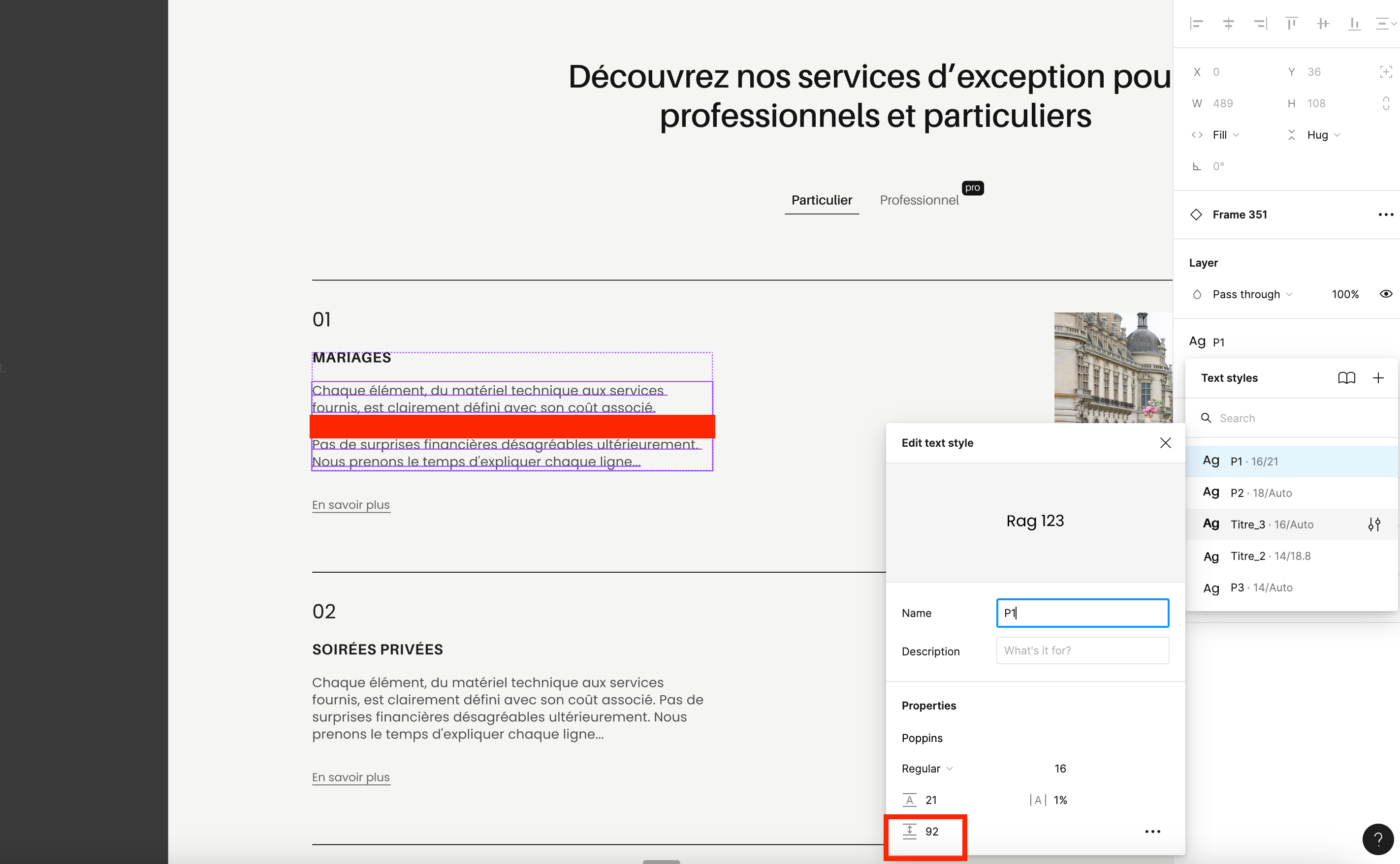
This topic has been closed for replies.

16 replies

Laura_Elizabeth
June 25, 2024

Done, thanks!

Paul50
July 15, 2024

Same problem here. Changes to text styles don’t apply when there are multiple text styles in the same text box.

KelseyONeill
New Participant
July 26, 2024

Bump. same issue here. Must be a new bug, cause I know I have had different styles in one box before.

Celine_
Figmate
Community Support
July 30, 2024

Hi everyone, we appreciate your patience! Our engineers have looked into this further and determined that this behavior is due to a feature limitation. Figma uses the style on the first character in the text box to set the paragraph spacing for the entire text box. We have submitted a feature request to bring this to the attention of our product teams.

Thank you once again for bringing this up and for your patience!

Julija4
New Participant
August 12, 2024

I have the same issue. I found out that this issue only occurs if you copy paste text. If you type the text manually into the text field the paragraph spacing is working.

A little bit ridiculous 🫣

julijacreates.com
Malte_Euler
August 26, 2024

Hi,
When i have multiple styles in one textbox, the values of the first Style will override the others, so if a H2 is in at the start, that maybe has 0 paragraph spacing set, it will override following styles. Changing the paragraph spacing setup for the headline changed the styles for following paragraphs as well. its a hack, but for me it worked.