Neto_Sena
September 2, 2024
Solved

Open Overlay is not working properly

  • September 2, 2024
  • 3 replies
  • 603 views

Hi Guys,

I’m trying to use this feature “Open Overlay” and usually when you do that you can see a preview where you would like to position object to show up. But this option is not showing up anymore.

I really need to show up because this notification is to indicate where the “select” option would be and clicked would appear, its has to be a litte bit below the name “select” for that reason I need to see where to position it

I have even tried to create a new draft and just did a frame and the another box where I would like to position but is still the same see below the link of my document.

Figma – 30 Aug 24

Thanks
Neto Sena

This topic has been closed for replies.
Best answer by y_toku

Hi there,

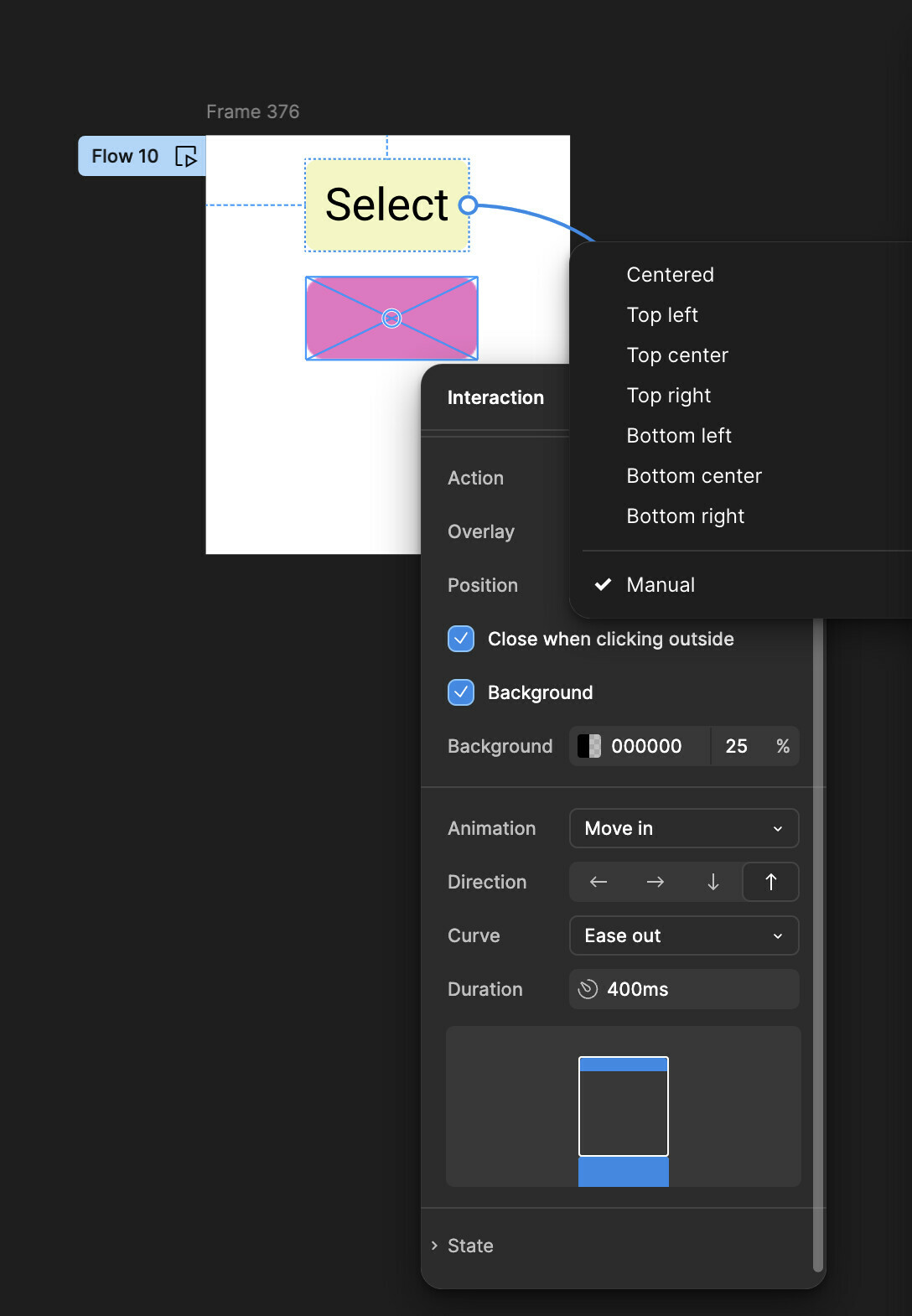
Thanks for reaching out. Would you like to manually place the overlaid frame? You can do this by selecting “Manual” for the position, as shown below.

Please feel free to let me know if you have further questions!

Thanks,
Toku

3 replies

y_toku
Figmate
y_tokuAnswer
Community Support
September 3, 2024

Hi there,

Thanks for reaching out. Would you like to manually place the overlaid frame? You can do this by selecting “Manual” for the position, as shown below.

Please feel free to let me know if you have further questions!

Thanks,
Toku

Neto_Sena
Neto_SenaAuthor
September 3, 2024

Hi there,

thanks so much 🙂 I hasn’t seen the option for “Manual”. I am new on Figma.

Thanks again
Neto

y_toku
Figmate
Community Support
September 4, 2024

Glad that you made it! Please feel free to let us know if you have more questions.