
Ilham_Anugrah
September 27, 2024
Question

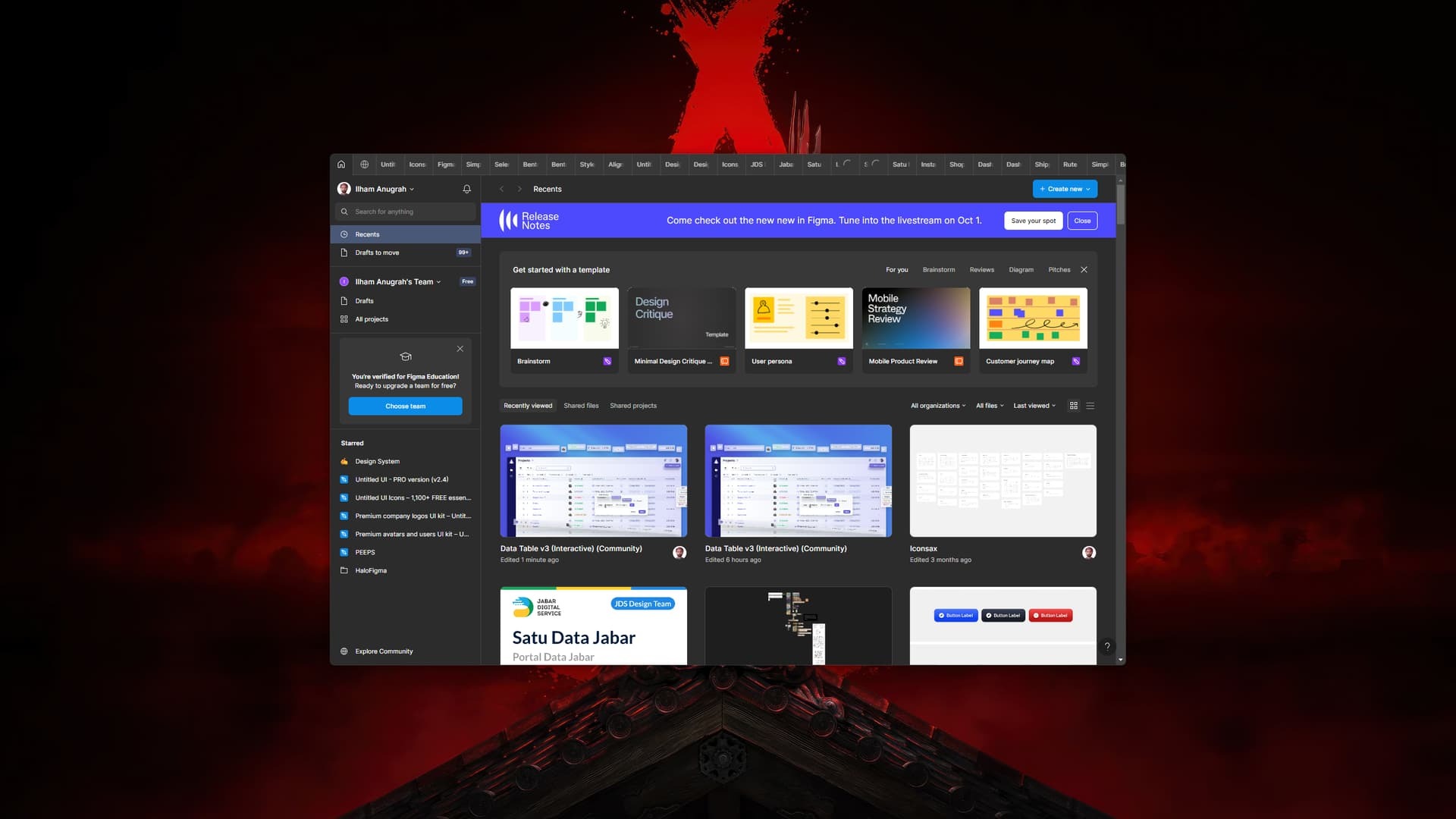
No menu action (minimize, fullscreen and close button)

  • September 27, 2024
  • 4 replies
  • 449 views

There is no menu action (minimize, fullscreen and close button) help me for that
This topic has been closed for replies.

4 replies

Celine_
Figmate
Community Support
October 8, 2024

Hi there! This looks odd, I can’t reproduce on my end.
What is your operating system? Can you try to force-quit and re-open to see if the issue is still happening?

To cover some grounds, here’s our guide for the Figma desktop app:

Figma Learn - Help Center

I hope this helps!

Mike58
November 14, 2024

@Celine_Figma
Just have multiple tabs open and make the whole window narrower.
On the other hand you can’t open tab that is the last one. for example you have 20 tabs and see in window 10, you can’t jump to anything higher that 10 ;/

Ilham_Anugrah
November 15, 2024

I’ve been using Windows 11 I’ve tried to quit and re-open and this is still happening to me until now

Celine_
Figmate
Community Support
November 18, 2024

Hey there! Sorry to hear you are still having issues.
Hmm this looks odd, I am not sure the root cause of the issue here. It should work properly on Windows 11.

As another workaround, please also try to clear out the desktop app cache. You can follow the instructions here:

Figma Learn - Help Center

If this still doesn’t help, please reach out directly to our support team by filling out this form (to submit a bug report): here
I’d like our technical specialist to investigate it further. Please make sure to use your Figma email account, mention your operating system and the steps you have done. Thank you!
