
Jul 19, 2025 2:01 PM UTC
Question

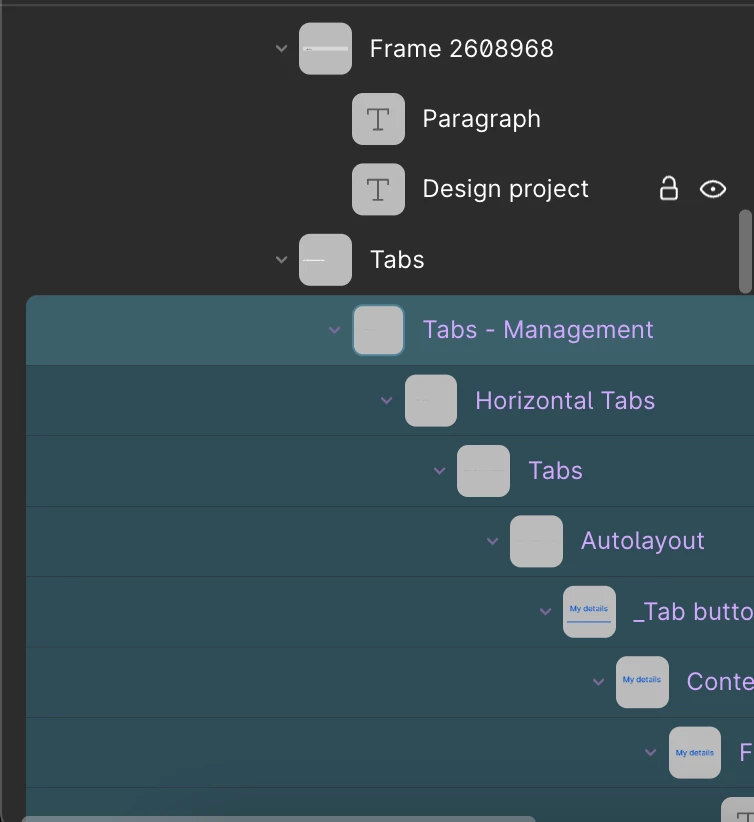
No longer see Instance/Autolayout icons in the Layer Panel

Hello, after the latest Figma update, I can no longer see the icons in the Layer panel that indicate whether a layer is a master component or an instance, or whether a frame has auto-layout. Is there a setting to display these icons in the Layer panel? 
 

This topic has been closed for replies.

2 replies

Jul 19, 2025 2:46 PM UTC

Ok, guys, I saw that I was in the Draw mode 😂 now i see the icons.

Tom Reem
Figmate
Figmate
Jul 19, 2025 3:58 PM UTC

Welcome to Figma Forum, ​@Anna_Prokhorova! 🎉 Glad you got it sorted out. 🎯

For anyone else curious, here’s a quick guide on navigating in and out of Figma Draw mode: Explore Figma Draw → Enter Figma Draw.

If you spot anything else unexpected, feel free to share — this community is always glad to help out. ✨