

Nested variants not resizing inside auto-layout component (works when detached)
Hi Figma community,
I've hit a wall with a nested instance resizing issue. My team maintains two separate libraries: one for Icons and one for Components (which consumes the Icon library).
When swapping an icon variant inside a component instance, the icon is retaining the default variant's dimensions and stretching the internal vector, rather than snapping to the new variant's native size.
Here is the exact setup and the behavior I'm seeing:
The Setup
-
Icon Library: Icons are built as a variant set (24x24, 20x20, 16x16, 12x12). Each variant is a regular frame with fixed width/height and Left/Top position constraints. The internal vector layer is set to Scale/Scale.
-
Component Library (The Button): We have a Button component with an auto-layout frame (Horizontal, Hug/Hug, Center-Center, 8px gap, 16px L / 20px R / 12px T/B padding, min-width 112px).
-
Inside the Button, there is a text layer (Auto Width) and a nested instance of the Icon (defaulted to the 24x24 variant).
The Problem When I place an instance of the Button into a working file and try to swap the nested 24px icon to a smaller size (like 16px), the bounding box of the icon instance remains rigidly stuck at 24x24.
Because the instance stays 24x24 and the source vector is set to Scale/Scale, the 16px vector artificially expands to fill the 24px space. It completely breaks the sizing. Here’s a screenshot:
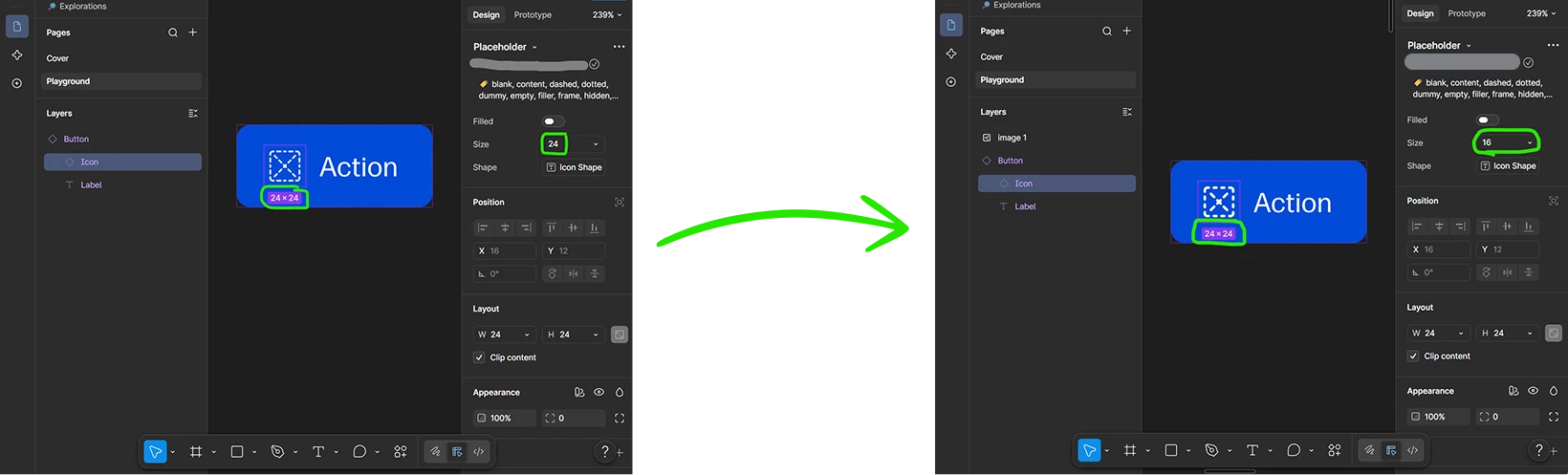
The Weird Part / Troubleshooting If I take that exact same Button instance, detach it, and then change the icon variant to 16px, it resizes perfectly. The frame snaps to 16x16 and the vector renders exactly as it should. Here’s a screenshot:
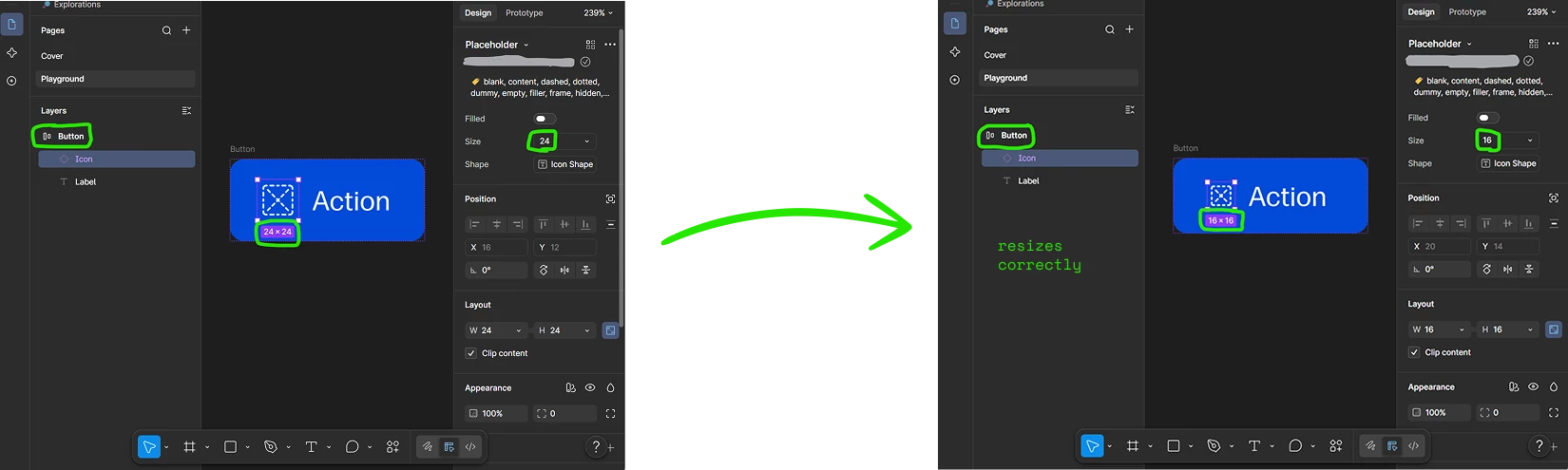
It seems like the main component is forcing a size override on the nested instance that cannot be cleared unless the parent is detached.
Has anyone else experienced this specific override bug? Is it even a bug? Is there a solution to this? Or do I have to use slots as a workaround? Any insights would be hugely appreciated!