
May 19, 2024
Question

Nested Icons (components) are not scaling properly when changing its instance

  • May 19, 2024
  • 15 replies
  • 3376 views

I have a button as shown below, it contains an icon on the left hand side configured as a nested component. The size of the icon in the button component below is 20x20px. The size of the icon itself (as an individual component) is 24x24px.
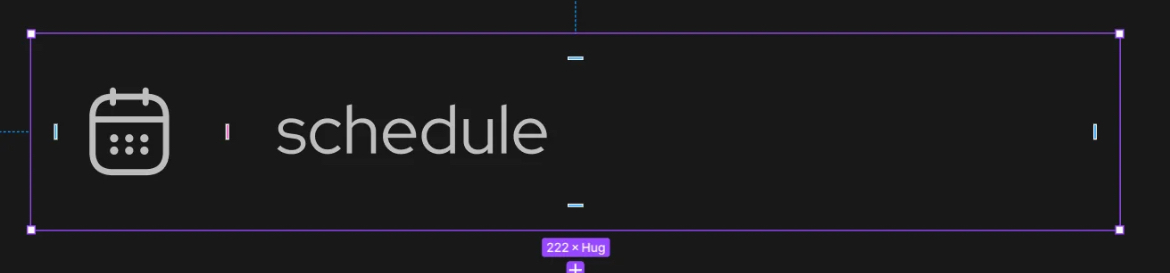
My icons are made up of a bunch of strokes, and all icons as their individual component have their stroke width at 1.5px, in the button component it is 1.25px (as scaling from 24x24px to 20x20px scales 1.5 to 1.25).

When I change the nested component instance to another icon, the new icon should remain at 1.25px, however the new icon is at 1.5px. I’ve tried changing all of my icon’s constraints to scale but that didn’t seem to do anything.

TLDR: I want my nested components to resize but also scale accordingly as I change the nested component instance. Right now it’s only resizing them.

Been stuck on this for quite some time, and I’m not sure if this is a bug or if I’m doing anything wrong. Would love some help.

This topic has been closed for replies.

15 replies

tomas-maple
New Member
November 4, 2025

@AntonF if you flatten the icon, it should work.. give it a try 🤔

AntonF
New Participant
November 4, 2025

@tomas-maple, thanks, but it unfortunately breaks most icons, with unintended outer strokes on elements etc 

DeAnna
New Participant
November 12, 2025

If you flatten the strokes in an icon, they all have to be the same position in order to flatten them all at once. The unintended outer strokes means the stroke had a different position (inside/center/outside) from the rest and will need to be flattened separately.

AntonF
New Participant
November 14, 2025

If you flatten the strokes in an icon, they all have to be the same position in order to flatten them all at once. The unintended outer strokes means the stroke had a different position (inside/center/outside) from the rest and will need to be flattened separately.

Thanks for the pointer DeAnna, that’s a good point!
Will go through the icons and make sure all strokes are centered. It’s probably the easiest workaround 

Would be awesome if Figma could update this either way, so that not only instances follow scaling but also nested instances. This way we could keep the icon vectors intact

DeAnna
New Participant
November 17, 2025

@AntonF I have solved it by just using multiple variants (sizes) of the badge and it works. Using the scale did not work..

Our library does something similar as we use a component for the master icon that has the size variants. That way you will only need to build out the sizes once. It serves as a placeholder for the icon to be swapped out.