

Colin_Kuntz
New Member
June 17, 2024
Question

Nested components reverting to defaults for some variable modes

  • June 17, 2024
  • 16 replies
  • 1083 views

I’m having what seems like a two-tiered issue, one one hand nested components are sometimes reverting to their default properties when a new instance is created. However this does not become apparent unless I change the variable mode that I am using. For example I have 4 modes that cover 2 different branding in a light and a dark mode.

The strange issue here is that this seems to only affect nested components. And on top of that Figma is lying about the impact of variables on nested components properties - as it is displaying that they are not connected, but they seem to be connected and working as intended in some instances.

Here is the master component, its variable mode has been set to “A - light” this is important for some reason as this will dictate if the text property and icon instance are carried over.
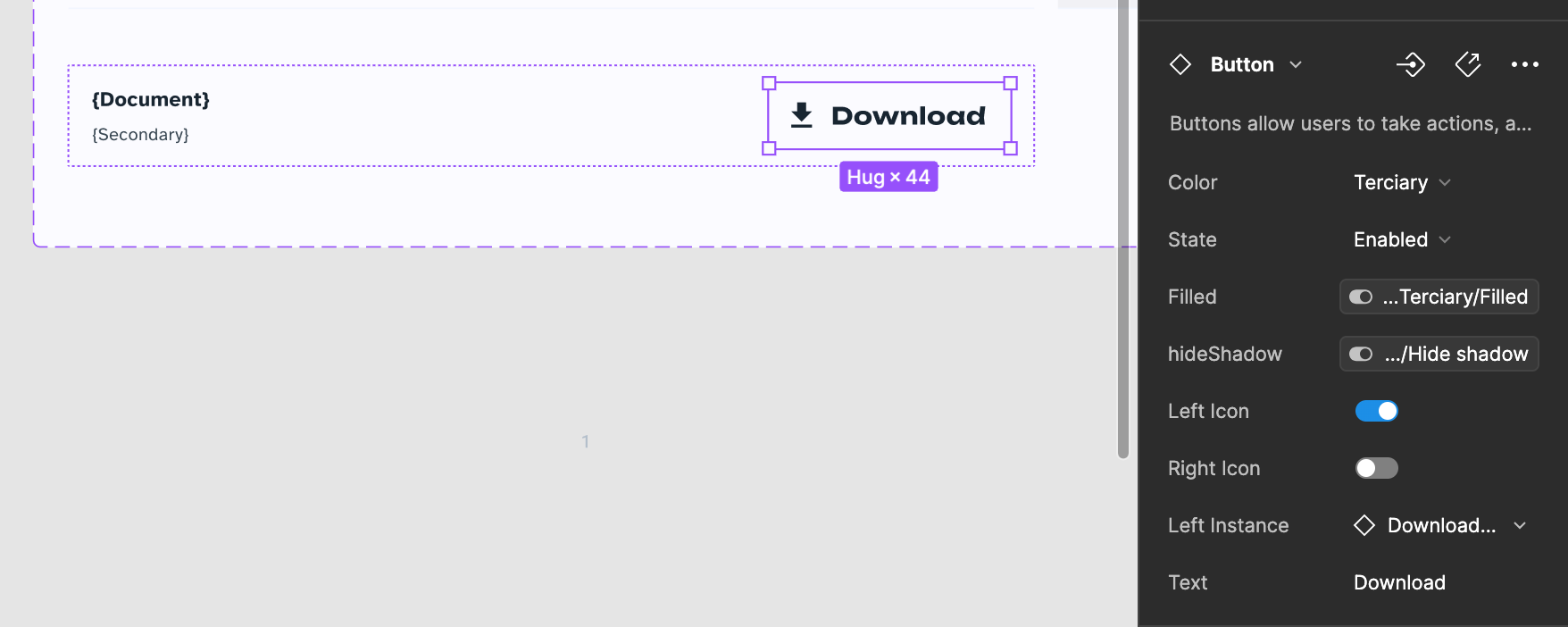
(I’ll attach some more images and context here as replies)

This topic has been closed for replies.

16 replies

Colin_Kuntz
New Member
July 19, 2024

Are you still having this issue? I’ve given up on it and written it off as a bug. I’m hoping a fix comes through at some point or the entire purpose of creating a variable system is defeated 😩

Eugene_Ross1
September 12, 2024

I’m encountering a similar issue and created a video, linked below, to explain it. I rebuilt my menu component with the same structure, and the problem didn’t persist, which leads me to believe the issue lies with the parent menu component rather than the child instances. However, the child instances still aren’t receiving the correct assigned properties.

As I mentioned, I resolved the issue by recreating my menu component. However, replacing all the instances in other files would be a hassle, as it’s technically a new component. Since Figma sees it as a completely different component, the overrides and properties applied to the instances in other files won’t carry over.

@AlicePackard any thoughts on what might be going on with this one? Happy to walk through this one more in depth.

drive.google.com
Yaroslav_Zonov1
November 18, 2024

I am facing a similar problem, I have inherited paddings.

My form element can have input fields as well as selectors. The default is input, and when I replace it with a checkbox for example, it has paddings, which are not present in the original component. This completely kills the meaning of this option, as I can only swap components with the same characteristics, otherwise they do not look as intended.

Celine_
Figmate
Community Support
November 25, 2024

Hey everyone, thanks for flagging it, this looks odd!
If your issue still persists, I’d like our technical quality team to investigate it further. Please reach out directly to the support by filling out this form here.

Be sure to use your Figma account email, include a quick video recording / screenshot, a link to the file, and add support-share@figma.com as an Editor, so they can take a closer look and try to replicate the issue. Thank you!

Colin_Kuntz
New Member
November 25, 2024

I just submitted a ticket. I’m still having this issue but it has become a bit more unpredictable. It looks like across the board, override data on nested components is being lost, however sometimes it still displays how I’d like. It can display how I want for all modes, or half the modes, though in any instance the data for the overrides themselves seems to be erased and reverted back to default values. I’d love to be able to attach a video of what is occurring here, but I keep getting flaged as having too new of an account to be able to attach videos.

chia.kwa
New Member
June 16, 2025

Has anyone else been finding that switching modes on a complex component instance with mutiple levels of nested instances can reset whatever overrides you’ve applied to the instance?

My component’s nested instance property overrides stay themselves when I instance-swap the subcomponents within (icons, text properties, etc.). However, switching modes from the default (Android) to 3 of the other 4 (iOS notch, iOS no notch, Android Tablet) reset all the overrides. Applying them again and instance-swapping subcomponents also resets.

But weirdly, one other non-default mode (Xcover) retains the overrides and doesn’t reset!

I’ve double-checked, and everything is named the same. The variant properties are named the same (when present in that subcomponent), and even in the same order. What gives?