
April 18, 2024
Question

Need to understand why menu moves even though it's fixed

So I’m working with a mobile design for a company and can’t show the content, but I have an issue I am trying to figure out.

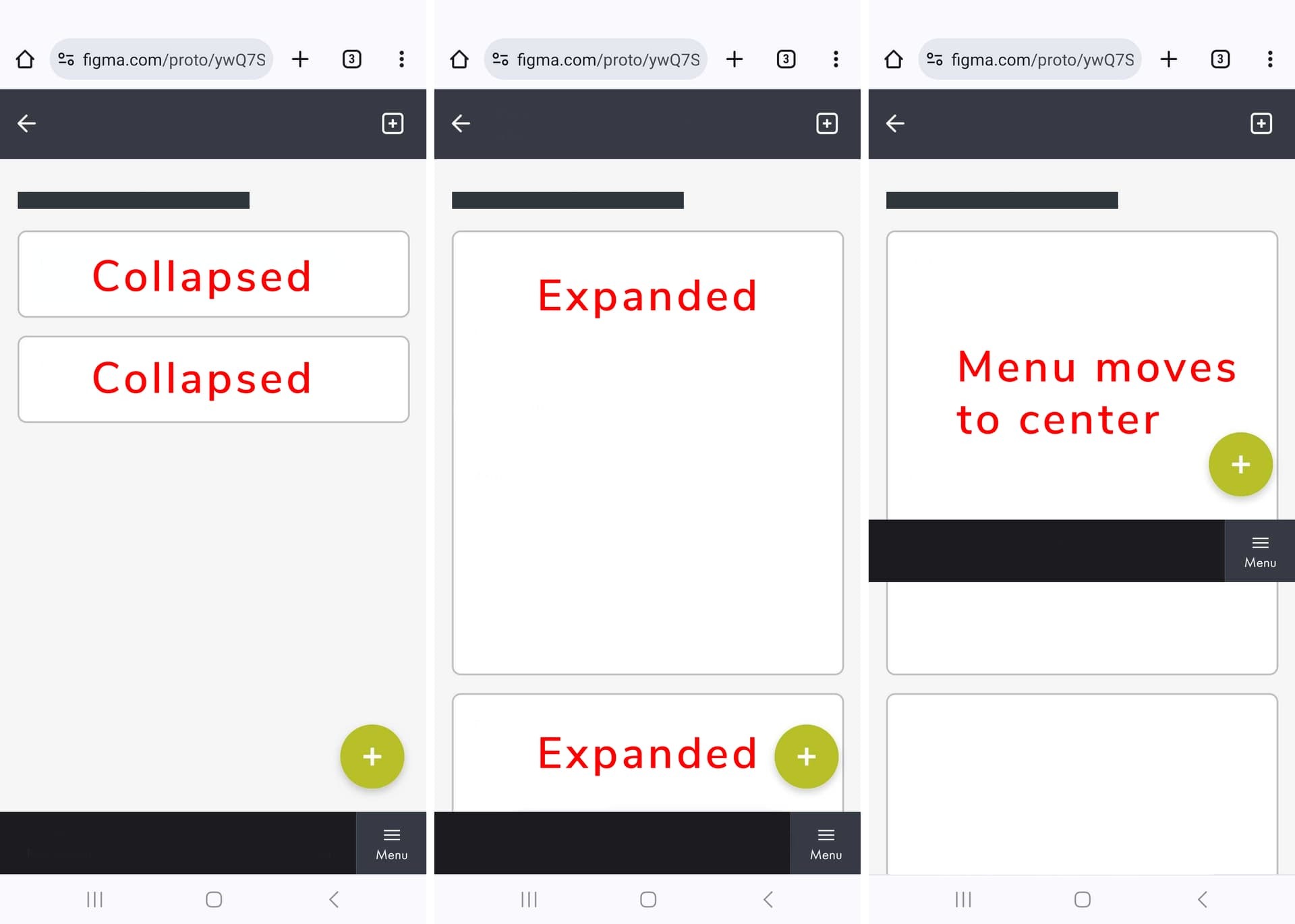
In the image below you can see the mockup in it’s normal state with collapsed component cards. Then in the second image you have the components expanded. If I leave them expanded and go to any other page (navigate to) and then go back (using navigate to) – the menu moves up to the center of screen, even though it is set as fixed.

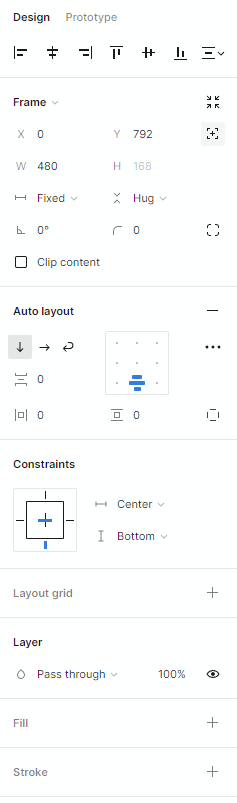
So my guess is that this has something to do with the top parent not being a frame, but an auto layout instead. But I need for it to dynamically change because the component cards can expand. Can anyone explain this behavior? The menu itself is fixed and has constraints to center/bottom.
This topic has been closed for replies.

3 replies

y_toku
Figmate
Community Support
April 19, 2024

Hi there,

Thanks for getting in touch! That sounds intriguing. Could you possibly provide the file link or screen recordings? I’m very interested in understanding how you’ve structured the layers and configured the auto layout.

Thanks!
Toku

April 22, 2024

Sorry for a late reply. The work is under NDA so can’t show it. I can confirm that the issue only appear on my phone and not while previewing on my desktop. The mobile I’m using is Samsung Galaxy S24 Ultra.

y_toku
Figmate
Community Support
April 23, 2024

Thanks for checking in! In that case, could you reach out directly to the support team so our team can look into your issue privately?
https://help.figma.com/hc/en-us/requests/new

Please make sure you use the email associated with your Figma account.

Thanks for your patience.
Toku