

Paul_Gibby
New Member
November 23, 2022
Question

Missing text content group in design panel

  • November 23, 2022
  • 16 replies
  • 7074 views

Today I just opened my project and noticed in the design panel the “Content” group for text is missing. I can edit the text by double clicking on the object though. Since this option is missing, I cannot create properties for components.

However, when I select a component I made earlier and created a property for it, the content group is now visible in the design tab/panel. If I break the link, then the content group disappears!
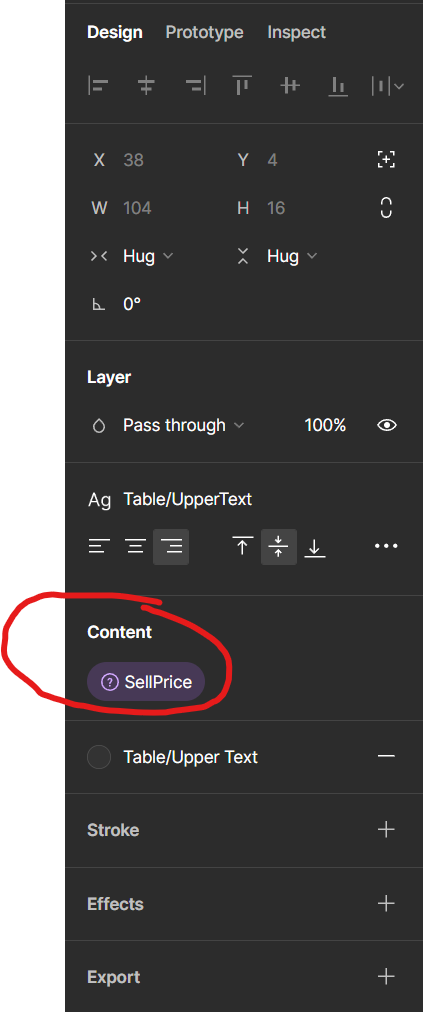
gone
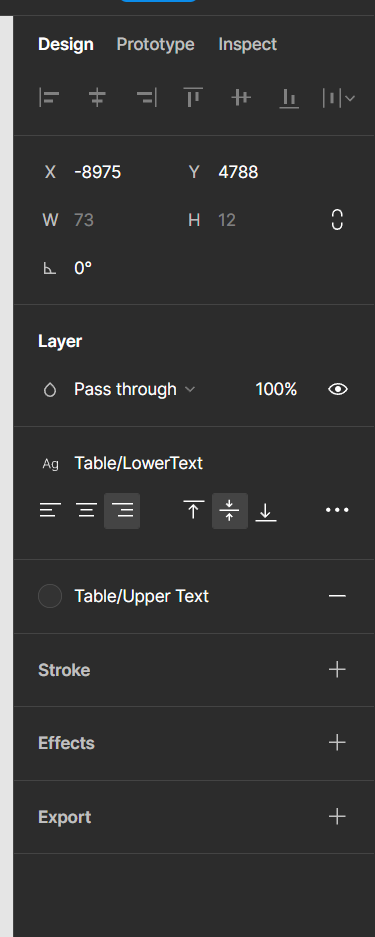
I’m not sure if there are any other groups missing for other shape, frame or drawing tools!

Notes:

  • This happens in all projects.
  • I’ve tried reloading the tabs to no avail.
  • I’ve tried both web and desktop app, same issue.
  • Everything was working when I shut down last night and no updates have occured.
  • Adding text to a new page gives the same no “Content” group in the design tab

Any ideas or anyone else affected?

EDIT:
When working on the master component, I can break the link now and the “Content” group is now visible in the design tab, however, it is NOT working on a standard text object on the page:
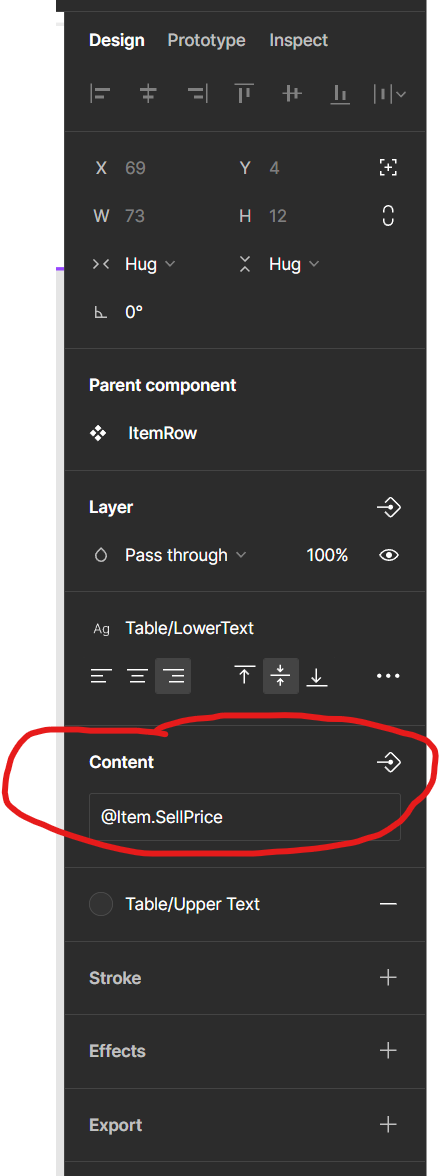
This topic has been closed for replies.

16 replies

Megzon_Mullahasani
November 19, 2024

I am having the same problem in Figma’s new UI3, I would include some screenshots.
Also the same thing happens for Icons in the main component with the appearance, I did it before but today it is not working.

Megzon_Mullahasani
November 19, 2024

Chigisoft
November 19, 2024

Same issue here. Been experiencing it all day

November 19, 2024

It seems like a glitch; try resetting your workspace or updating your software. A digital design agency can help troubleshoot advanced design panel issues if the problem persists!

December 4, 2024

If you’ve lost the text property option, here’s how to find it: what was “content” for text-based props has now been moved at the top in the sidebar (when you select some text inside a component).

By default the property icon isn’t visible anymore, you see it ONLY if you hover near the area of the text, e.g. near “Label” text in Megzon_Mullahasani screenshot. Then you can click it and set it up as usual.

It’s unbelievable how bad the new UI is

Praveenkumar
December 19, 2024

so whoever tried for looking to set property for the text, when you click the text some of them not able to see both content on both


version, because it is on above panel let me show with image