

MCP support for annotations

  • May 6, 2026
  • 5 replies
  • 132 views

Kylie_Dye

Native Dev Mode annotations are valuable sources of context that get lost for anything using the MCP. Measurements and props, too, although I don’t think that’s nearly as important. My response from Github Copilot:

This is a limitation of the Figma MCP server that powers my Figma tools — it currently exposes the layer/node tree but not the annotations or comments API endpoints.

5 replies

Gareth
  • Active Member
  • May 19, 2026

This should have been a feature from the start - seems quite wild to not be able to gather additional context via annotations at the very least! 


Sjur_Gronningsaeter

Edit: I got the annotations through the Figma MCP now 👍


KBW
  • New Member
  • June 16, 2026

Hi, may I ask how did you get the annotations through the FIGMA MCP? I am still unable to get Figma MCP to read annotations. 


Cody Bitner
  • New Member
  • June 25, 2026

Annotations are supported by the MCP now. You will need a `get_design_context` call on an individual node to access it so you may have to adjust your skills and agents to dig deeper into each node fo find them.


Jaycee Lewis
Figmate


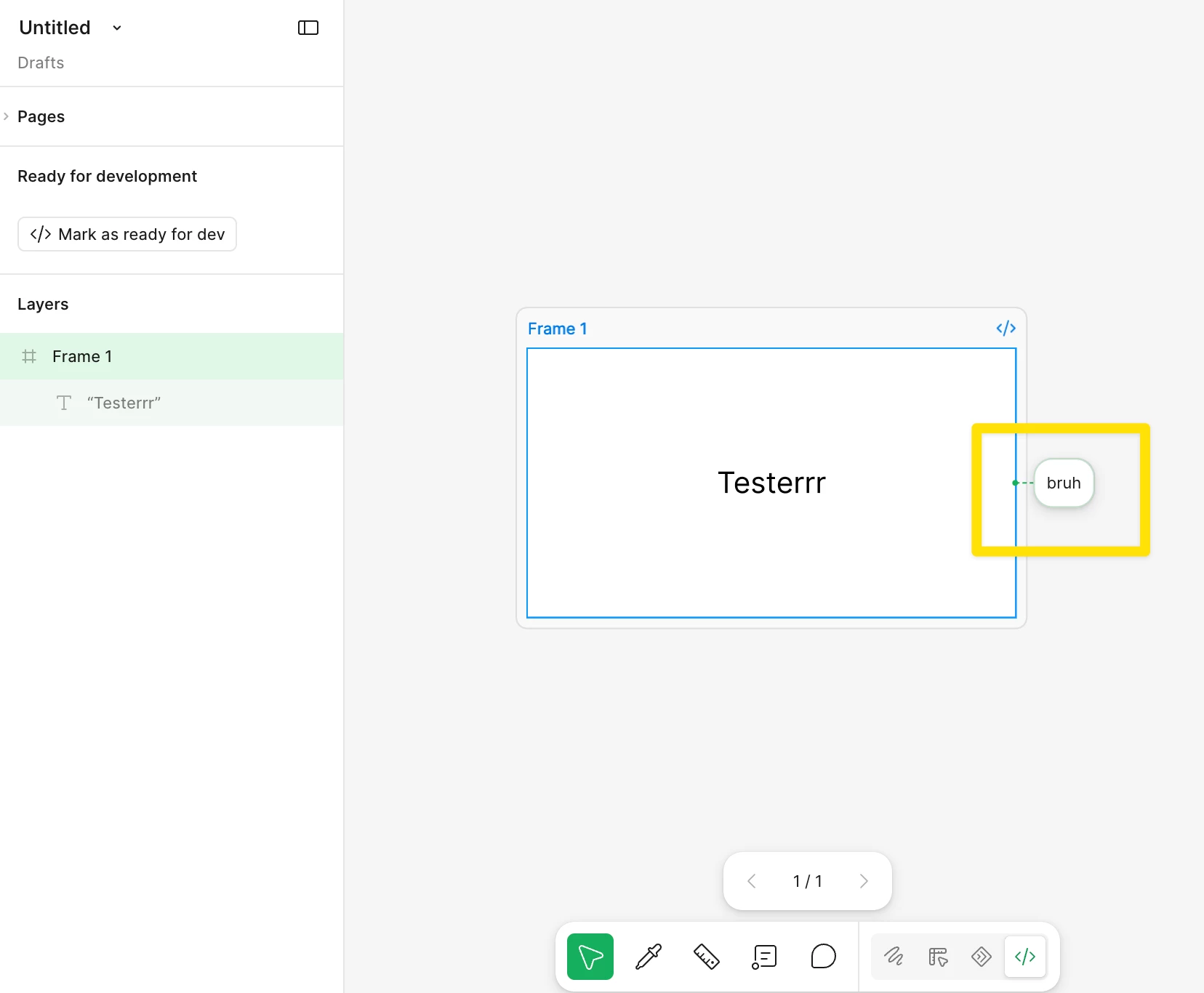
 Good news ​@KBW I was able to get it working using a simple test. I used Claude Code (YMMV):

  • In a Figma Design file, add an annotation — I chose “Bruh” 😎 (Dev Mode > annotation tool) to one specific layer. Note that layer
  • Copy that layer's link: right-click the layer → Copy link to selection. This gives a URL with node-id in colon form
  • In Claude Code, prompt:
    Call get_design_context on this node and show me the full raw response, including any annotation data: <paste node URL>


Output:
Generated Code:
export default function Frame1() {
return (
<div className="bg-white relative size-full" data-node-id="1:3"
data-annotations="bruh">
<p className="[word-break:break-word] absolute font-['Inter:Regular']
font-normal leading-[normal] left-[206px] not-italic text-[32px] text-black
top-[126px] whitespace-nowrap" data-node-id="1:4">
Testerrr
</p>
</div>
);
}

...

Annotation data found:

The root <div> (node 1:3) has:
data-annotations="bruh"

I hope that helps getting you moving forward! — Jaycee