Question
Material Theme Builder - remove colours from the library
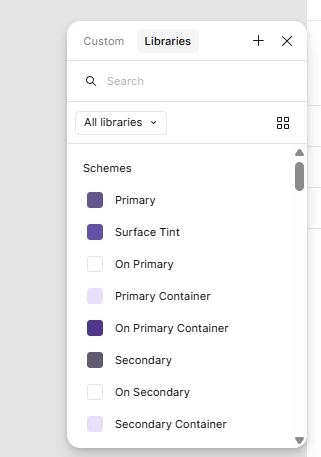
Recently I wanted to try out the Figma Material Theme Builder plugin but after a short test run decided not to use it. However it created into the colour library a bunch of default colours under the group “Schemes” that I can’t get rid of. I’ve uninstalled the plugin and manually removed from the right design panel the colours, but they still come up in the library. I haven’t used the colours anywhere.
Anybody knows how to get rid of these colours?