

UX_UI
May 29, 2023
Question

Line Height Strange Behavior

Hello.

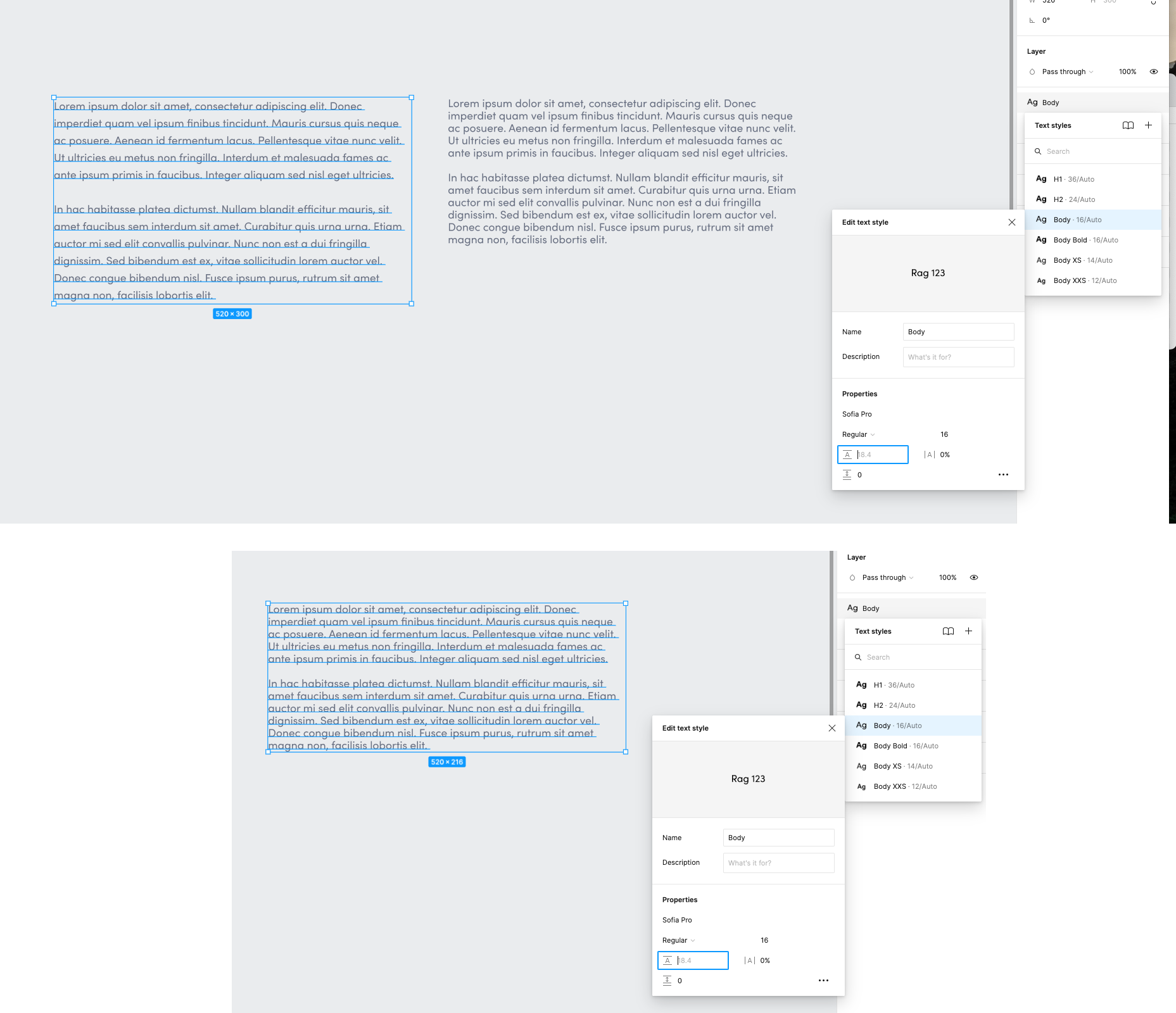
I use the font “Sofia Pro” from Adobe Fonts in a project. I’ve been using this font for a long time, today when creating a new page when editing the text of one of the text blocks, suddenly the text box shrinks, and the line height of the text changes.

On the left we have the original block, and on the right the block when I click on it, this happens with all the blocks in the project. But the font characteristics are the same… I don’t understand. Does anyone know what’s going on?
This topic has been closed for replies.

12 replies

Celine_
Figmate
Community Support
January 31, 2024

Hey @Dinesh ! Sorry to hear you are having issues with your text line height.
In order to investigate the root cause, please also reach out directly to the support team by filling this form: here
(I’ve checked on our back end with similar issues, but we didn’t received enough details to investigate it).

Be sure to use your Figma account email, share a short video of the issue, include the link to the affected file, and share it with support-share@figma.com so we can investigate it. Thank you!

February 28, 2024

What’s the verdict on this issue?

I am wondering about the same thing. Also which is weird:

  • One day I work in my file, I click a text frame the Line Height gets smaller,
  • No possibility to CMD+Z the text box to the before state
  • The next day I click the same text boxes again, and the Line Height gets larger, so basically changes back to the state before

Has this been resolved? I can live with a comment like: This is a bug at the moment, I mean it’s just a computer program and nothing is perfect, I just would be happy to understand why this is happening.

Kind regards
Johannes