

Question

Issue with expanding search bar in Header

  • August 2, 2026
  • 3 replies
  • 147 views

Mustafa Wahab

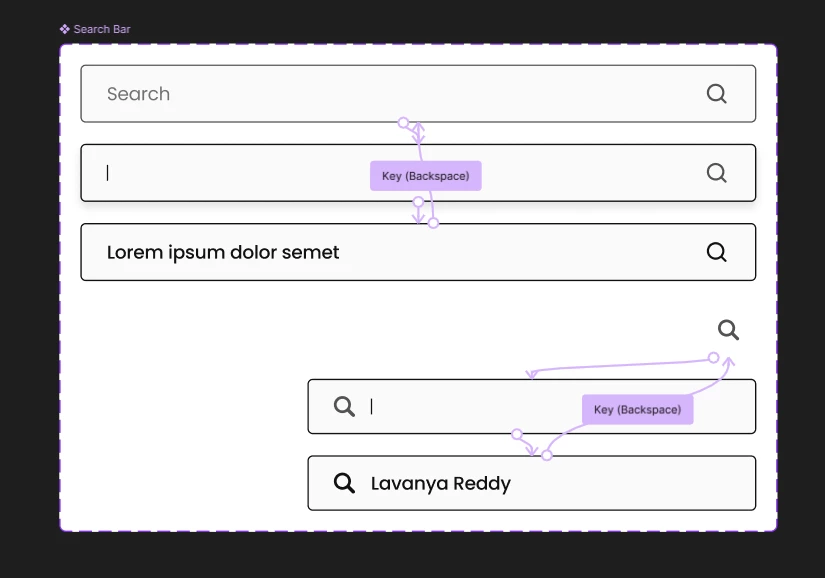
I have a header in my web application with a search icon. When the user clicks the icon, the search bar should expand from right to left.

The problem is that the animation works, but the expanded width is incorrect. I've built this type of expanding search bar many times before and never ran into this issue, so it's strange that I can't figure out what's causing it now.

I've already tried setting the constraints to Right + Top and Right + Bottom, but neither produces the expected behavior.

P.S.: It works well when I manually expand it in header component, it’s just the prototype where it just doesn’t work


Component set
 

Header

 

Prototype

 

3 replies

adamsmasher
Figmate
  • Figmate
  • August 2, 2026

Hi, ​@Mustafa Wahab! Thanks for your post - I imagine this is pretty confusing since you’ve made this type of interaction before.


Do you think you could get screenshots of the properties panel for both the search bar component that expands (both states) and the parent layer? It might be helpful to see that. Since you’ve created this interaction before, have you tried comparing this component with one that you know to be working? The experience should be consistent between Design and Prototyping, but comparing to a working example might help you find what is different and results in what your screenshot shows. 


Mustafa Wahab
  • Author
  • New Participant
  • August 4, 2026


Hi, ​@Mustafa Wahab! Thanks for your post - I imagine this is pretty confusing since you’ve made this type of interaction before.


Do you think you could get screenshots of the properties panel for both the search bar component that expands (both states) and the parent layer? It might be helpful to see that. Since you’ve created this interaction before, have you tried comparing this component with one that you know to be working? The experience should be consistent between Design and Prototyping, but comparing to a working example might help you find what is different and results in what your screenshot shows. 


I unfortunately don’t have the component which was working earlier, I am pretty sure that nothing has been changed since I created it last time. Here’s the screenshot of properties panel


adamsmasher
Figmate
  • Figmate
  • August 6, 2026

Ahh, that’s ok. Are you able to share the component and nav bar? I think it might be easiest to figure out what’s happening if we can directly work with the components, and if something isn’t working right I can include that with a ticket with our support team.