Lucian_Novosel
May 3, 2021 5:02 PM UTC
Question

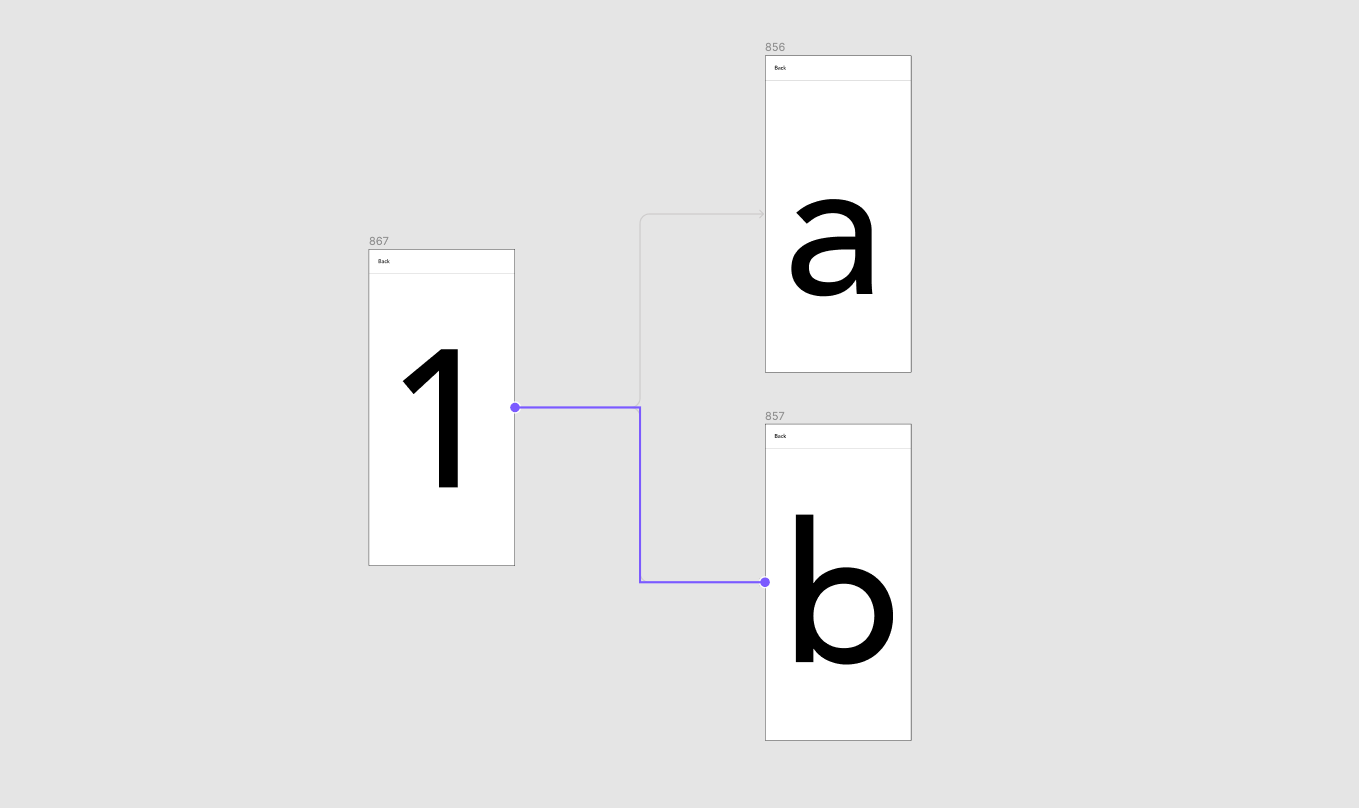
Is there a way to have an elbow connector in a figma file?

I’d like to use elbow connector(which were made possible in FigJam) in my figma design file. Does anyone know how to bring them in? And connect screens with them?

This topic has been closed for replies.

8 replies

Shane
May 3, 2021 7:23 PM UTC

Create a connector line in a figjam file, and then copy it and paste it into your Figma design file. You can then just drag the ends to connect to frames in the same way you use it in the figjam file.

Lucian_Novosel
May 3, 2021 9:31 PM UTC

thanks for responding!

Sure, you can do this, but I’m looking for an easier way. Know what I mean?

Pasting it in, then editing it’s location, then connecting each end to a frame, takes considerable time for a large system.

Shane
May 3, 2021 10:57 PM UTC

I don’t think there is an easier way at the moment, although I note that it has a specific icon in the layers list - somebody has thought about connectors on the design file side. I wouldn’t be surprised if it shows up as a item that we can insert directly into designs in the comings weeks/months 🤞 🙂

Amit_M
Mar 5, 2022 4:59 AM UTC

Very easy, select the curved connector and change the corner radius to “0” in the Design>Frame properties.

Feb 9, 2023 10:21 AM UTC

Autoflow plugin does the trick 😉

Hiroki1
Jan 19, 2024 5:28 PM UTC

As of '24, it looks like you can copy and paste elbow connectors from FigmaJam straight into your design file.

Neil_Hunt1
New Member
Feb 9, 2024 10:26 PM UTC

not something I’d want to brag about, but it’s simple enough and does work!

Mar 21, 2024 6:06 PM UTC

Just played with this for awhile and the pen tool + setting a corner radius + adding arrows to the line works pretty well. All in Figma, no jumping to another app (which is ridiculous) and doesn’t have a whole lot of the bugs of FigJam’s arrow connectors.

Having just generated a couple giant site maps in FigJam, I’m never doing it again. FigJam’s arrows are so buggy, and it’s a basic thing that omnigraffle, miro and so many other apps nailed years ago.