Instance swap not honouring new scaled size
Hi Figma Community!
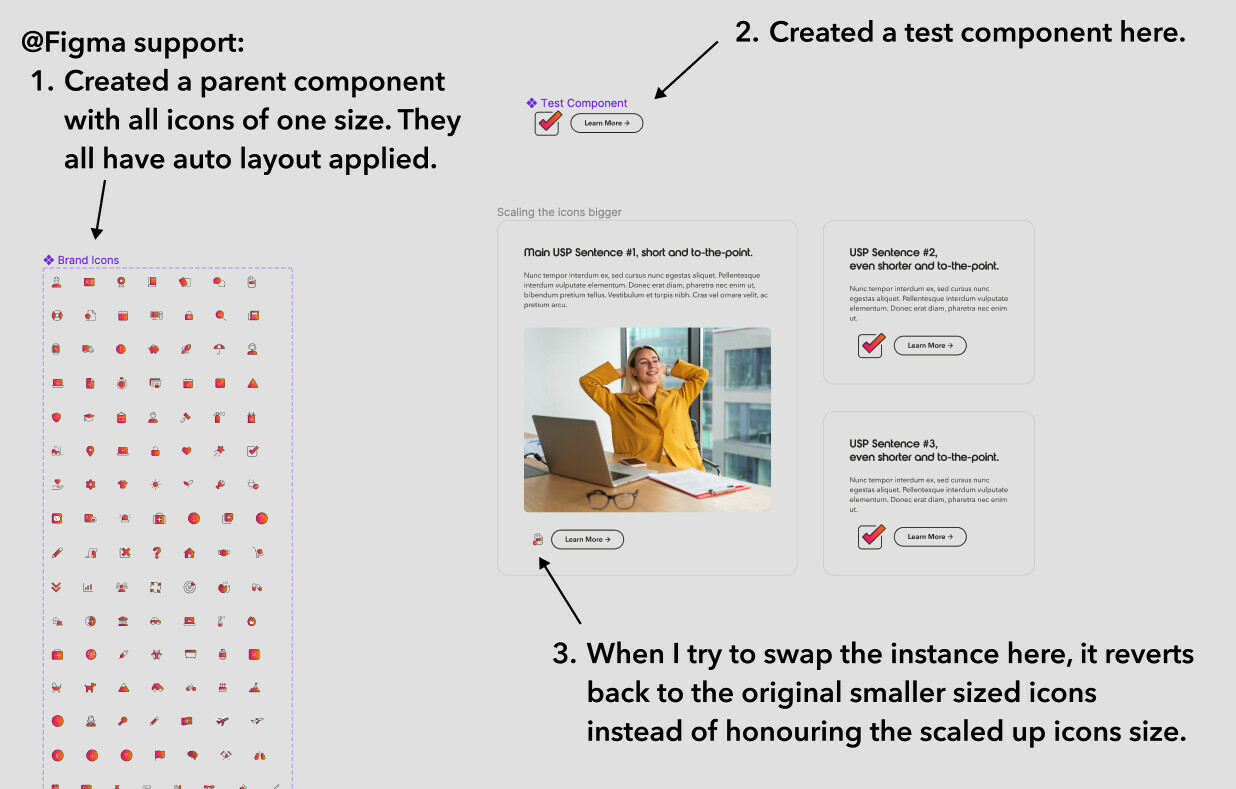
Basically, I have a bunch of one size icons as variants in a component - they all have an auto layout frame applied to them.
I want to use the icons throughout my design, but in different sizes. However, I don’t want to create varying sizes within the main component, as there would be too many icons and it would look messy.
So what I normally do is:
- Create another test component using the icon with another element (for example, with a CTA here)
- Scale the icon using the scale tool (larger as an example here)
- Then instance swap it and it usually adheres to the new scaled size that I give it.
However, recently, this method hasn’t been working and the instance just retains the same size as its original parent varient.
*As a note, the icon starts scaling properly if I detatch the instance. Which ideally I don’t want to be doing, as I may have changes to the test component that I need reflected throughout the file.
Can anyone assist in finding why this is, that would be much appreciated!