
Solved

In Figma Slides, I can’t resize the table.

  • June 20, 2026
  • 4 replies
  • 41 views

Andrey24

When creating a table in Figma Slides, there’s one limitation: the table size is constrained. I can’t resize it to the exact proportions I need — for example, 10×20 pixels. Is that possible or not? 
 

Best answer by adamsmasher

Hey, ​@Andrey24! Thanks for your post - hopefully it hasn’t been too confusing trying to set up your table in slides.


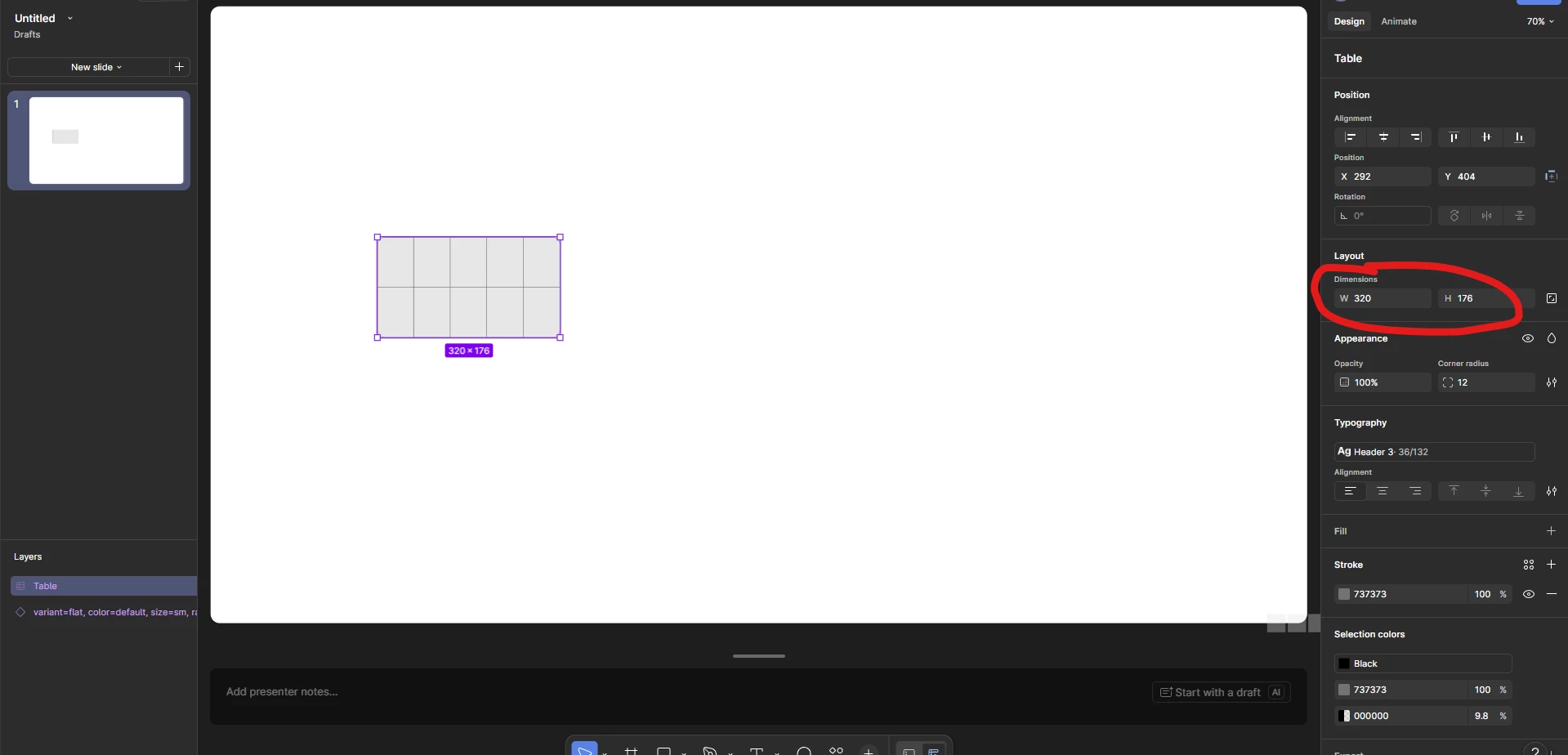
What dimensions did you actually want to use with the table? You should be able to click and enter whatever dimensions you want, though there are some minimums for the width and height depending on the number of rows and cells (for example, a table with two rows and two cells is 128x176). As long as you are entering a width and height larger than the minimum, you can enter any sizes you need. Make sense?

4 replies

adamsmasher
Figmate
  • Figmate
  • Answer
  • June 21, 2026

Hey, ​@Andrey24! Thanks for your post - hopefully it hasn’t been too confusing trying to set up your table in slides.


What dimensions did you actually want to use with the table? You should be able to click and enter whatever dimensions you want, though there are some minimums for the width and height depending on the number of rows and cells (for example, a table with two rows and two cells is 128x176). As long as you are entering a width and height larger than the minimum, you can enter any sizes you need. Make sense?


Andrey24
  • Author
  • New Participant
  • June 21, 2026


Hey, ​@Andrey24! Thanks for your post - hopefully it hasn’t been too confusing trying to set up your table in slides.


What dimensions did you actually want to use with the table? You should be able to click and enter whatever dimensions you want, though there are some minimums for the width and height depending on the number of rows and cells (for example, a table with two rows and two cells is 128x176). As long as you are entering a width and height larger than the minimum, you can enter any sizes you need. Make sense?

That’s exactly the issue — I actually want to make it even smaller because I need to fit a large number of rows, like 40–50. Is this something that’s expected to be supported in the future, or should I not count on it and just create those kinds of tables in PowerPoint or Excel instead?


adamsmasher
Figmate
  • Figmate
  • June 21, 2026

Thanks for clarifying, ​@Andrey24 - I can see why you’d want to do that if you’re looking to squeeze a large number of rows into the table. 


There’s a minimum height for rows to maintain legibility and space for fonts. Given that a slide also has a finite height and width (unlike the canvas of Figma Design, for example), this means the table can only be so small before you hit that limit and make the contents of the table difficult to read in the slide. Maybe you could include a select number of rows in the table, then provide a link to view a Google sheet or download an excel file?


Andrey24
  • Author
  • New Participant
  • June 22, 2026

Thanks for clarifying, ​@Andrey24 - I can see why you’d want to do that if you’re looking to squeeze a large number of rows into the table. 


There’s a minimum height for rows to maintain legibility and space for fonts. Given that a slide also has a finite height and width (unlike the canvas of Figma Design, for example), this means the table can only be so small before you hit that limit and make the contents of the table difficult to read in the slide. Maybe you could include a select number of rows in the table, then provide a link to view a Google sheet or download an excel file?

Unfortunately, that probably won’t be possible, since the slide is meant to be displayed on a large screen for a large audience.