Question

Icon swap preferred option constantly appearing

  • May 15, 2023
  • 3 replies
  • 1119 views

Hi I am encountering situation where when I try to swap the icon from the ones linked to the styleguide, it appears with ā€˜Preferred’ instead of the icon’s linked styleguide. Is there way avoid seeing the preferred icons at all? (I.e, the icon I am trying to swap is from the same styleguide to the one I wish to swap. The icon is component already linked to the styleguide).


This topic has been closed for replies.

3 replies

Agustin_Posse

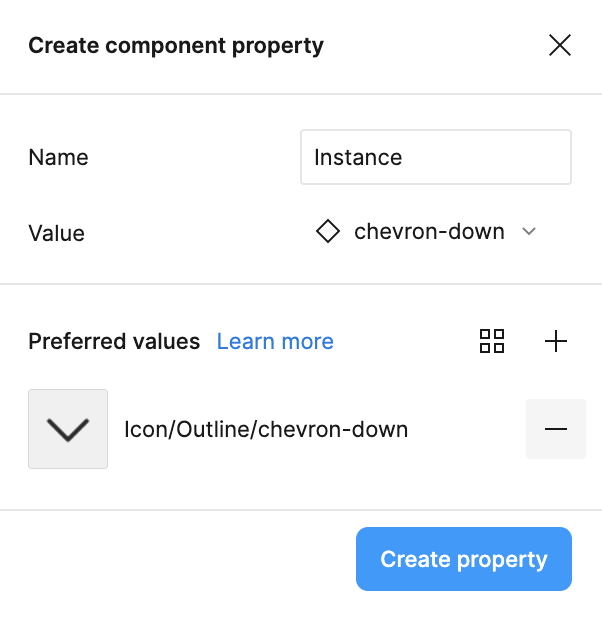
Hi! to avoid seeing preferred values you will need to remove the default preferred value that is shown when creating the instance swap property. (see the ā€œminusā€ button below, it appears when hovering)

In case you do want preferred values, you can add them with the ā€œplusā€ icon (just above the ā€œminusā€ button)


Hey, Im having the same problem. Is there a way to edit the property already created or you need to create a new one?


djv
Figmate
  • Community Support
  • May 27, 2024